


Ashampoo Music Studio – Edit, mix, and burn music on your PC
Ashampoo Music Studio is a complete music suite for Windows that brings everything you need to edit, convert, organize, and burn audio files into one app.
It’s built for both beginners and more advanced users who want an easy tool for working with music without investing in a professional DAW.
We tested the program on a Windows 11 PC with 16 GB RAM, and installation took under a minute. The app starts without ads, and the entire interface is available in flawless English—ready to go.
Features and capabilities
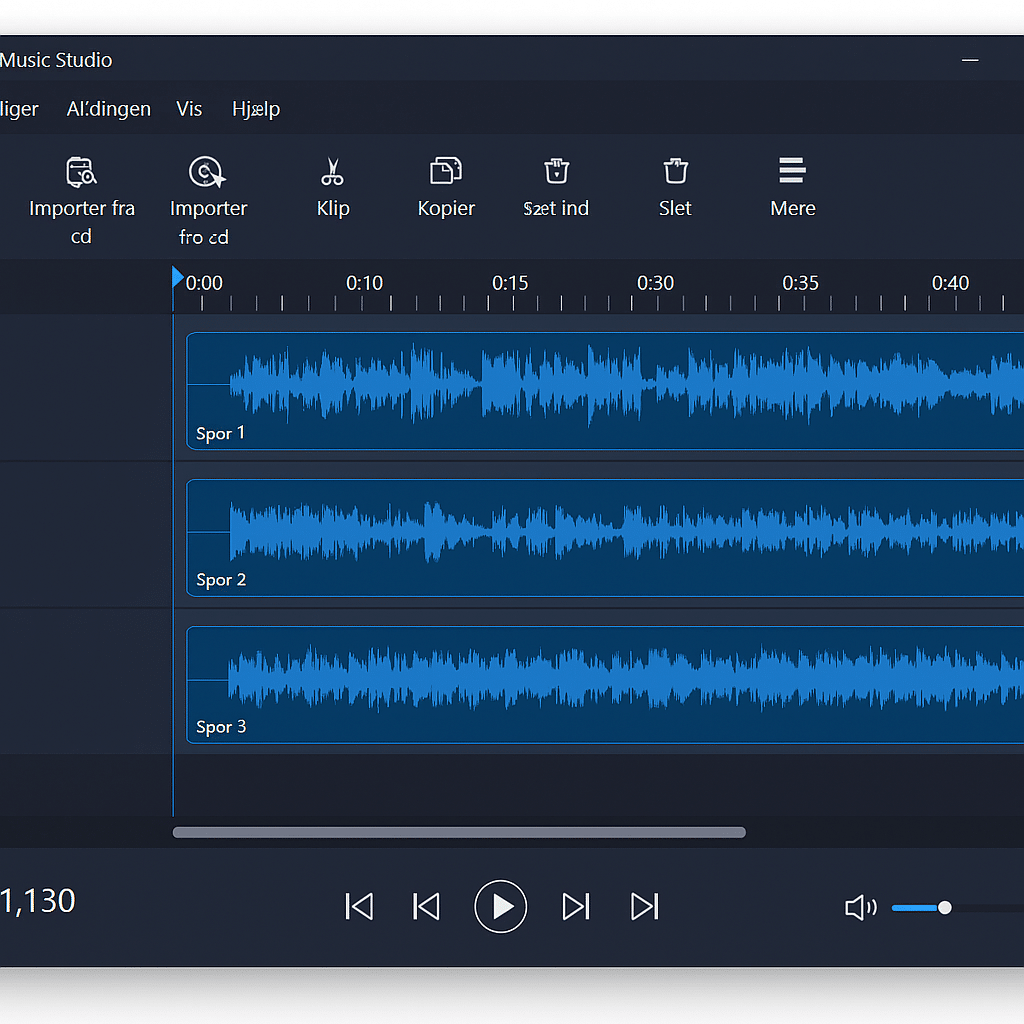
🎵 Edit music with precision
You can cut, merge, and arrange audio files with high accuracy. The multi-track editor makes it easy to mix multiple songs or recordings at the same time.
💿 Burn and copy CDs
Create your own mix CDs with automatic fetching of album art, artist info, and track lists—pulled from the web.
🔊 Auto-enhance your audio
The app can automatically normalize volume levels across tracks, so you avoid big jumps in loudness between songs.
📁 Organize your music library
The smart “Tag Editor” helps you edit or automatically update metadata like title, artist, and genre.
🎧 Supports modern audio formats
Ashampoo Music Studio works with most popular formats, including MP3, WMA, WAV, OGG, FLAC, AAC, M4A, and OPUS.
Interface and experience
The latest version features an updated, modern design that fits Windows 11 perfectly. Menus are logically structured, and both dark and light modes are available.
In our tests, the app handled even large audio files without lag, and export times were impressively short—especially when converting to FLAC and MP3.
Even if you’re new to audio editing, Ashampoo Music Studio feels intuitive and quick to learn. It’s a great choice for anyone who wants to create their own mixes, edit podcast files, or burn personal CDs.
Top 5 tips for Ashampoo Music Studio
Use the normalization feature
Get even volume levels across all songs, so you won’t have to adjust the volume constantly.
Leverage multi-track editing
Mix multiple tracks to create your own mashups or music projects.
Add fade effects
Smoother transitions between songs give a more professional result.
Organize files with Tag Editor
Keep your library tidy by adding correct artist and album names.
Save in lossless formats like FLAC
Preserve full audio quality when exporting your tracks.