


Clean up your Windows Registry with Auslogics Registry Cleaner
Auslogics Registry Cleaner Free is a free, user-friendly Windows utility that efficiently scans and cleans the registry for invalid and outdated entries. It’s ideal for both beginners and more advanced users who want a faster, more stable PC—without messing with complicated system tools.
Top 5 tips for Auslogics Registry Cleaner
Although Auslogics Registry Cleaner automatically creates a backup, it’s good practice to make a manual backup of the registry if you’re changing system‑critical keys.
If you frequently install and uninstall software, clean the registry at least once a month to prevent errors from piling up.
Enable advanced settings to find and remove more hidden or deeper entries—only if you know what you’re doing.
Review what’s suggested under “High risk”—not everything should be removed automatically. Be cautious and keep keys you’re unsure about.
After registry cleaning, it’s a good idea to defragment your drive to further improve access times and overall system speed.
Why clean the registry?

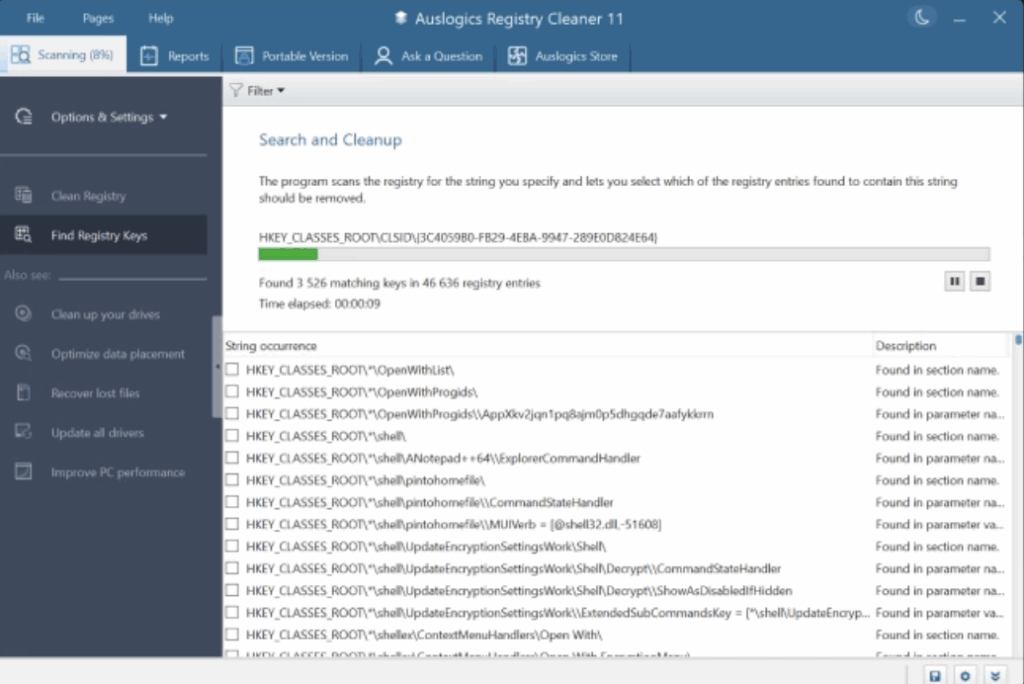
Windows’ registry is a central store for system settings and application data. Over time, it can fill up with invalid entries, references to uninstalled programs, outdated drivers, and other errors that can negatively impact performance and stability.
Auslogics Registry Cleaner typically resolves issues like:
- Frequent system crashes or error messages
- Programs that fail to start properly
- Slow startup times
- Poor overall system stability
Features and ease of use
- Choose which areas of the registry to scan (e.g., software, fonts, shell extensions, file associations)
- Results are displayed in a clear list with risk levels (low, medium, high)
- Built-in backup: all changes can be undone
- The program installs quickly and uses minimal disk space
The interface is modern and easy to understand, even for non-technical users. A one-click clean feature lets you tidy up with minimal effort.