


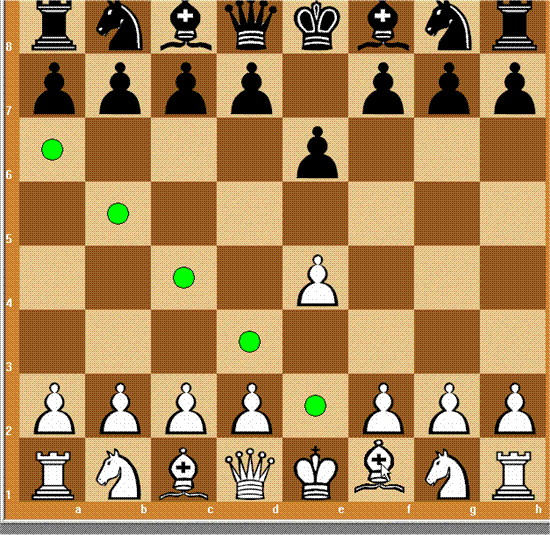
Effective chess training that helps both beginners and experienced players
ChessPartner is a classic chess program for Windows focused squarely on learning, analysis, and strong opposition. We tested it on a standard Windows 11 PC, and installation was quick, while setup took a little tweaking if you want to adjust engine strength and board appearance. Once it’s running, it feels like a hybrid between a training tool and a traditional chess game.
Gameplay and features
1 lets you play against a strong built-in chess engine with difficulty ranging from beginner to advanced. In our testing, the engine responded quickly and rarely made simple mistakes—ideal if you want to improve without being overwhelmed.
It includes several features especially appealing to players who want to improve:
♟ Analysis of your past games
♟ Option to print chess diagrams
♟ Online play against other users
♟ Training vs the engine with adjustable strength
That makes for a well-rounded chess package without unnecessary extras.
Graphics and design

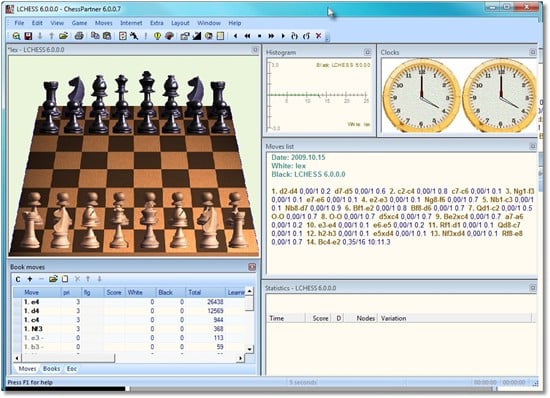
The board can be shown in both 2D and 3D. While the interface isn’t modern by 2025 standards, it works surprisingly well. The 2D board is clean and easy to read, while 3D adds visual variety. In testing, we preferred 2D for long sessions because it was easier on the eyes.
Challenges and controls
ChessPartner is easy to navigate, though the menus feel a bit dated. There are no issues with move input or controls—everything responds accurately. The online component requires a stable connection, and we did encounter occasional lag.
Software strengths and weaknesses
ChessPartner stands out as a focused chess tool without distractions—perfect for users who want to analyze and learn from their games. We do miss a more modern interface and expanded training tools like puzzles, an opening explorer, and similar features.
Top 5 tips for ChessPartner
Start with low engine strength
If you’re new to chess, lower the engine level—otherwise you’ll be overwhelmed.
Use the analysis feature after every game
It shows where your critical mistakes occurred and where you could have spillet stronger.
Switch between 2D and 3D
We found 2D caused the least eye strain during longer sessions.
Play online for variety
Human opponents add a very different dynamic than the engine.
Print key position diagrams
Perfect for teaching or saving your best moves.