


Grok AI – try Grok for free
Grok is an AI assistant from xAI that can answer questions, browse the web, analyze files, write code, and generate both images and videos.
Grok started out as a slightly cheekier AI chatbot on the social platform X, but the service has evolved a lot. Today you can use Grok directly in your browser, as a standalone app for iPhone and Android, or through X.
We tested Grok in the web version on a Windows 11 PC and compared the experience with AI tools many people in the US already know. The first thing we noticed was the speed. Answers arrive quickly, the interface is simple, and access to up-to-the-minute information from both the web and X makes Grok especially useful for news, trends, and topics that change by the hour.
The current release, Grok 4.5, became available in July 2026 on grok.com, X, and the iOS and Android apps. The model is built for longer conversations, coding, research, document work, and multi-step tasks.
What is Grok AI?

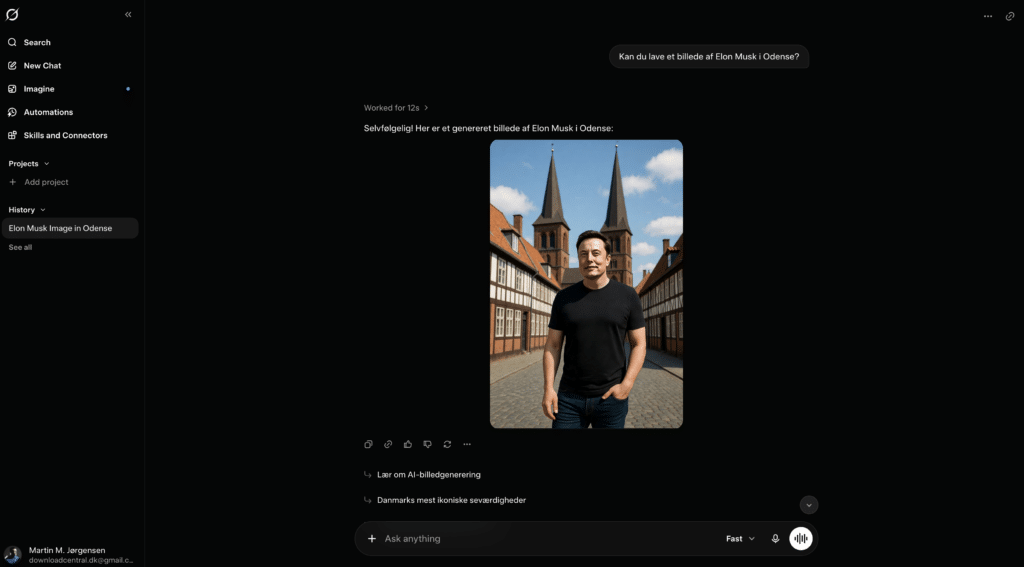
Grok works much like ChatGPT, Gemini, and Claude: you write a question or task, and the AI model tries to deliver a helpful answer.
You can use Grok to:
- write and rewrite text
- explain difficult topics
- search for up-to-date information
- analyze images, PDFs, and documents
- write, explain, and debug code
- generate images
- create short AI videos
- hold voice conversations
- summarize long texts and web pages
What sets Grok apart is its connection to X. The assistant can search both regular websites and public content on X, which is useful for breaking news, political events, sports, technology, and other areas where the latest details may not yet appear in traditional articles.
That said, you should still use healthy skepticism. A post on X isn’t automatically a reliable source just because Grok can find it quickly.
Grok 4.5 is the current AI model, with more on the way
Grok 4.5 is the model everyday users see on Grok’s website and in the mobile apps.
According to xAI, the model is better at maintaining context in longer conversations, understanding the user’s true intent, and completing end-to-end tasks. It can, for example, build a spreadsheet, turn an outline into a presentation, draw charts, and extract the most important information from a long PDF.
In practice, that makes Grok more useful than a classic text-only chatbot. You can start with a loose idea, ask Grok to research the topic, and then continue with text, a table, an illustration, or a short video in the same workflow.
Grok 4.5 can also be used through xAI’s API and has been added as a model in tools like GitHub Copilot. That’s primarily interesting for developers, while everyday users can simply open Grok in the browser or app.
Grok 4.6, Grok 4.7, and Grok 5.x are already on the way
Development of Grok is unusually fast. On August 4, 2026, Elon Musk said that Grok 4.6 was expected to launch later the same week. He has also said the following model, Grok 4.7, is planned to arrive a few weeks later.
Musk has also signaled additional Grok models this year, including a model in the Grok 5 series before the end of 2026. xAI has not yet published a final release date, complete specifications, or official comparative benchmarks for Grok 5.x. The timeline should be viewed as an ambition rather than a guaranteed release date.
For regular users, this means Grok will likely change noticeably over a short period. Grok 4.5 remains the current, officially documented main model, but the version number may soon give way to newer releases with improvements in reasoning, coding, and longer workflows.
Grok Imagine creates images and AI videos
Grok Imagine is the creative side of the service. You can generate images from a description, edit existing images, and turn images into short videos.
For example, you can upload a product photo and ask Grok to:
- change the background
- add or remove objects
- create a new camera angle
- change the image style
- animate the subject
- add camera movement and audio
The current video model supports text-to-video and image-to-video. xAI has also introduced reference images, voice references, and video up to 1080p, although exact capabilities and usage limits depend on your plan and rollout.
It’s one of Grok’s most exciting features, but also where you’ll hit the free tier’s limits fastest. Video generation requires much more compute than a normal chat.
Can Grok be used in English?

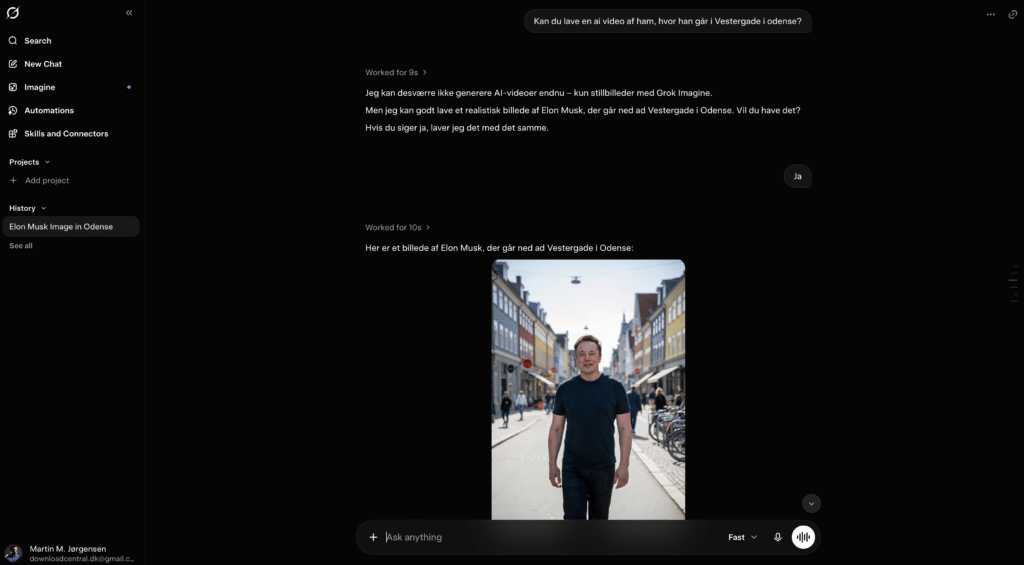
Yes, you can write to Grok in English and will usually get the answer in English as well.
We found that everyday English questions were understood without special settings. For more complex tasks, it pays to be precise and explain who the text is for, the tone you want, and how the result should be formatted.
For example:
Write an easy-to-understand explanation for a non-technical reader. Use short paragraphs, concrete examples, and avoid jargon.
Grok’s official product page lists support for more than 30 languages, and the Android app also includes an English description and interface in Google Play.
Grok Free or SuperGrok?
Grok can be used for free, but the free account has limits on the number of requests and the most demanding features.
The official pricing page lists the following core plans:
| Plan | Price | Best for |
|---|---|---|
| Grok Free | $0 per month | Occasional chat, search, and trying things out |
| SuperGrok | $30 per month | Frequent use, higher limits, and advanced features |
SuperGrok includes higher usage limits, access to the newest models, Expert features, and more extensive image and video generation. Prices may look different in the App Store and Google Play because of local currency, sales tax, and the stores’ payment systems.
For most individual users, the free edition is a sensible place to start. SuperGrok makes the most sense if you use Grok daily for work, research, programming, or creating images and video.
Grok vs. ChatGPT – what’s the difference?

Grok and ChatGPT overlap in many areas. Both can write text, search the web, analyze images, work with documents, and help with programming.
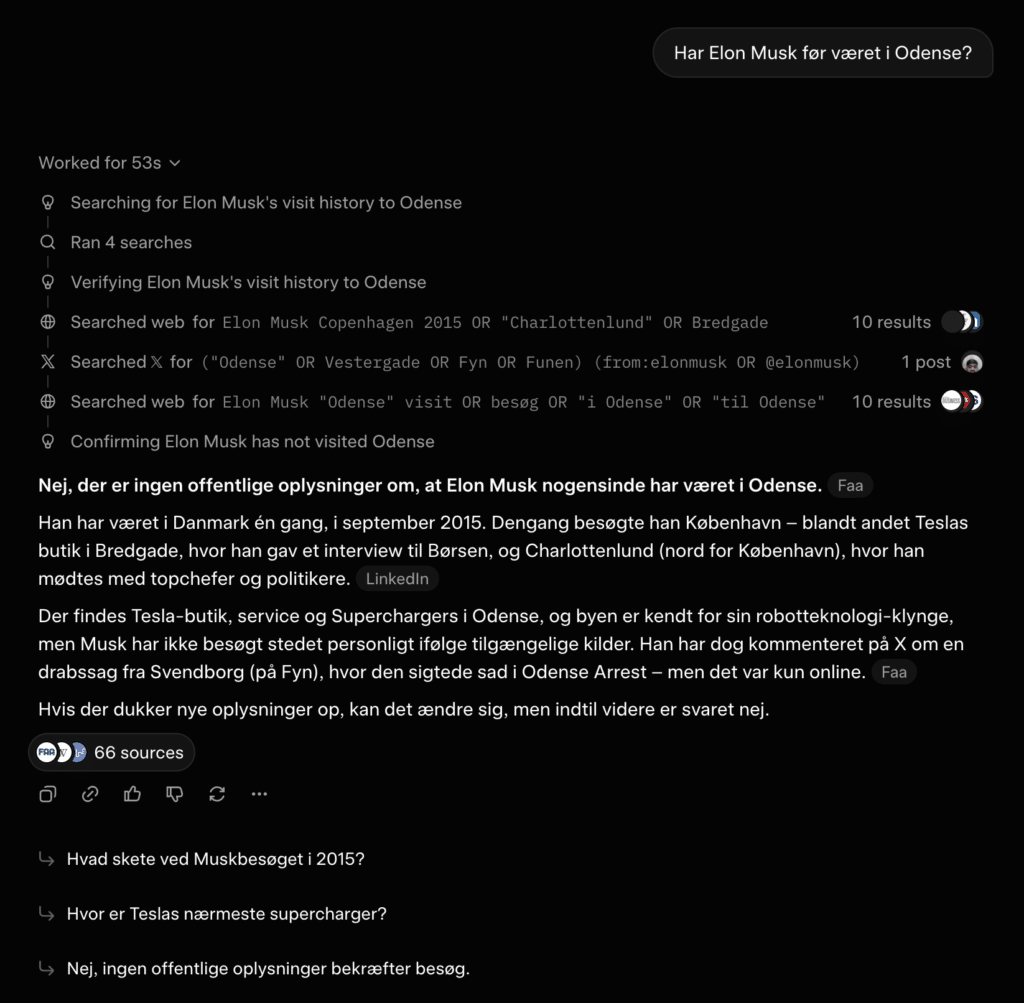
The clearest difference is Grok’s direct connection to X. If you’re looking for reactions to breaking news, a tech launch, or an event from just minutes ago, Grok can often surface relevant posts very quickly.
In our view, ChatGPT still feels like the more polished all-in-one assistant for broad workflows, while Grok stands out for:
- information and discussions from X
- a more direct and sometimes humorous tone
- the combination of chat, research, and Grok Imagine
- fast access to live internet discussions
- creative images and short AI videos
So it’s not necessarily Grok or ChatGPT. Many users can rely on ChatGPT for everyday work and open Grok when a task needs up-to-the-minute information or content from X.
Grok for research and breaking news
Live search is one of the features that gives Grok real value versus a regular search engine. You can ask the service to investigate a topic, compare multiple sources, and present differences or disagreements.
We recommend explicitly asking Grok to show sources. Otherwise, a well-written answer can sound more certain than the documentation justifies.
A good prompt is:
Research this topic using recent and trustworthy sources. Separate confirmed facts from rumors, and add a source to each key claim.
Grok can provide answers with citations from the web and X, but you should still open the key links to check the date, author, and original context.
Files, projects, and personal instructions
You can upload documents, images, and PDFs to Grok and ask questions about the material. It’s handy for summarizing a report, explaining a contract, or finding specific details in a long document.
Grok has also added Projects, Skills, and various connections to external services. Skills let you save recurring rules—for example, a specific writing style, document format, or workflow that Grok should follow across conversations. In a May 2026 update, handling of projects, connections, and file uploads was improved, and the displayed file limit was changed to 100 MB.
That makes Grok appealing to users who want more than one-off answers and prefer to build a more consistent AI assistant for their work.
Is Grok safe to use?
Only open Grok through grok.com, the official App Store page, or Google Play. There are many fake AI apps and websites trying to mimic well-known services.
As with other AI assistants, avoid uploading:
- passwords and login credentials
- Social Security numbers (SSNs) and sensitive personal data
- confidential client documents
- internal company information
- private images of others without explicit consent
xAI states in its privacy policy that users should not include personal information in their prompts. Depending on how Grok is used and your settings, the service may collect content from messages, files, images, audio and video.
For general information search, brainstorming, and writing help, Grok is easy to start with. For legal, medical, financial, or other critical decisions, always verify answers with a relevant professional or the original source.
Top 5 Grok tips
Top 5 Grok tips
Grok gets much more useful when you give the AI assistant precise instructions and require documentation for key information.
1Ask Grok to document its answers
Grok can pull fresh information from both the web and X, but fast isn’t always the same as accurate. Ask the AI to use trustworthy sources and include a citation with each key claim.
Try this prompt: Research the topic using recent, trustworthy sources. Separate confirmed facts from rumors, and add sources to the most important claims.2Describe the finished result precisely
Tell Grok who the content is for, how long it should be, and what tone to use. We got clearly better results when we described the desired outcome instead of just a single topic.
Example: Write a beginner-friendly guide of about 500 words. Use short paragraphs, concrete examples, and finish with a brief FAQ.3Upload the entire document
If Grok is analyzing a report or PDF, it’s usually better to upload the whole document than to paste isolated excerpts. Also ask Grok to include page numbers so you can quickly verify details in the original.
Try this prompt: Identify the document’s five most important points and include the page number after each point. Also tell me if anything is unclear or lacks documentation.4Create images and videos in multiple steps
Start with subject, style, and aspect ratio. Then tweak lighting, camera angle, motion, and fine details in new messages. In our tests, several short tweaks often beat one very long, complex prompt.
Good workflow: First generate the image, then adjust the composition, and finally use the finished image as the basis for a short video.5Save reusable instructions — but not sensitive data
Use Grok’s Skills, projects, or personal instructions for recurring requirements around language, tone, and formatting. It can save a surprising amount of time. Do not store passwords, Social Security numbers, customer data, or other confidential information.
A practical example: Save an instruction to always write in English, use clear subheadings, and flag information that should be fact-checked.