


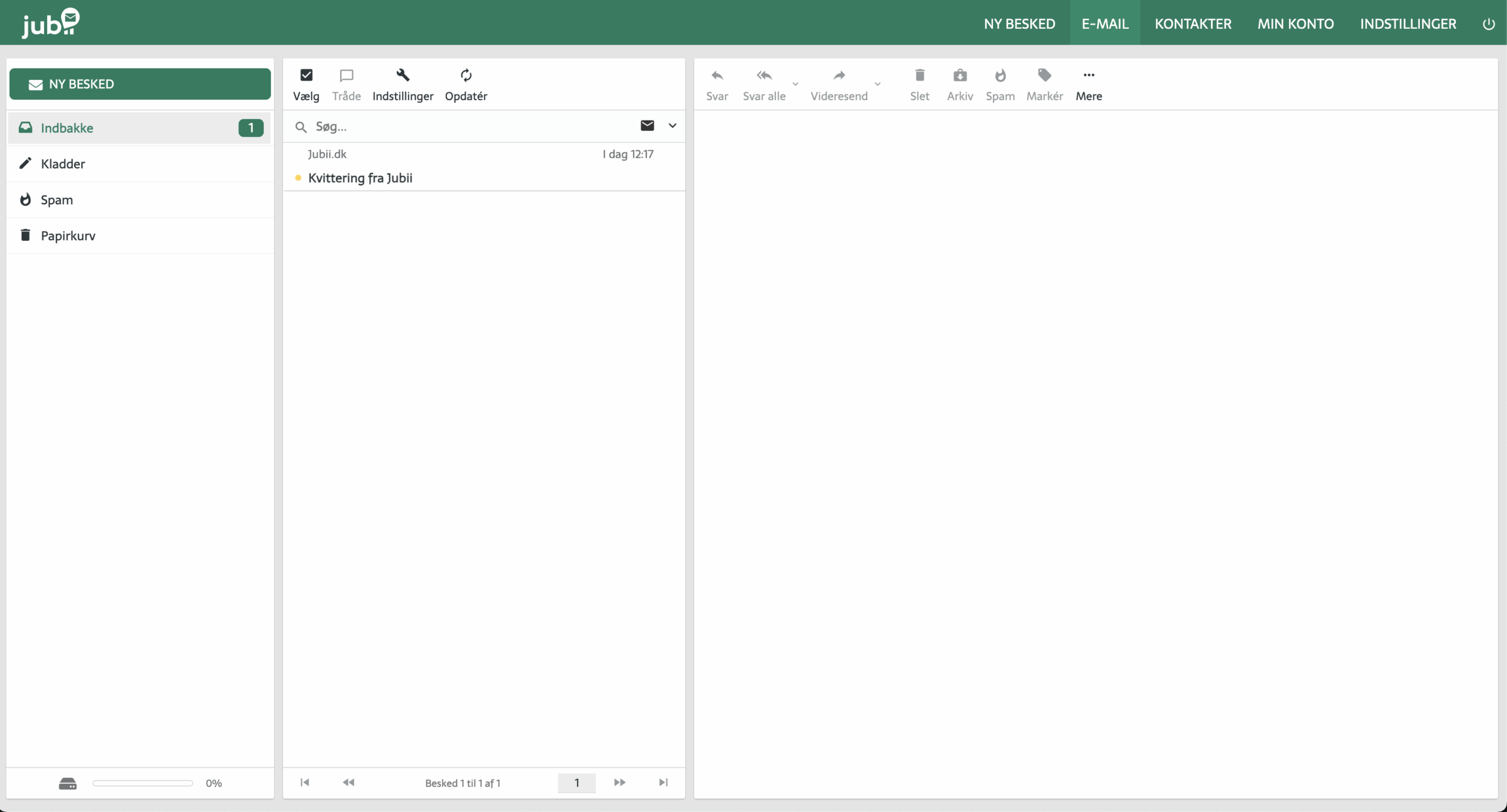
Jubii Mail is a legacy Danish email service many longtime users still recognize. While most people today use Gmail, Outlook, or Apple Mail, there’s still a sizable group—especially older users—who keep Jubii Mail as their primary inbox. Unfortunately, the service has seen changes and technical hiccups over the years, which leads to common questions like: “How do I log in?”, “Why can’t I open my files?” and “How do I download an attachment?”
That’s why many still search for “jubii mail login” when they have trouble getting back into their old inbox.
In this guide, we’ll walk you through everything from logging in to downloading attachments—step by step.
How to sign in to Jubii Mail


How to log in to Jubii Mail in 2026:
If you want to access your inbox and read your emails, just follow these steps for Jubii Mail login:
- Go to https://app.jubii.dk/
- Enter your email address and password
- Click “Log ind”
TIP: If the page doesn’t load correctly, try another browser (e.g., Chrome or Firefox), or check whether your internet connection is stable.
Frequently asked questions about Jubii Mail
Frequently asked questions about Jubii Mail
Answers to the most common questions about login, stability, and attachments.
FAQ
Does Jubii Mail still work in 2026?
Yes, but there can be periods of outages or instability. If it’s acting up, try again later or test in another browser.
How do I download attachments from Jubii Mail?
Sign in, open the email, and click the file name or the download icon. The file will then be saved to your computer (usually in the Downloads folder).
Why isn’t Jubii Mail working?
It could be technical issues on Jubii’s side, an outdated browser, cache/cookies, or temporary outages. Try refreshing, clearing cache, or using a different browser.
How do I reset my Jubii Mail password?
Click “Forgot password” on the login page, enter your email address, and follow the instructions to create a new password.
Can I use Jubii Mail on my phone?
Yes, but the experience can be more limited on mobile. If something doesn’t display correctly, a desktop browser—or another browser on your phone—can help.
What is Jubii Mail and why is it still used?
Jubii started as a Danish portal and e-mailtjeneste back in the 1990s. It has since changed owners multiple times, and the mail service is now operated from Germany. Many users have kept their old email addresses (typically @jubii.dk or @jubii.com) and still use them for both personal and official communication.
The interface can feel a bit dated compared to newer services, and today Jubii Mail is only available as a paid service (about $10/month).
Forgot your password?
Many users search for jubii mail login forgot password, and the solution is easy—as long as you still have access to your email address.
If you can’t remember your password:
- Go to the login page and click “Forgot password”
- Enter your email address
- Follow the instructions in the email you receive
Note: If you don’t get an email, check your spam folder—or try again later, as the system can sometimes be slow.
How to download attachments from Jubii Mail

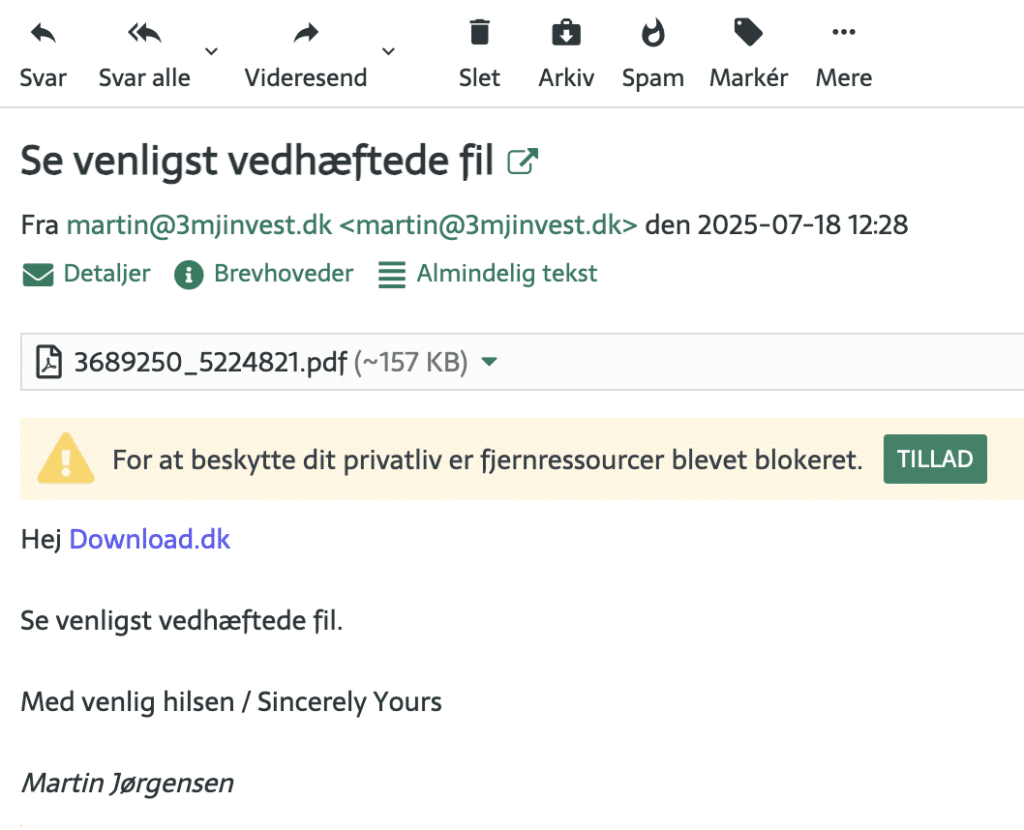
Once you’ve completed your Jubii Mail login, you can open emails and download files from, for example, government agencies or family.
Saving files from an email is important—especially for documents, images, or statements from government agencies. Here’s how:

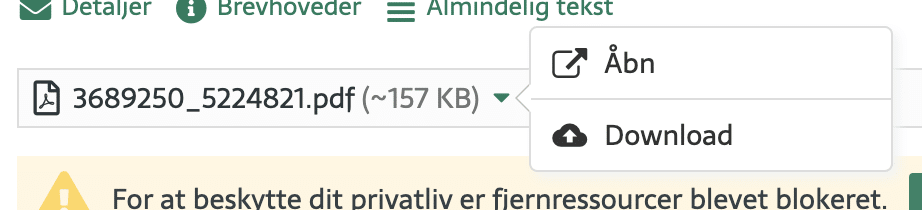
- Sign in to Jubii Mail as described above
- Open the email that contains an attachment
- Look for a paperclip icon—it indicates attachments
- Click the file name or the “Download” icon
- Your browser may ask where to save the file—choose, for example, the “Downloads” folder or your desktop
TIP: If it’s a .zip file, use a tool like 7-Zip for at åbne den. If it’s a .docx document, you can use Microsoft Word eller gratis alternativer som LibreOffice.
Having trouble downloading?
Here are some common issues—and how to fix them:
- The file won’t open: Right‑click and choose “Save as” instead of just clicking.
- Your browser says the file is unsafe: It might be due to an outdated browser. Try a newer version of Chrome, Firefox or Edge.
- No attachments appear: Sometimes they don’t show in mobile view. Try on a computer instead.
Alternatives to Jubii Mail
If you keep running into problems, it might be worth switching. Popular choices today include:
- Gmail – user‑friendly, stable, and with good spamfiltrering
- Outlook.com – easy integration with Office apps
- ProtonMail – focused on privacy and encryption
You can create a new email address and forward mail from your Jubii account if you prefer to switch gradually.
We hope this guide helps you log in and handle attachments in Jubii Mail. If you still have issues, don’t hesitate to contact support—or consider moving to a newer email service for a smoother experience.