


Inkscape – Free vector editor for logos, graphics, and design.
With Inkscape, you can design beautiful logos, icons, illustrations, and posters in scalable vector graphics—without losing quality when you enlarge your work. The software is open-source, free, and available for Windows, Mac, and Linux via the link on this page.


Why choose vector graphics?
If you’ve tried enlarging a regular image and seen it become blurry and pixelated, you know the problem with raster-based graphics. Vector graphics—the format Inkscape works with—use mathematical formulas to draw shapes. This means your artwork can be scaled up or down without losing sharpness.
That makes Inkscape ideal for everything from logo design and illustrations to posters and infographics, where quality must be preserved whether you’re printing A4 or billboard-sized.
Availability and installation
Inkscape can be downloaded for free for:
- Windows (tested on Windows 11)
- Mac (Intel and Apple Silicon)
- Linux (including Ubuntu and Fedora)
By clicking the download link on this page, you’ll be taken directly to the official Inkscape website, where you can choose the version that matches your operating system.
The installation is straightforward, and the program offers a Danish interface—however, the translation isn’t complete. It may be easier to use the English interface so you can more easily follow videos and tutorials online.


Get started: Create a new file
When you open Inkscape, you can resume previous projects or create a new file. Choose from predefined templates—such as A3 posters, banners, or social media sizes. It’s quick and easy to get started.
The program saves files in the open SVG format, and you can also export to PNG and many other file types.
Ease of use and features
Inkscape offers a range of powerful tools in a clean, organized interface:
- Left side: Drawing tools such as rectangles, ellipses, stars, spirals, and freehand drawing
- Top toolbar: Context-sensitive options for the selected tools
- Right side: File management, zoom, layers, and clipboard
- Top bar: Classic menu with “File,” “Edit,” “Object,” “Layer,” etc.
Once you learn the system, Inkscape is a remarkably powerful tool—and the only thing you pay with is your time.

Help and learning
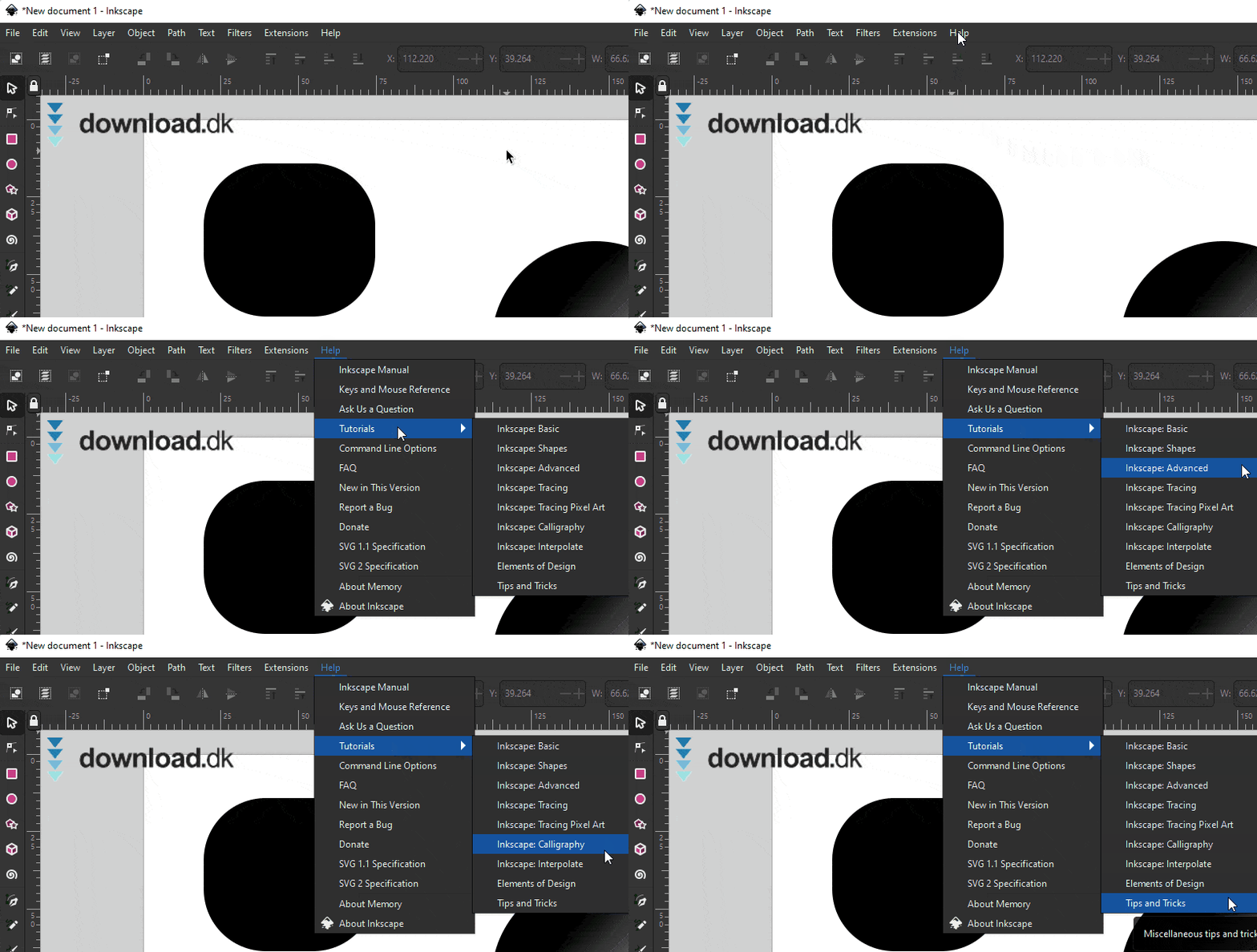
Because Inkscape can be a bit complex at first, we recommend spending some time learning it. Tutorials are included directly in the program under the “Help” menu, and there are countless free videos on YouTube, including complete playlists for beginners.
Alternative: Adobe Illustrator
If you want a more polished experience with technical support, consider Adobe Illustrator—the professional, paid alternative. Illustrator offers more features and better integration with the Adobe ecosystem, but requires a subscription. You can try it for free for a limited period.
Inkscape is a must-have for creatives
Inkscape isn’t for everyone—it has a learning curve. But for the price (free!) and the features it offers, it’s an indispensable tool for hobby designers, students, and professionals who work with graphic design and vector art.
Download Inkscape til Windows, Mac eller Linux fra producentens officelle website her