


McAfee Password Manager—formerly known as True Key—is McAfee’s built-in password management solution. Instead of a standalone app, the password manager is now integrated into McAfee’s security suites, which often confuses users searching for terms like True Key download or McAfee password manager login.
In this guide, we cover how McAfee Password Manager works, what it can do, and when it makes sense to choose an alternative password manager.
What is McAfee Password Manager?
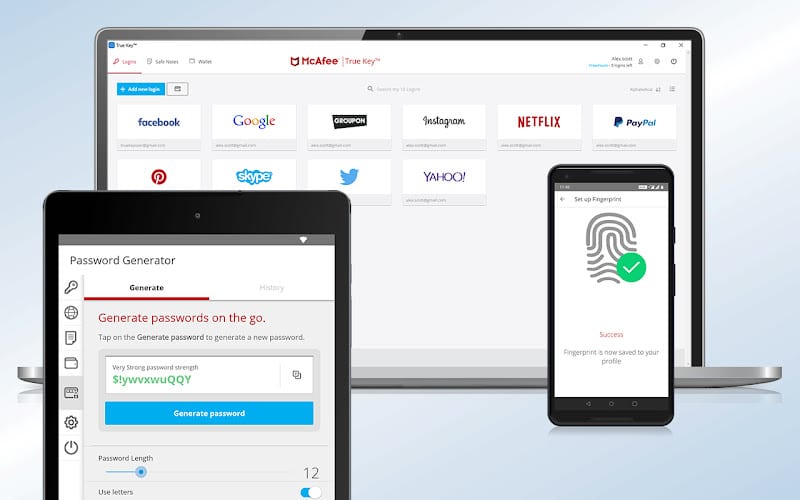
McAfee Password Manager is a cloud-based tool that securely stores and autofills your login details across devices. It’s designed for users who already rely on McAfee for antivirus and broader security.
It was previously marketed as True Key, but today it’s primarily called McAfee Password Manager and is available directly inside McAfee’s apps for Windows, macOS, Android, and iOS.
Good to know:
- You can’t download it as a standalone desktop app
- It requires an active McAfee subscription
- It’s managed through your McAfee account
How to use the password manager in McAfee
When you install 1 or LiveSafe, the password manager is included. In our test on a standard Windows 11 PC, setup was quick but a bit buried in the menus—something that often confuses new users.
Typical steps:
- Create or sign in to your McAfee account
- Enable Password Manager in the security settings
- Install the browser extension (Chrome, Edge, Firefox, etc.)
- Sign in with your McAfee account and choose your primary sign-in method
After that, McAfee can automatically save and autofill passwords when you sign in to websites.
Sign-in methods and security
McAfee Password Manager supports several sign-in methods:
- Master password
- Biometric sign-in (fingerprint/face recognition on mobile)
- Trusted device approval
Passwords are encrypted locally before syncing to the cloud, and McAfee states it cannot access your saved passwords in plain text.
For everyday personal use, the security level is solid, though it lacks some of the advanced controls offered by dedicated password managers.
Strengths and limitations in everyday use
In practice, McAfee Password Manager works best for users who:
- Are already paying for McAfee
- Want “everything in one place”
- Have simple password-management needs
You may quickly hit limits if you’re more demanding:
- No advanced password sharing
- Limited emergency access options
- Fewer security and audit tools than competitors
We also found the browser extension can feel a bit slower than solutions like Bitwarden and 1Password—especially on the first autofill.
McAfee Password Manager vs. dedicated alternatives
Compared to popular password managers like Bitwarden, 1Password, and Dashlane, McAfee’s solution is more basic.
Typical differences:
- McAfee: Tight integration, low complexity, fewer features
- Dedicated solutions: More advanced features, better control, often cheaper if you only want a password manager
If your primary goal is secure password management—not antivirus—there are stronger specialized options.
Who is McAfee Password Manager best for?
McAfee Password Manager is a sensible choice if:
- You already have McAfee Total Protection or LiveSafe
- You want to avoid extra subscriptions
- You prefer a simple solution without advanced setup
It’s less ideal if:
- You’re only looking for a password manager
- You want maximum control and flexibility
- You share passwords with family or coworkers