


Plagiarism Checker X – Check your writing for plagiarism in seconds
Plagiarism Checker X is an effective tool for anyone who wants to make sure their content is original. The software is used by students, teachers, bloggers, SEO professionals, and businesses that need to check whether content has been copied or reused without attribution.
We tested the software on a standard Windows 11 PC, and installation was quick and hassle-free. Setup took just a few clicks, after which we could start analyzing text directly in the app.
Features and ease of use
- Search across more than 10 billion pages via Google and Bing
- Compare two documents side by side
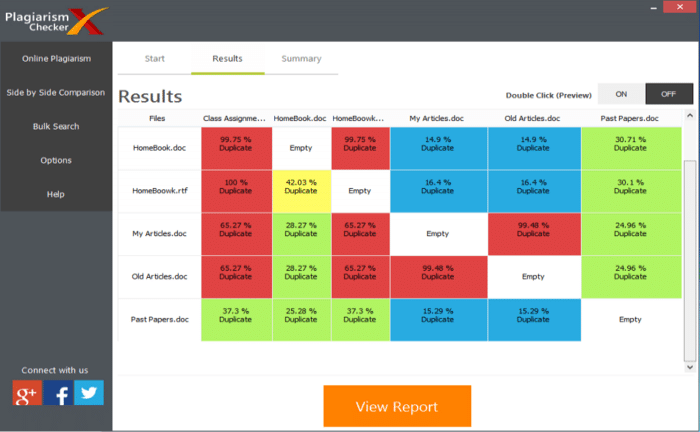
- Generate detailed HTML reports with color-coded results
- Supports both single files and bulk checks on many documents at once
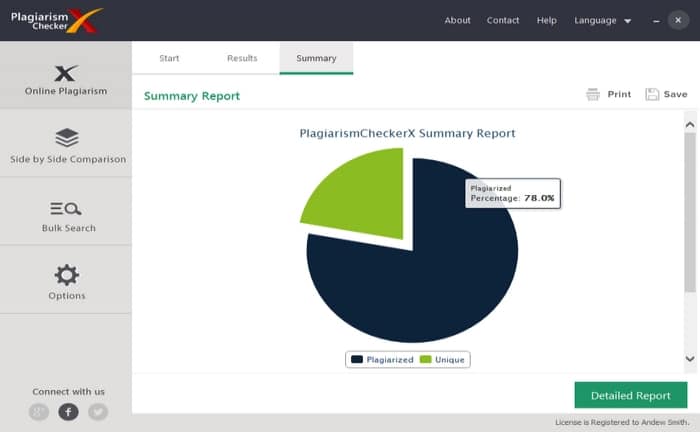
- Fast analysis with clear percentage markers for plagiarism
A major advantage is the color‑coded reports, which make it easy to see exactly which passages are unique, partially copied, or identical.
Interface and design
The interface is very straightforward and focuses on functionality over flashy design. That means anyone can get started quickly without a steep learning curve. However, the UI can feel a bit dated compared to more modern cloud solutions.
Who is it for?
- Students who need to submit papers without the risk of plagiarism
- Teachers and instructors who want to check student submissions
- Bloggers and SEO professionals who want to avoid duplicate content
- Companies that publish large volumes of content online