


Radmin makes remote access fast, stable, and more office-friendly than flashy
Radmin is a classic remote desktop tool for Windows that lets you access another computer over a network or the internet. It’s built primarily for businesses, IT support, and anyone who needs to get into their work PC from home. There’s still a 30-day free trial, and the developer highlights high speed, AES-256 encryption, and Windows 11 support.
The first thing you notice about Radmin isn’t the design. It leans into a slightly old-school, no‑nonsense Windows style where everything is about getting to work quickly. We tested Radmin with a focus on the kind of use many US users still need: access to an office computer, remote support, and fast file access without wading through too many flashy extras. Here, the program still performs surprisingly well.
Remote desktop for work, support, and file access

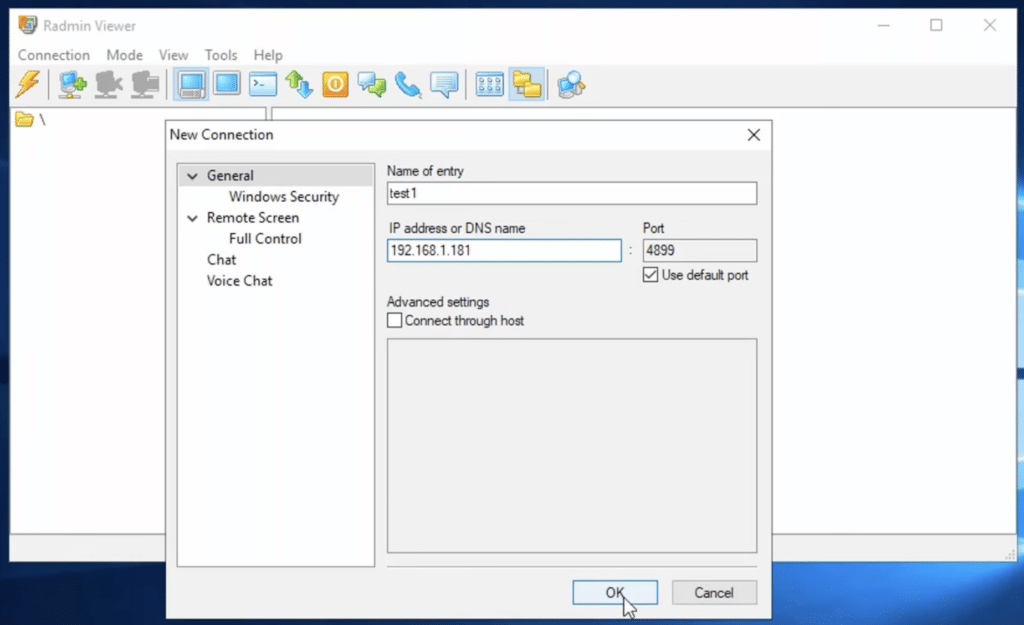
Radmin has two parts: a Server component you install on the computer you want to control, and a Viewer on the computer in front of you. Once you understand the logic, setup is straightforward.
In practice, Radmin is best for:
- accessing your work computer from home
- internal IT support in organizations
- remote administration of servers and Windows PCs
- quick access to files and apps on another PC
In testing, it felt tailor-made for users who value stability over flashy features. You won’t find the most modern interface here, but connections feel fast—and that remains one of Radmin’s clear strengths.
Security in Radmin
Security is a core selling point for Radmin. The developer states that all data transfer is protected with AES-256 encryption, and the software includes IP filtering, logging, and other security features. Radmin also claims there have been no known vulnerabilities in the 17 years the product has existed. Treat that as the vendor’s own assertion, but it helps explain why the tool has kept a loyal user base.
It’s also worth being candid: when software boasts “no vulnerabilities,” you should always read that with healthy skepticism. But as a work tool, Radmin clearly feels more serious than many small remote desktop utilities that pop up and then disappear.
How Radmin feels to use
We tested Radmin with a focus on everyday remote access in a Windows environment. It feels fast, and it’s clear it’s built for low bandwidth and classic remote administration rather than visual wow-effects. The developer highlights optimization for slow connections, which matches the experience when navigating a remote machine.
It’s not a one-size-fits-all app. If you just want to help a family member quickly or share your screen once, there are more modern alternatives with easier onboarding. Radmin best serves users who deliberately want a more traditional remote control tool for Windows.
Who should choose Radmin?
Radmin makes the most sense for:
- small businesses with their own Windows PCs
- technicians and support staff
- users who need stable remote access to a work PC
- those who prioritize speed and low system overhead over modern design
If you want a more modern, cloud-centric tool with ultra-simple setup, Radmin can feel a bit old-fashioned.
Top 5 Radmin tips
1. Always install the Server component on the PC you want to control
It sounds obvious, but it’s a classic mistake. Use Viewer on your own computer, while Server must be installed on the remote computer you want to access. Radmin’s installer is built around that split.
2. Use IP filtering if you deploy it in a business
Radmin includes a built-in IP filter, and it’s smart to restrict access if the software is used in an office environment or on machines with sensitive data.
3. Test the connection on a slower network before you rely on it
Radmin is designed to work well even on low bandwidth, but it’s still best to trial your setup in practice before you’re on hotel Wi‑Fi and need an important file.
4. Use Radmin for work and support, not as an all-in-one meeting tool
This isn’t Teams or Zoom. Radmin is best when you need to work directly on another Windows computer.
5. Keep your design expectations realistic
The interface is functional, not flashy. In return, it’s one of those tools where you quickly feel that speed and stability matter more than cosmetics.