



Download RoomSketcher Home Designer for free here. If you’re into floor plans and home design, this software is a must-have! RoomSketcher Home Designer lets you truly unleash your creativity.
Why should you download RoomSketcher Home Designer?
RoomSketcher Home Designer is an indispensable tool for anyone interested in planning floor plans and home design in general. Starting a major home project, or just want to refresh your interior at home?
Then RoomSketcher Home Designer is definitely an app worth trying.
In short, the software gives you a realistic preview of how your project will take shape – completely free. On the developer’s official website, you can read more about the app and what it offers.
Getting started with RoomSketcher Home Designer
It’s important to start off right with a new app. An easy setup is something most people appreciate. RoomSketcher Home Designer takes only a few minutes to download and is then ready to use! Before you start designing, decide whether you want to register an account. If you plan to save your project or continue working on it later, you’ll need to sign up.
How does RoomSketcher Home Designer work?
RoomSketcher Home Designer offers many different features, so it helps to get an overview before you dive into your next home project. Doing a bit of research also gives you a good sense of whether the app’s features match your needs and preferences.
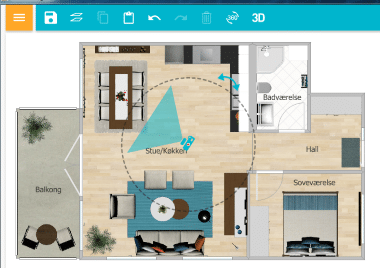
When you open the app, you’ll first see the menu bar at the top, along with a predesigned home you can start editing before you begin a brand-new project.

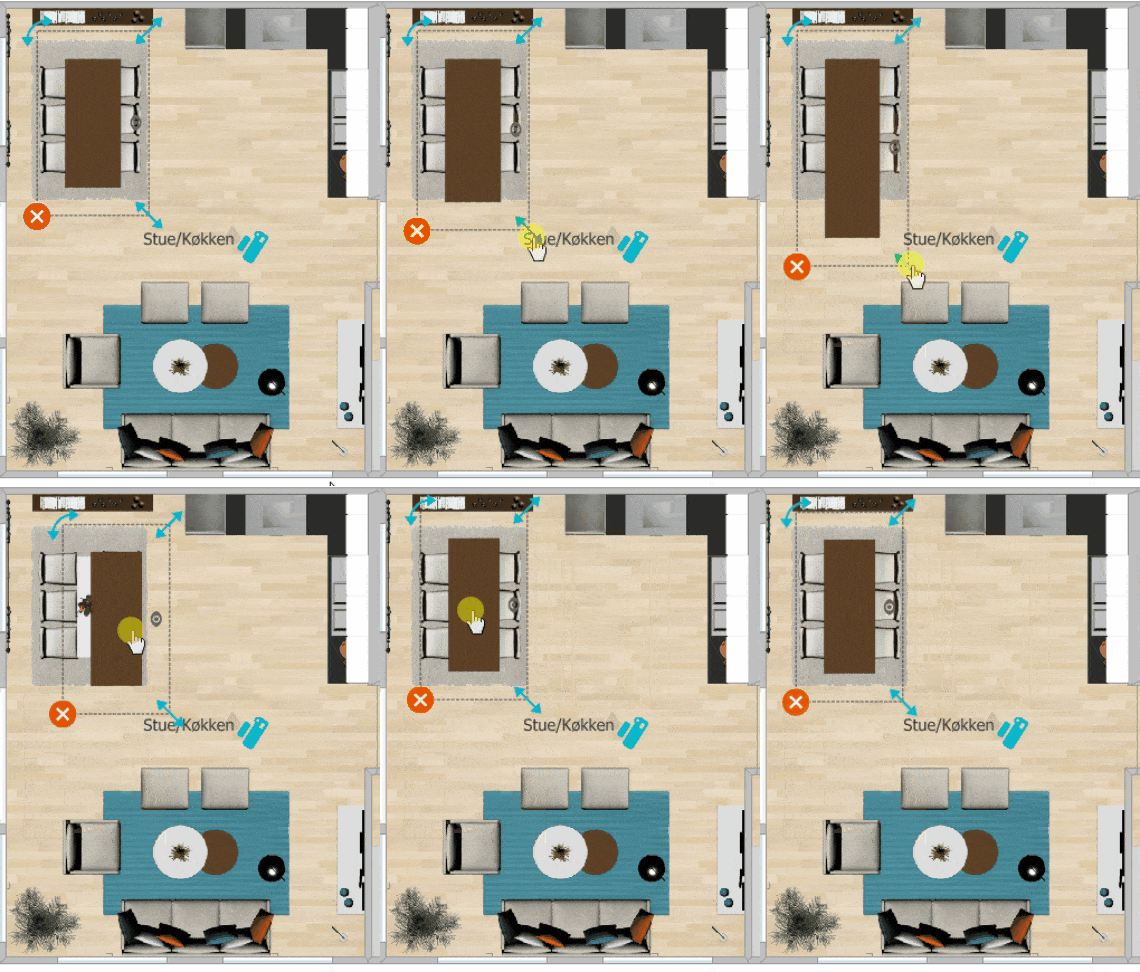
One of the most important features in RoomSketcher Home Designer is drag-and-drop. With just a few clicks, you can get a feel for proportions between furniture and the room you’re designing. What you use drag-and-drop for will naturally vary depending on your project. It’s a smart feature that makes it quick and easy to tweak your build. The GIF below shows how you can quickly change furniture placement and size using drag-and-drop.

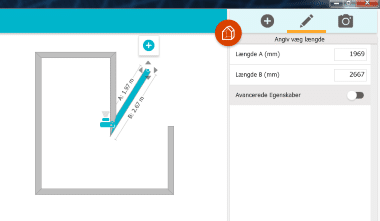
Once you’ve mastered the basics, it’s time to start your very own project! Decide which type of room you want to design using the orange icon in the top-left corner of the interface. Remember, you’re not limited by the room type you choose. You can edit room dimensions and wall lengths before you start decorating.

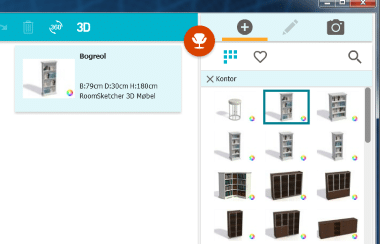
If your home has multiple floors, you can add additional levels within the same project. To get the most realistic picture of your future build, it’s essential to switch between interior styles, furniture, decor, and more. RoomSketcher Home Designer makes this easy with a handy feature. Use the plus icon in the top-right corner of the interface to access it.

If you want to explore even more, you can upgrade to VIP and Pro features. Read more on the developer’s official website.
Design and ease of use
With RoomSketcher Home Designer, you get a very user-friendly tool considering how many features it offers. The developers behind RoomSketcher Home Designer have ensured that its clean, intuitive interface makes it easy to navigate. It’s suitable for all skill levels.
Plus, the app is available in English, which many users appreciate.
Availability
First and foremost, you can use RoomSketcher Home Designer online via the developer’s official website if you want to try it before downloading. On this page, you can download RoomSketcher Home Designer if you have a Windows operating system. If you use a Mac, click here to get the app.
The developers have made sure you can use RoomSketcher Home Designer wherever you are. You can also enjoy this smart home design app on your smartphone or tablet. It’s compatible with Android via Google Play and iPhone via the App Store.
Alternative software
Before downloading new software, it’s a great idea to check what alternatives are available.
The first alternative to RoomSketcher Home Designer we want to highlight is DreamPlan Home Design. This program also helps you visualize your home! If you have a small design dream you want to realize, take a closer look at DreamPlan HomeDesign. It’s a 3D app, so you get a realistic impression of how your project will look in real life.
Sweet Home 3D is another solid alternative to RoomSketcher Home Designer. This design program is free and gives you a range of options to design your new home or furniture.
You can find more reviews of software similar to RoomSketcher Home Designer by clicking her.
Conclusion
RoomSketcher Home Designer makes it fun and exciting to design floor plans and plan future home interiors. With its simple layout and smart features, it stands out from similar programs on the market. It’s also free and available in English – it doesn’t get much better. This smart design app earns our warm recommendation.