


🧊 ToolWiz Time Freeze – Protect your PC with one click.
ToolWiz Time Freeze is a free and effective security tool for Windows that works like a virtual time capsule. It lets you freeze your system’s current state and freely experiment with software, settings, and files—without permanent consequences. If something goes wrong, you can easily roll back to the original system as if nothing happened.
Virtual sandbox environment for your PC
With ToolWiz 1, you work in a “copy” of your system. When you activate the program, all changes, downloads, and installations are made in a temporary virtual environment. You can then choose whether to save the changes—or discard them and restore the system to how it was.
Features and capabilities
- System freeze: Create a snapshot of your system that you can always revert to.
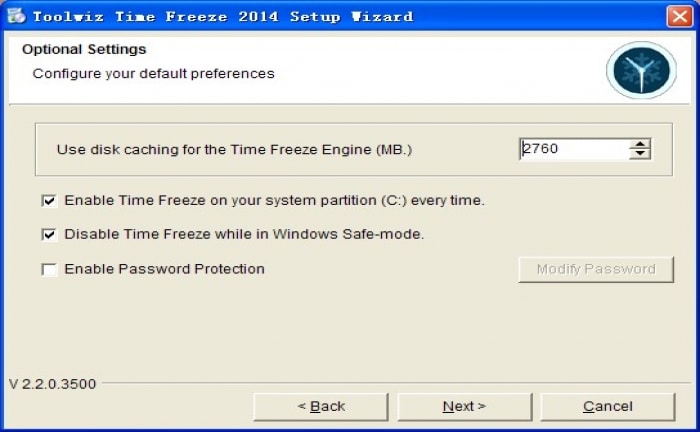
- Selective file exclusion: Choose folders and files that shouldn’t be affected by the freeze—such as your Documents folder or browser favorites.
- Lightweight design: The program uses minimal resources and won’t noticeably slow down your PC.
- User-friendly interface: A simple system tray icon gives you access to all features.
- Choice at shutdown: You decide whether changes should be kept or discarded—and it usually takes only about 1–2 minutes.
Drawbacks and things to watch out for
ToolWiz Time Freeze doesn’t include a clear visual indicator (beyond a small icon and a brief system delay) for when the system is in “frozen mode.” That means you need to stay aware of whether you’re working in the real system or the virtual one.
Top 5 tips and tricks for using ToolWiz Time Freeze
Track the status: Always check the system tray so you know whether freeze mode is active.
Test unknown software: Install programs in frozen mode to avoid unwanted changes.
Experiment with system settings: Perfect when you want to try things without risk.
Protect kids or guest users: Turn on Time Freeze before kids or guests use the computer.
Whitelist important folders: Make sure important documents aren’t reset on restart.