
 Martin Jørgensen
Ability Mail Server – free email server with full control
Ability Mail Server is a free, fairly advanced email server for Windows that lets you host your own email accounts locally or on a server. It’s aimed mainly at small businesses, nonprofits/clubs, and technically inclined users who want full control over email traffic and users—without relying on third-party email providers.
We tested Ability Mail Server on a standard Windows 11 PC. The installation itself was quick and trouble-free, but the subsequent setup requires some understanding of email protocols, DNS, and networking. It’s not software for absolute beginners, but for those who want more than basic webmail.
Supported email protocols and features
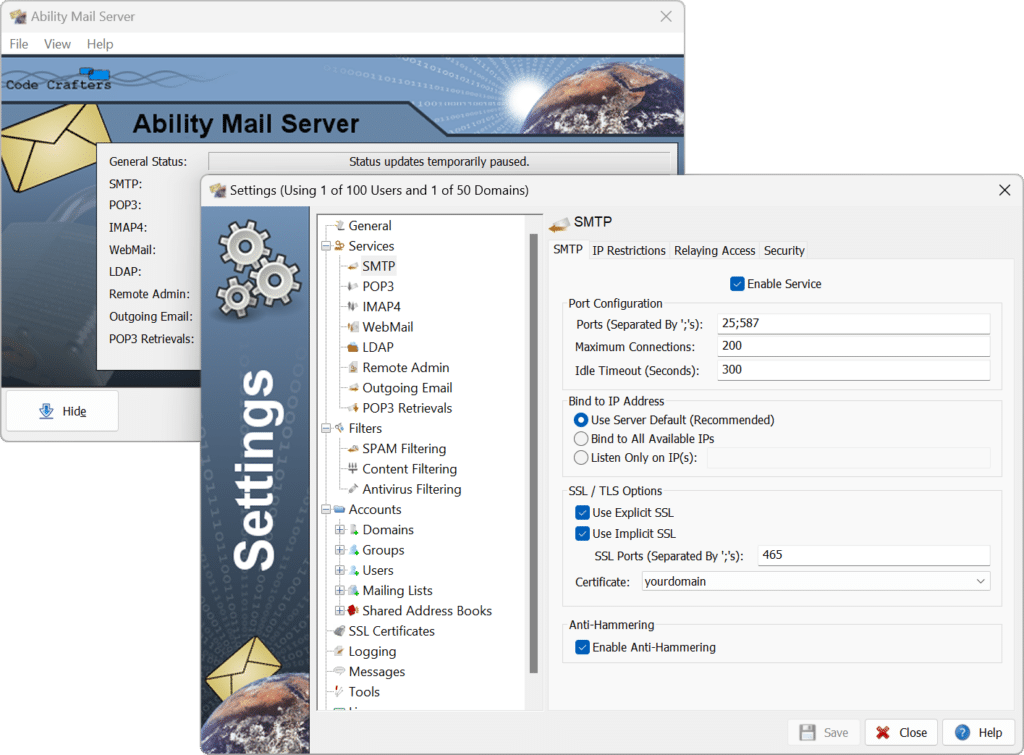
Ability Mail Server supports virtually all the classic, essential email protocols, making it flexible for both home and professional environments.
SMTP for sending email
POP3 and IMAP4 for receiving
LDAP for centralized user management
WebMail so users can access email directly in a browser
That means the server works with popular email clients like Outlook and Thunderbird, as well as smartphones—while users can also sign in via webmail if preferred.
Security and administration
Security is one area where Ability Mail Server stands out compared to many other free email servers. It includes built-in spam filtering, IP restrictions, and granular control over user permissions.
The admin panel is functional and fairly straightforward, though it shows its age. It’s not the most modern interface, but features are logically organized, and once you understand the structure, it’s easy to manage users, domains, and mailboxes.
Performance and stability in practice
In our tests, Ability Mail Server proved stable, even with multiple active accounts. It’s not designed for large enterprise environments, but it performs very well for small to mid-size setups.
The program has a small footprint and low system load, making it a good fit for older servers or compact office machines that run 24/7.
Who is Ability Mail Server best for?
Ability Mail Server is a good choice if you:
Want to self-host your email locally
Run a small business or nonprofit/club
Want full control over users and data
Have technical know-how or access to IT support
It’s less suitable if you’re after a completely user-friendly, out-of-the-box solution with no technical setup.



