
 Martin Jørgensen
Collaborate on creative ideas with AI
What is Adobe Firefly Boards?
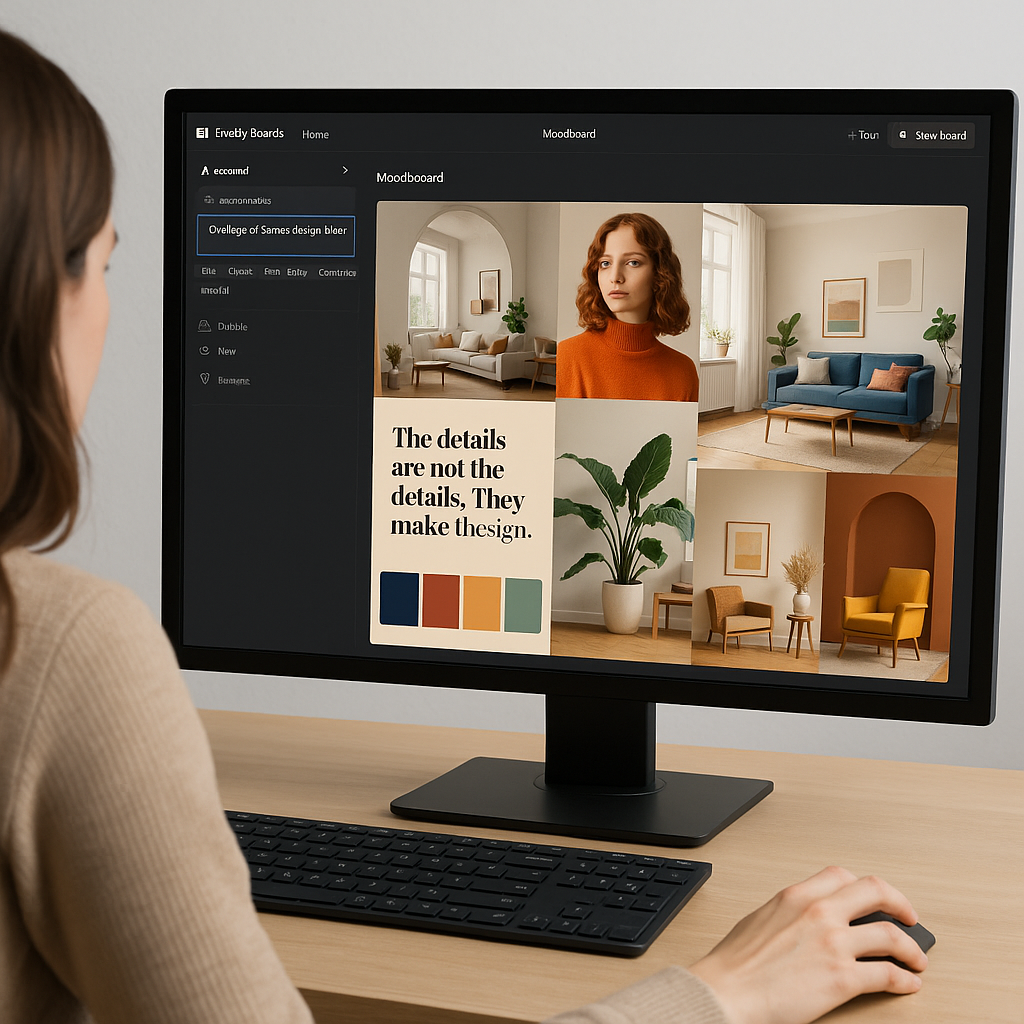
Adobe Firefly Boards is Adobeu2019s newest tool for creative teams and individuals who want to collaborate on visual projects. Firefly Boards uses artificial intelligence to generate and organize mood boards, allowing users to gather images, text, and colors in one inspiring workspaceu2014quickly and efficiently.
With Firefly Boards, you can describe what you want to create, and the AI suggests relevant images, graphics, and layout ideas. This tool integrates directly with popular apps like Photoshop and Illustrator, making it ideal for both professional designers and hobbyists.
Features of Adobe Firefly Boards
- AI-powered content generation: Provide a brief description and get automatically generated images and themes.
- Collaboration features: Share and work together on mood boards in real time.
- Integration with Adobe Creative Cloud: Use content directly in Photoshop, Illustrator, and other apps.
- Inspiration and variation: Firefly Boards suggests alternative visual directions based on your initial choices.
- Customization: Options to tailor style, tone, and color palette.
This platform combines ideation and collaboration in a way we havenu2019t seen on the market before.
Who is Adobe Firefly Boards for?
Adobe Firefly Boards is ideal for:
- Designers, marketers, and creative teams.
- Students and freelancers working on projects where inspiration needs to be visualized.
- Anyone who needs to present ideas visually to clients, leadership, or partners.
By using Firefly Boards, you save time on research while still keeping creative control.
Tips to get the most out of Adobe Firefly Boards
- Start broad: Use open-ended prompts to generate many different ideas before you narrow down.
- Leverage the integration: Send your best ideas directly into Photoshop with a few clicks.
- Collaborate efficiently: Invite colleagues early in the process to get broader input.
- Experiment: Try alternative colors and styles suggested by the AIu2014it can lead to unexpectedly great results.
Is Adobe Firefly Boards free?
Firefly Boards is currently available in a public beta for all users with an Adobe Creative Cloud account, which means you can try the tool at no extra cost. The beta version provides access to the most essential features, such as creating mood boards, AI image generation, and real-time collaboration.
However, Adobe has already announced that certain advanced featuresu2014such as expanded storage, premium image sources, and advanced collaboration toolsu2014will in the future be placed behind a paywall as part of their commercial model. The core features are expected to remain free to use, but for professional users and teams needing more capabilities, a subscription may be required.
Therefore, we recommend taking advantage of the beta period now, while the toolu2019s core functionality is still freely available, so you can assess whether Firefly Boards fits your needs before any future paid plans take effect.
Quick review of Adobe Firefly Boards
Adobe Firefly Boards impresses with its blend of AI and creativity. It makes ideation more efficient, inspiring, and accessible for both beginners and professionals. In particular, the integration with Adobe Creative Cloud and the strong collaboration features make it a must-try tool for all creatives.
Download Adobe Firefly Boards here (waitlist)
Supported operating systems
Adobe Firefly Boards runs in the browser and requires no local installation.
It supports all major operating systems, including:
- Windows (modern versions like Windows 10 and Windows 11)
- MacOS (latest versions)
- Linux (via a browser such as Chrome or Firefox)
- iOS and Android (through a mobile browseru2014best experience on desktop)
Note: Some features may require newer browser versions for optimal performance.



