
 Martin Jørgensen
Adobe Photoshop Elements – Easy and effective photo editing for everyday use
Adobe Photoshop Elements is the perfect tool if you want to edit photos quickly and easily—without being a professional photographer or designer. It’s a streamlined version of classic Adobe Photoshop and offers a wide range of automated features that let you enhance your images with just a few clicks.
Smart photo editing — no expertise required
Photoshop Elements is packed with AI-powered features like automatic subject selection, color enhancement, object removal, and face adjustments. The software uses Adobe Sensei technology to analyze your photos and suggest improvements, saving you time and delivering great results—even without technical skills.
For example, you can:
- Remove unwanted people or elements from the background with a single click
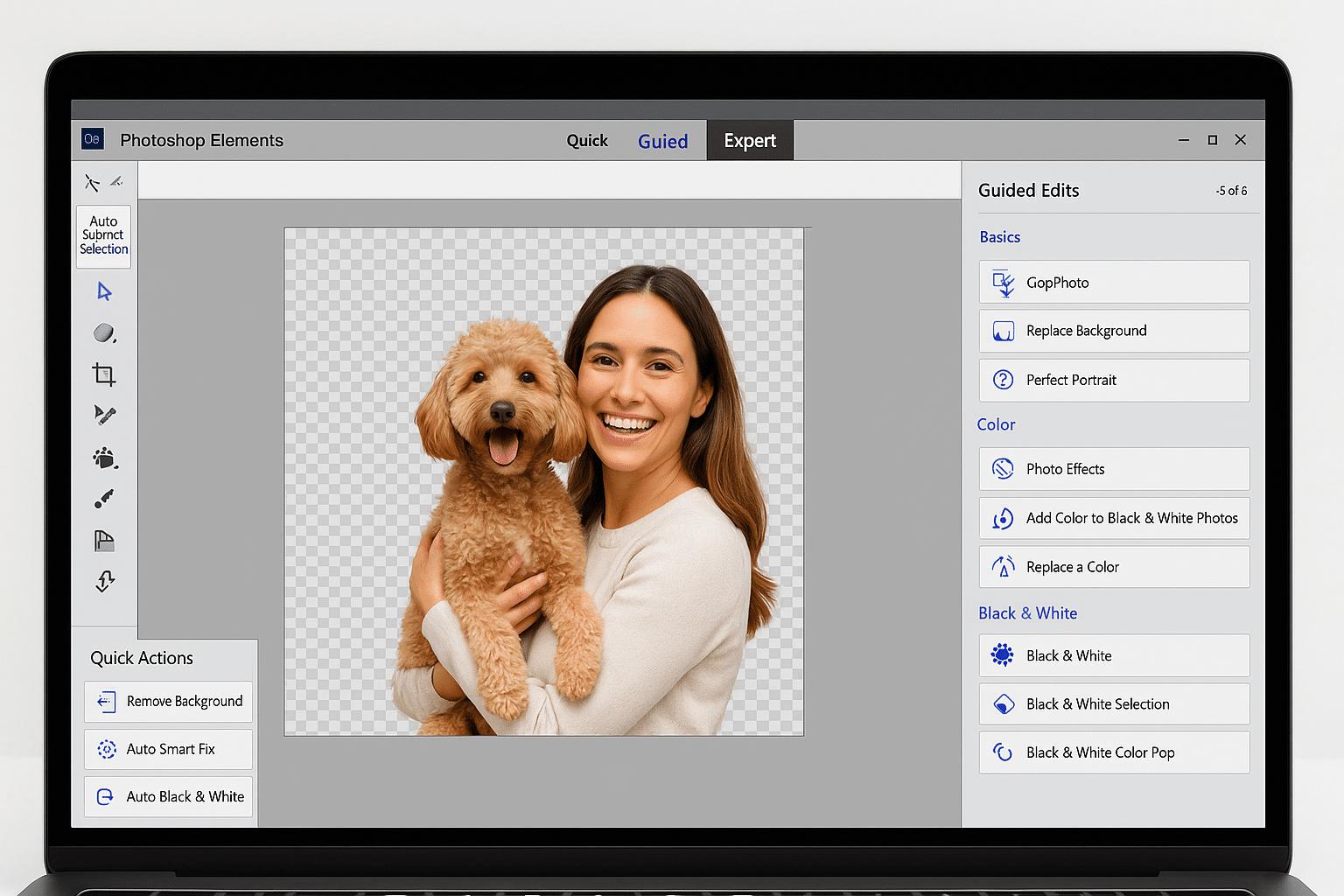
- Automatically replace the background and insert a new scene—such as a sunset, a studio look, or a blurred effect
- Add creative overlays and frames, like light leaks, snowflakes, or vintage filters
- Improve lighting, contrast, and sharpness with one click—no manual layers or masks required
- Fix red-eye, adjust skin tones, and make people smile with the Face Adjustment tool
All of this is available through user-friendly menus, clear tabs, and step-by-step guides—perfect for beginners and hobby photographers. There’s even a dedicated “Guided Edits” section that shows you exactly how to create specific effects, so you learn as you go.
Whether you want to make your vacation photos pop, remove clutter from the background or create photo art for your wall, Photoshop Elements helps every step of the way—no subscription or advanced technical skills required.
Organize, share, and preserve your memories
Elements isn’t just an editor; it’s also a smart photo organizer. It makes it easy to:
- Find photos using face recognition
- Add tags and categories
- Create slideshows and memory collections
- Share photos directly to social media like Facebook and Instagram
The software also includes a built-in media browser that makes it easier to manage large collections of photos and videos.
What’s the difference between Photoshop and Photoshop Elements?
While Adobe Photoshop targets professionals and offers complex tools, Photoshop Elements is designed for everyday users who want effective results without a steep learning curve. It’s also more affordable and doesn’t require a subscription—you pay once and own the software.
| Feature | Photoshop | Photoshop Elements |
|---|---|---|
| Subscription | Yes | No |
| Target audience | Professionals | Everyday users |
| AI automation | Limited | Extensive |
| Learning curve | High | Low |
| Price | High | Lower, one-time purchase |
Is Photoshop Elements worth it?
Yes—especially if you want a photo editor with great features and an easy workflow without monthly subscriptions. For beginners and hobby photographers, it’s one of the best choices on the market, and the clean interface plus Guided Edits make it even more approachable.
Top 5 tips for Adobe Photoshop Elements
With one click, you can select people or objects and remove the background—perfect for profile photos.
The software offers step-by-step guides for everything from color correction to double exposure—a brilliant way to learn.
Easily build beautiful presentations for parties, vacations, or yearbooks—no extra software needed.
Use face recognition and geotags to keep large photo libraries under control.
Export in the right format for social media, email, or print—without technical hassle.



