
 Martin Jørgensen
Convert CSV files to 10 different formats. Download it for free here.
With Advanced CSV Converter, you can export a CSV file to DBF (dBase III/IV, Visual FoxPro) or to formats such as XLS, XLSX, SQL, TXT, HTML, PRG, XML, and RTF.
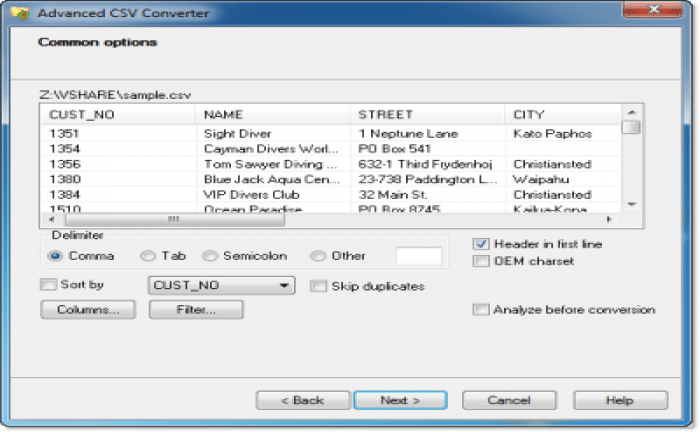
The program lets you set a conversion filter and run the query. This gives you more flexibility in defining the parameters for the output file.
In addition to individual files, the program can convert more than one file at a time. To do this, select the folder containing CSV files, configure the export settings, and start the conversion.
Converting CSV files takes only a few steps. The first thing you need to do is choose the input file for conversion. Then choose the output format and destination folder. The third step is to set export options such as filtering, delimiter type, and more.
Download Advanced CSV Converter


