
 Martin Jørgensen
AquaSoft SlideShow – Create stunning slideshows in minutes
AquaSoft SlideShow is a dedicated presentation and multimedia tool that lets you combine photos, video clips, text, and music into eye-catching shows you can export to social media, TV, and mobile devices. We tested the program on a standard Windows 11 PC; installation was quick, though the initial setup takes a little getting used to because so many features are packed into the interface.
In the United States, AquaSoft is popular with hobby photographers and community groups that want to create memorable travel videos, wedding presentations, or slideshow films for event screens. It offers creative freedom you rarely get from typical free software.
Features and capabilities in AquaSoft SlideShow
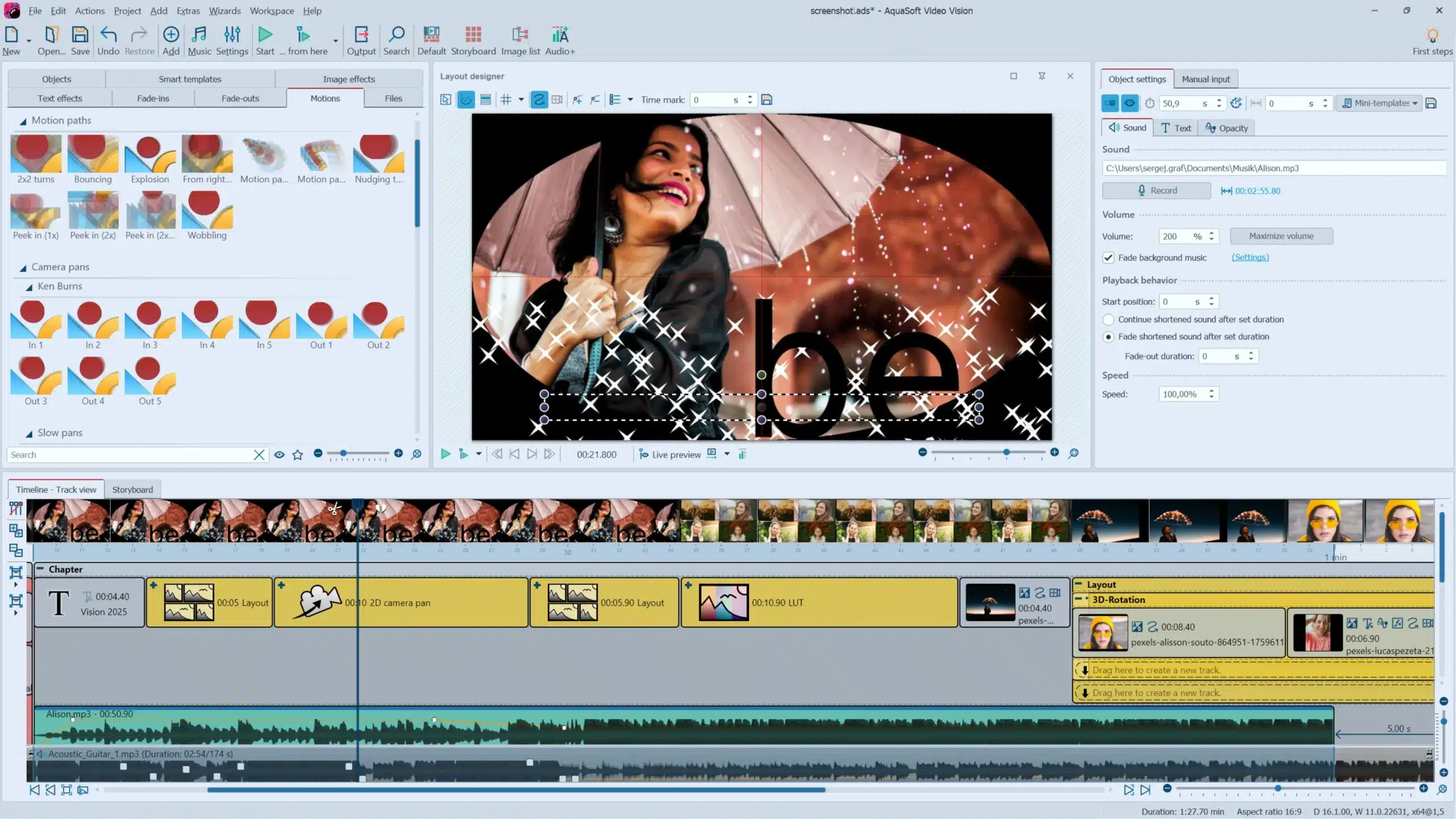
AquaSoft SlideShow is built to give you full creative control without requiring pro-level video editing skills. The timeline feels a bit like a simplified version of a video editor, and you can drag in images, videos, and audio directly.
The program offers, among other things:
• 🎞 100+ transition effects
• 🎼 Audio syncing with music
• ✨ Motion effects on images (pan, zoom, motion paths)
• 📺 Export to Full HD, 4K, YouTube, DVD, and more
• 🔤 Text and title tools with animations
• 🎬 Storyboard with real-time preview
From our testing, the software feels more responsive than many competitors, especially when you work with lots of photos on the same timeline.
Graphics and design
The interface looks a bit “German” — functional rather than ultra-modern. On the plus side, it’s stable, and AquaSoft has clearly prioritized function over form. After 10–15 minutes, the layout starts to make sense and the key tools are easy to access.
We noticed the preview window occasionally stuttered, but the final export was perfectly smooth.
Challenges and learning curve
AquaSoft SlideShow is fairly easy to get started with, but not completely plug-and-play for beginners. There are a lot of buttons — great for creative users, but a bit overwhelming at first.
The main challenges we encountered:
• Effects and animations require a bit of tweaking before they look professional
• The export menu can feel technical
• The storyboard can get heavy if you import several hundred photos
The software’s strengths and weaknesses
AquaSoft SlideShow is at its best when you want to produce beautiful slideshow films quickly without sacrificing creativity. It stands out for how dynamically you can move within photos to create a cinematic feel.
If you often work with travel photos, family events, or presentations, SlideShow is one of the most flexible tools on the market.
Top 5 tips for AquaSoft SlideShow
Plan your timeline before you start
Arrange your photos in order first — it saves a lot of time.
Use motion paths sparingly
Too many effects can make the result feel cluttered.
Export in 1080p for social media
YouTube still compresses heavily — 1080p offers the best balance.
Fade music in and out
It makes the final output feel far more professional.
Save your own effect templates
If you create many projects, you’ll save minutes every time.
FAQ – AquaSoft SlideShow
AquaSoft SlideShow is primarily built for Windows. Mac users can only run it via virtualization solutions.
Yes, you can export your slideshows in both Full HD and 4K.
Yes, but export features are limited in the trial version.
Yes, the program includes a full text tool with animations and formatting.
Yes, but the storyboard can get heavy when working with several hundred images on one timeline.



