
 Martin Jørgensen
Ashampoo Driver Updater – the best solution for automatic driver updates on Windows
Ashampoo Driver Updater is a simple yet effective tool that automatically finds and updates outdated drivers on your computer. We tested it on a standard Windows 11 PC and found that it handled the entire process quickly and without issues.
The program comes from German software maker Ashampoo, known for stability and solid support. This means the hardware driver database is continuously updated—something many free tools don’t do.
Features and user experience
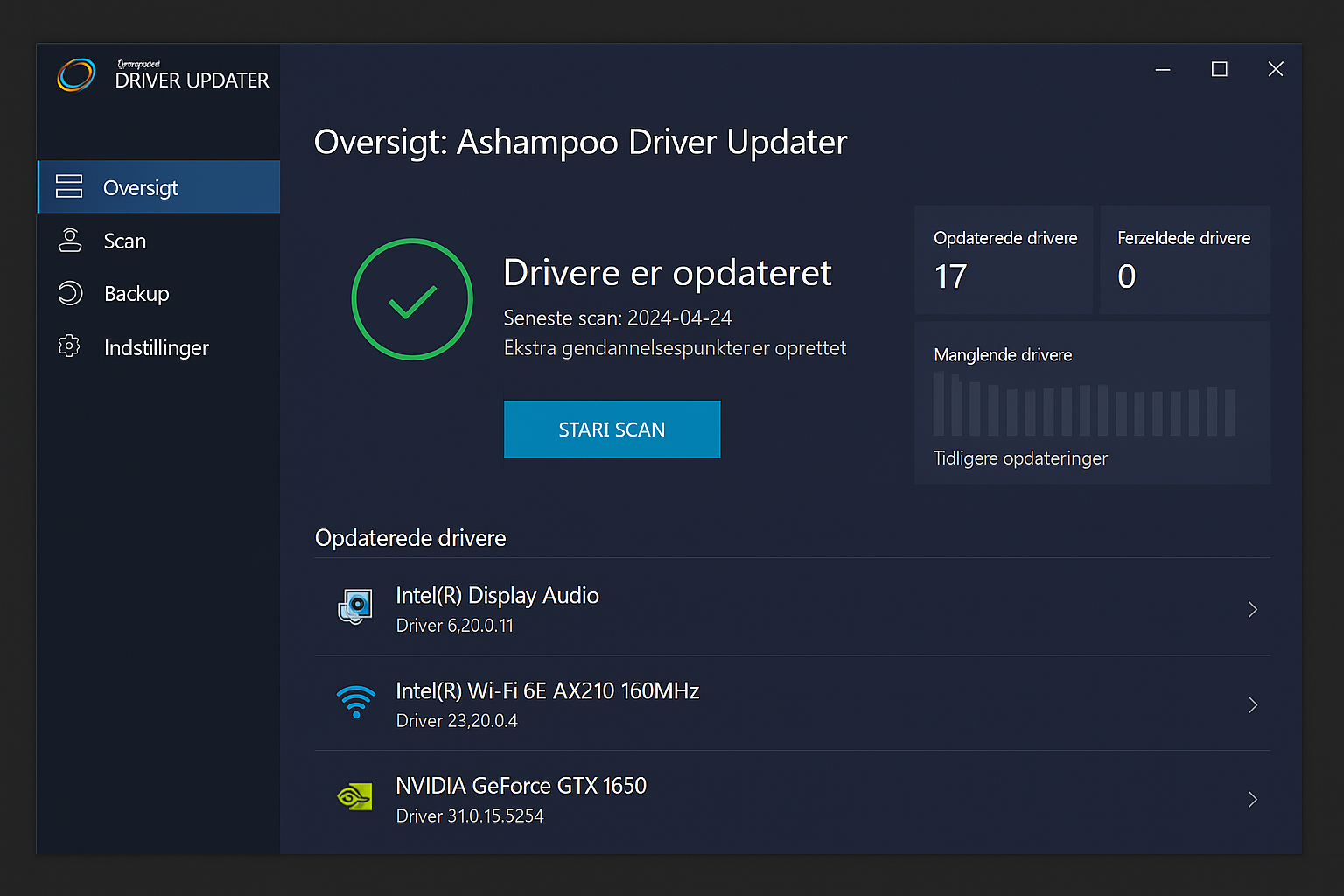
When you open the program, it immediately performs a quick scan of all installed components. Within seconds you get an overview of which drivers are outdated, missing, or incompatible.
Ashampoo Driver Updater uses a database of more than 400,000 verified drivers, so you’re covered whether you use Intel, AMD, or NVIDIA hardware.
We found that graphics, audio, and Wi‑Fi drivers were updated correctly. A system restore point is created automatically before an update is installed—a feature that makes it easy to roll back if anything goes wrong.
Design and performance
The interface is clean, intuitive, and fully localized. Everything happens in three steps: scan, results, and update.
Even with many outdated drivers, the whole process took under five minutes on our test machine. The program requires no technical knowledge and runs without pop-ups or ads.
Comparison: Ashampoo vs. Driver Easy and AVG Driver Updater
The market for driver updaters is crowded, but the difference often comes down to stability and database quality.
- Driver Easy has the broadest database, but the interface is more technical.
- AVG Driver Updater integrates with AVG’s security suite but is slower to scan.
- Ashampoo Driver Updater sits in the middle—faster than AVG and more user-friendly than Driver Easy.
If you want a clean, simple program without unnecessary features, Ashampoo is a solid choice. But if you want automatic updates for all drivers without limitations, you’ll need to upgrade to the Pro version.
Pricing and versions
Ashampoo Driver Updater can be tested for free, but the free edition does not install drivers—it only shows the results.
The Pro version typically costs around 30 € per year and can be used on up to three PCs. It’s often discounted on Ashampoo’s own site, especially in bundles with WinOptimizer or Backup Pro.
Frequently asked questions
Top 5 tips for Ashampoo Driver Updater
1. Scan your system at least once a month
Regular scans keep both performance and security in top shape.
2. Enable automatic backups
Make sure the backup feature is always enabled so you can restore drivers if something goes wrong.
3. Use scheduling
In “Settings,” schedule automatic scans at fixed times.
4. Combine with Ashampoo WinOptimizer
The two apps work well together—one handles drivers, the other handles cleanup.
5. Ignore drivers you don’t want changed
If you use specialty hardware, exclude it from the update list to keep everything stable.


