
 Martin Jørgensen
With DeltaWalker, you can compare your documents and find differences between them. Download the program for free here.
DeltaWalker is a tool for developers, attorneys, and anyone who creates documents and files where even a small change can have drastic consequences.
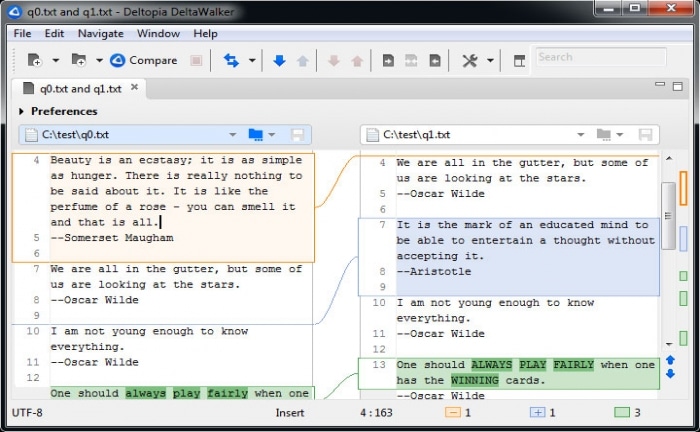
The program lets you compare different versions of a text file, with visual cues to quickly identify differences or propagate a change from one file to another. You can pull files from a local hard drive or remote locations via FTP, SFTP, HTTP, or HTTPS. You can also compare folders and see which files differ, based on file size or last modified date.
While DeltaWalker can be useful for comparing contracts and other legal documents, you cannot directly compare Microsoft Word or other word processor proprietary files. You’ll need to copy and paste the text into DeltaWalker’s built-in text editor first.
Because of this limitation, DeltaWalker is likely best suited for web designers and developers. It can compare text-based web files such as .htm and .asp, along with a wide range of text files like .vbs, .java, and .cpp.
If you use Linux, click this link.
Download DeltaWalker


