
 Martin Jørgensen
Digital Image Recovery – free tool to recover deleted photos
Digital Image Recovery is a small yet effective tool that helps you recover deleted or lost photos from memory cards and other digital storage media. It’s primarily designed for camera memory cards, but it also works with USB flash drives and hard drives where photos were removed by mistake.
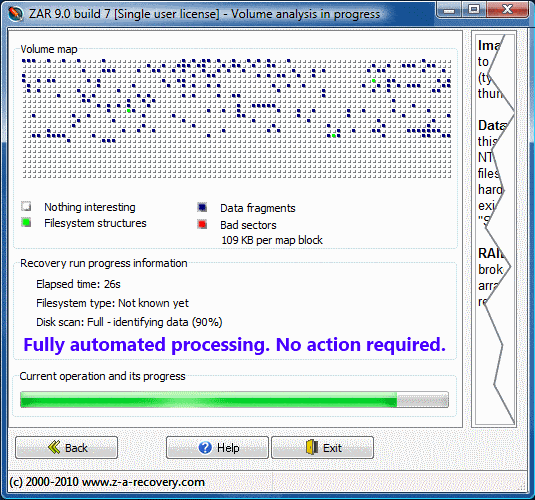
We tested the program on a Windows 11 PC with an SD card from a digital camera. Installation took under a minute, and we could quickly scan the card for lost photos. The interface is very simple and a bit old-school, but the functionality is on point.
Features and usability
- Supports most image formats (JPEG, TIFF, BMP, etc.)
- Specialized in finding photos on memory cards (SD, CF, MMC, etc.)
- Lightweight app without unnecessary extras
- Free to use with no hidden limits
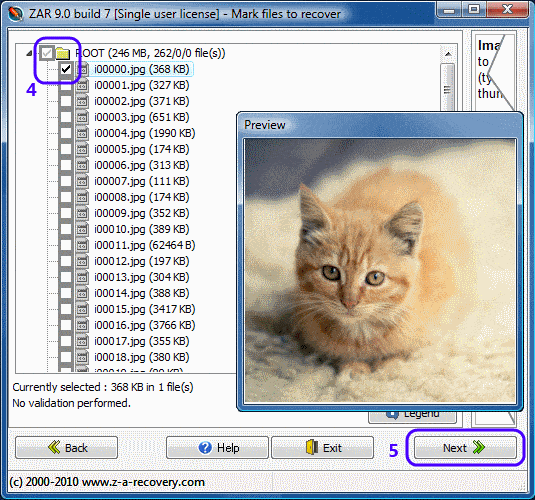
The interface isn’t modern and you don’t get advanced settings. On the plus side, it’s straightforward: connect your card → select the drive in the program → start the scan → save the recovered files.
Performance and results
Scanning was fairly quick, and the program found most of the photos we intentionally deleted from the card. The quality of the recovered files remained intact, which is important for photographers and other professionals. However, it didn’t always find RAW files from newer cameras — that typically requires pricier, more advanced recovery software.
Top 5 tips for Digital Image Recovery
Always use an external card reader instead of connecting the camera directly — it enables faster scans and better results.
If you deleted photos by mistake, avoid taking more photos on the card, as new files can overwrite the old ones.
Always run a full scan instead of a quick one to increase your chances of finding lost files.
Never save the recovered photos back to the same card — use your hard drive or another device.
If you work with RAW files, you may need a more advanced recovery solution such as Recuva Pro or Stellar Photo Recovery.



