

 Martin Jørgensen
G DATA Internet Security – solid German security for Windows
G DATA Internet Security is a complete security suite for Windows, developed by the German company G DATA, which has had a strong reputation for many years—especially in Germany and Central Europe. It’s aimed at users who want thorough, classic protection against viruses, malware, and online threats without noticeably slowing down their computer.
We tested G DATA Internet Security on a standard Windows 11 PC. Installation was quick and free of confusing add-ons, and within a few minutes real-time protection was active. Our first impression was a clean, straightforward program that clearly focuses more on function than on flashy animations.
Keep your PC virus-free in practice
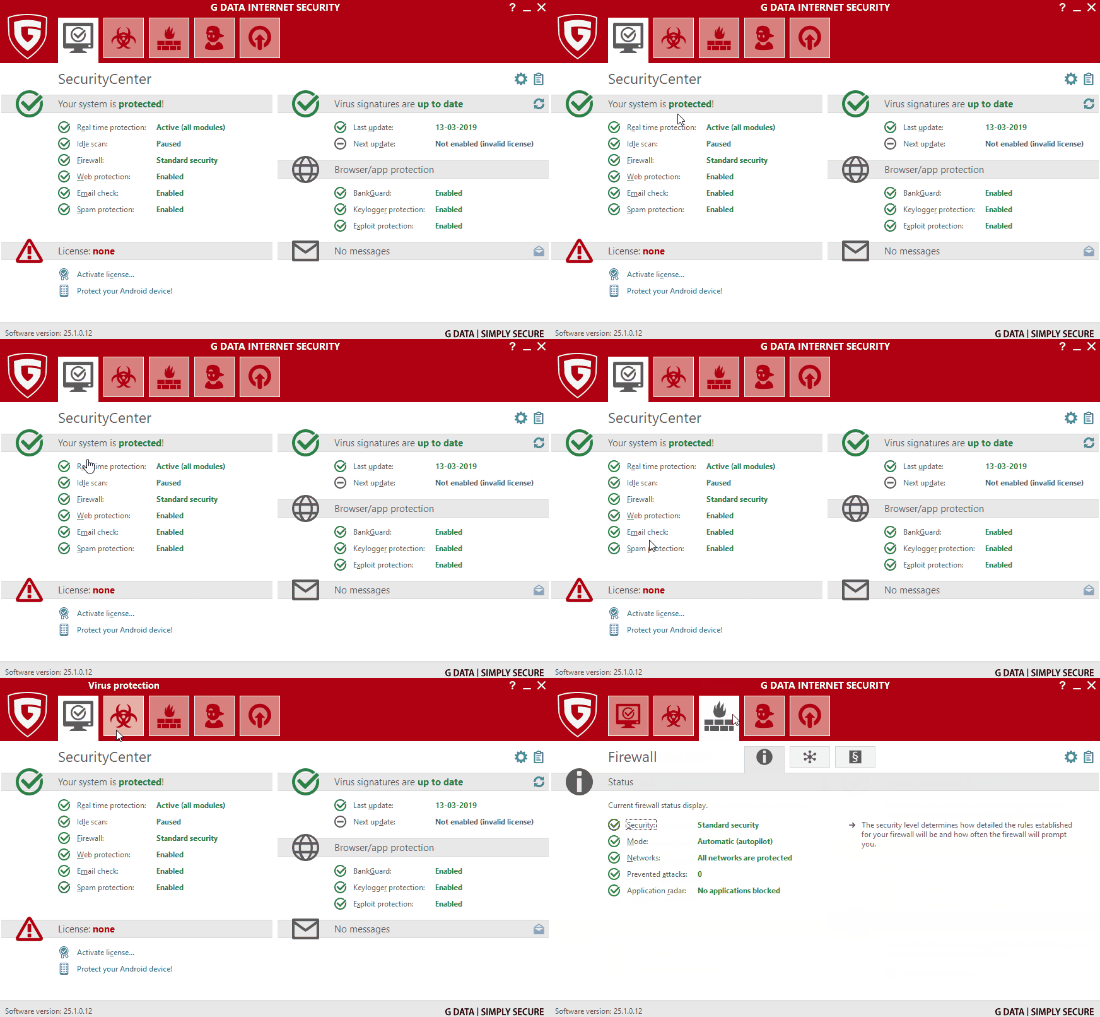
G DATA Internet Security automatically monitors files, programs, and downloads in real time. During testing, new files were checked instantly without the system feeling heavy or sluggish.
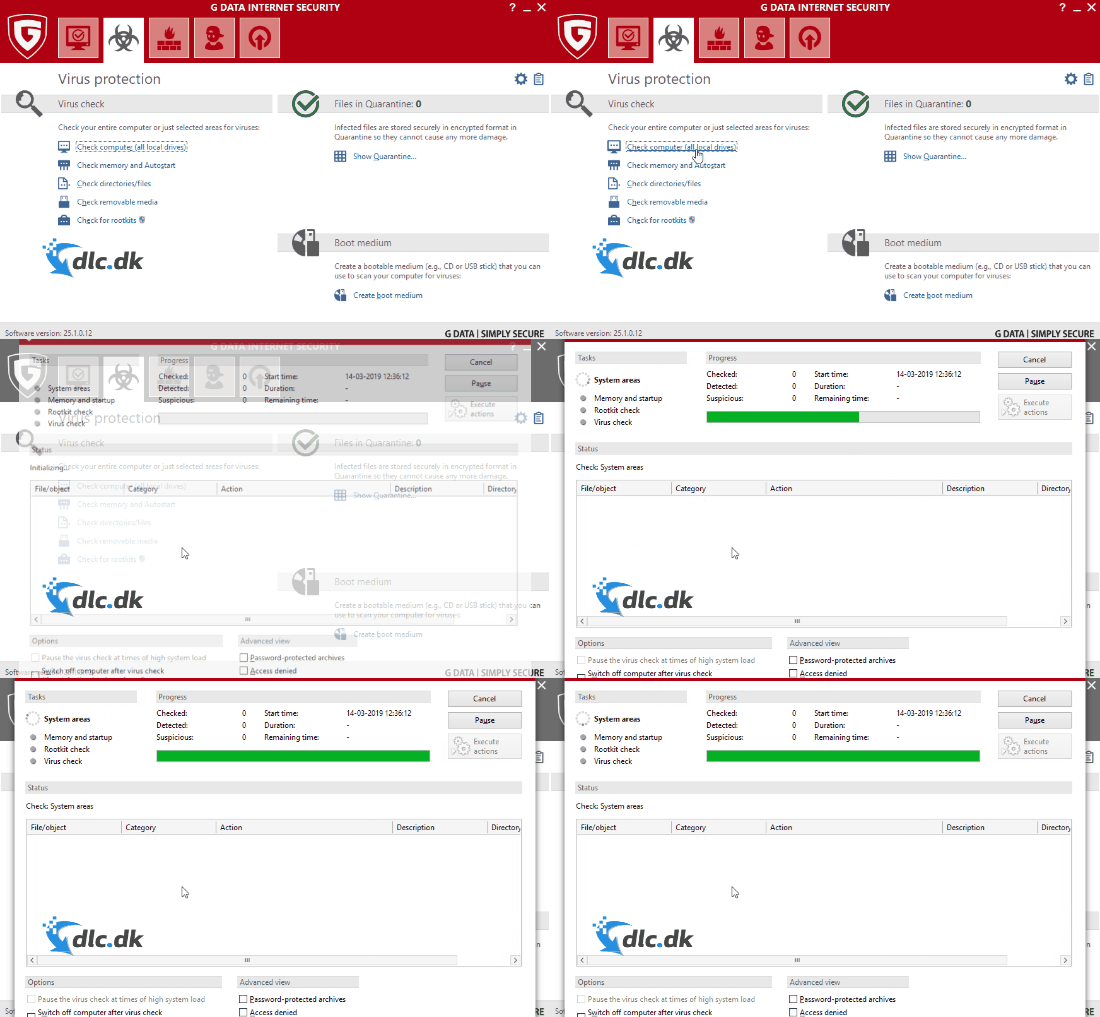
You can choose between several scan types:
- Quick scan of the most vulnerable areas
- Full system scan
- Custom scan of folders, drives, or external devices
The custom scan is especially useful if you often work with USB drives or download files from many different sources. You can target scans precisely and save time day to day.
Everything in one security suite
G DATA Internet Security is a classic all-in-one solution. That means you don’t have to combine multiple programs to be properly covered.
The security suite includes, among other things:
- Antivirus with real-time protection
- Firewall that monitors inbound and outbound traffic
- Web protection against malicious websites
- Parental controls for kids’ PCs
In practice, everything is managed from a single window. During our test, it was easy to get an overview of threats, scans, and protection levels—even without a technical background.
User-friendly for both new and experienced users
G DATA focuses on making internet security more accessible. Many security programs can quickly become technical and hard to navigate, but here the menus are simple and accompanied by helpful explanations.
All features are organized in tabs, and even more advanced settings are explained in language most people can understand. That makes the program suitable for both:
- Users with technical experience
- Users who have never used a security suite before
It’s clear that G DATA has prioritized stability and clarity over unnecessary effects.
A good choice for gamers
In our testing, we especially noticed that G DATA Internet Security keeps resource usage low. The program runs quietly in the background and doesn’t steal unnecessary performance.
That’s a clear advantage for gamers, where even small dips in performance are noticeable. You can schedule scans so they don’t run during a gaming session, and the real-time protection didn’t negatively affect our gameplay during testing.
Free trial and upgrade
When you download G DATA Internet Security, you get a free trial with all features active. That gives you a great opportunity to test the program thoroughly in your daily routine.
After the trial, you can upgrade directly in the program if you want to continue with full protection. The process is clearly guided, with no hidden steps.
Alternative security suites to consider
Although G DATA Internet Security is a solid choice, it’s a good idea to compare it with other security suites before deciding.
Popular alternatives include:
- Bitdefender Internet Security
- Norton Security
- AVG Internet Security
These offer many of the same features but differ in price, interface, and extra tools.
Compatibility and operating systems
G DATA Internet Security is designed specifically for Windows and supports modern Windows systems. The program is not available for macOS or Linux, so if you use those platforms, you’ll need an alternative solution.
A smart choice for Windows users who want peace of mind
G DATA Internet Security delivers solid, well-tested protection against viruses, malware, and online threats. It combines antivirus, a firewall, and extra security features in one easy-to-use, stable package.
It’s especially a great choice for Windows users who want reliable security without compromising performance—and for gamers who don’t want their security software siphoning resources in the background.



