

 Martin Jørgensen
Try the new and exciting photo editor HDR Projects 3 for free right here.
New photo editors are released all the time, but many of them aren’t very competitive. HDR Projects 3 is the exception, delivering all the features you need to create exactly the image you want.
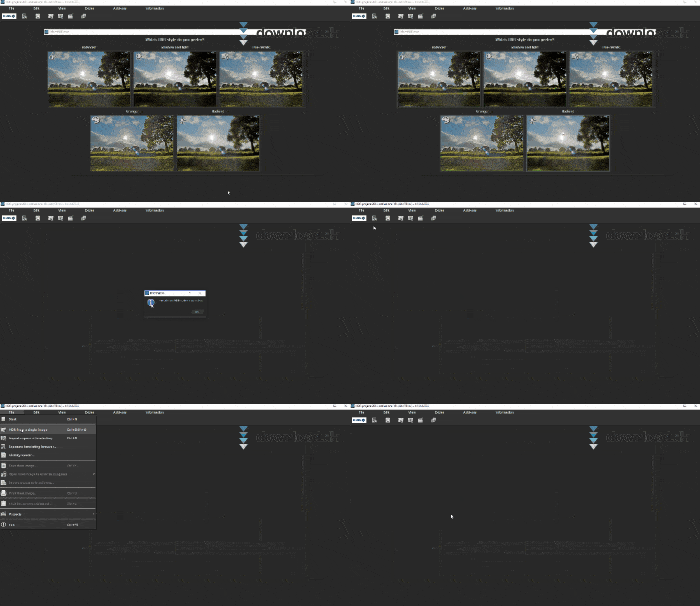
HDR Projects 3 is available for both Mac and Windows, and you can download the installer directly from our site.
Incredibly sharp quality
The first thing we noticed about HDR Projects 3 is how incredibly sharp images look after processing. Colors, contrast, and detail are spot on. Its crisp rendering beats many competing programs. HDR Projects 3 also supports add-ons that expand the many editing features, so you can always shape your photos exactly as you like. Even without add-ons, you get all the essential tools and can start editing right after installation.
Beginner or pro
If you don’t have much experience with photo editing, you can still use HDR Projects 3 with ease. The interface is very user-friendly and offers a variety of presets. Open your image and choose from 64 different presets for a quick edit.
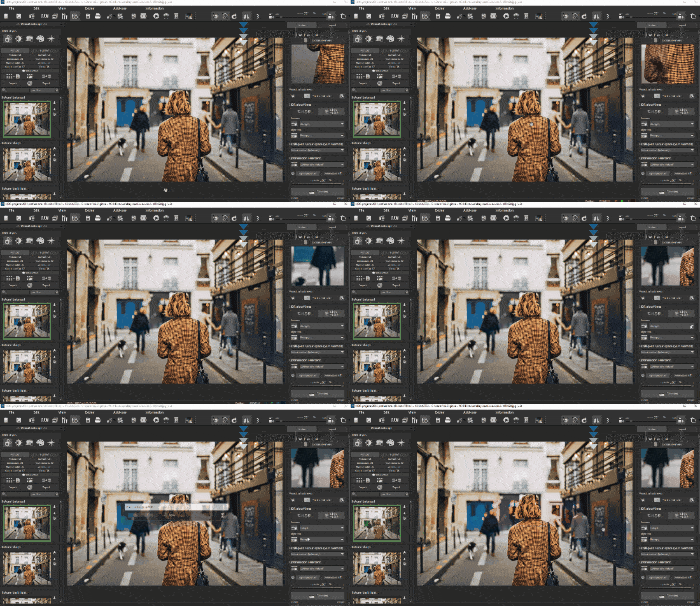
Of course, you can refine the presets if the result isn’t quite how you want it. The developer, Projects Software, has also created clear tutorial videos that will help you get started. In addition, HDR Projects 3 has a great community where other users are ready to help. The community also shares more specific videos, for example “How to cut out a face from a photo.” Most videos are structured in simple steps, so you can easily follow along while your own project is open on the screen.
Professionals are covered too, as you’ll find more advanced features beneath the surface. If you’ve used Adobe Photoshop before, you’ll quickly feel at home in HDR Projects 3—many tools are located in familiar places.
Design and usability
There’s no doubt HDR Projects 3 is designed so anyone can find their way around. The most user-friendly features are front and center for beginners. More experienced users can quickly dig deeper to access the rest of the tools they need.
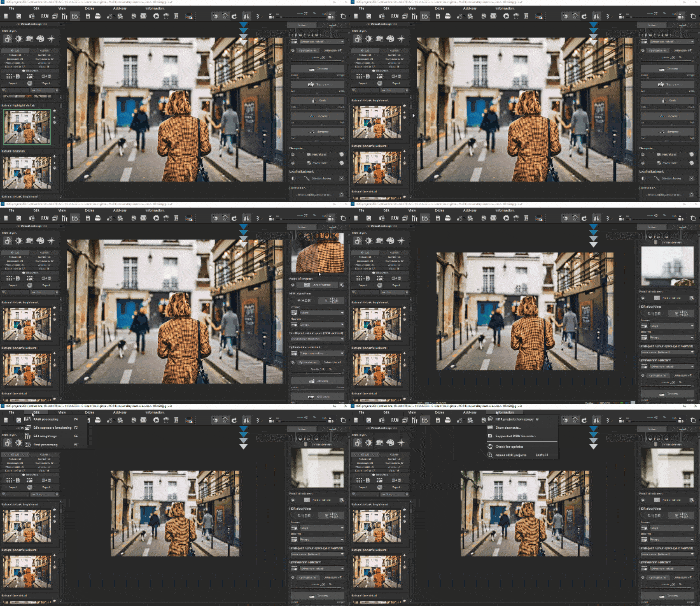
The simple, clear layout also makes it highly usable. If you’ve never worked with a photo editor before, you’ll quickly learn where everything is. The design also suits more advanced users. Moreover, the program is lightning fast during both installation and everyday use. Even on a slower computer, it opens quickly, and we didn’t encounter any lag or unresponsiveness. There’s no doubt HDR Projects 3 is a strong alternative to Adobe Photoshop—and for a lower price.
Alternative photo editors
As mentioned at the start, there’s now a huge range of photo editors, which can make choosing difficult. We’ve tested and reviewed many of them, and you can find these reviews in our image editing category. A beginner might really enjoy a program like Paint.NET. Paint.NET is built with simplicity in mind and is essentially a more advanced version of Microsoft Paint. Paint.NET still offers a surprising number of features, and if you just need a quick edit, it’s definitely worth having. Paint.NET is also completely free to use with no time limits. The more obvious direct competitor is without a doubt Adobe Photoshop. Adobe Photoshop has long been the preferred photo editor—and for good reasons. However, HDR Projects 3 can do many of the same things as Adobe Photoshop, and it’s cheaper in the long run.
Conclusion
We work with images often, and we’re always happy to see more competition among the leaders. HDR Projects 3 has definitely lived up to our expectations; even under a critical eye, it handled every task we tested.
Day to day we use programs like Paint.NET and Adobe Photoshop, but with the release of HDR Projects 3, we could easily make a permanent switch. HDR Projects 3 is lightning fast to work in, and we encountered no issues.
The software is polished enough to justify the price. There are no limitations in terms of file formats—neither for opening nor saving—so HDR Projects 3 works very well alongside other photo editors. That means it’s always possible to work on your project across multiple tools. We’re pleasantly surprised by HDR Projects 3, and we clearly recommend it to both amateurs and professional photo enthusiasts.
Download HDR Projects


