

 Martin Jørgensen
Download Facebook's new meeting app, Horizon Workrooms
Mark Zuckerberg, Facebook's CEO, plans to build a true metaverse. The word comes from the world of science fiction, where the metaverse is a universe that both combines and expands reality alongside a digital online universe.
This has already been explored in plenty of films and books, including Ready Player One, where the digital and real worlds merge and overlap. This is Facebook’s vision for the future, and their first step is a digital meeting app, which we describe below.
* Note: The app requires at least one person on your team to have an Oculus Quest 2 to get started. The app must be downloaded directly from that device (or the connected mobile app), after which you can invite other users to join.

Technical requirements for your first time using the app
The team at Facebook has helped produce a virtual device that immerses you in another world through virtual reality (VR). The newly developed and powerful Oculus Quest 2 can handle a wide range of demanding tasks.
Together with the Oculus Remote Desktop Companion App, or the Oculus Store app you can download on your iPhone or Android device, you can access the software we describe here.
You can then invite friends or colleagues to make video calls, hold video conferences, and more in their mixed reality web app, which doesn’t require hardware (although Zuckerberg recommends getting the headset for the full experience).
Create yourself the way you want the world to see you
The app includes a range of customization options that let you change your avatar’s appearance to reflect the real you as closely as possible.
The app is still in its early stages, so the number of options may not be as extensive and varied as it could become once it gains traction and more users.

Hold large meetings with people without having to be in the same room
Mark Zuckerberg has proudly explained that their new app supports “... up to 16 people in VR meetings at a time” — and 16 people seated around a table, or moving between meeting rooms, is plenty for both small and larger companies, which typically work in smaller groups anyway. You rarely have hundreds of people in a single meeting.
If everyone has access to an Oculus system, the experience becomes far more realistic, but if you don’t have about $360 to spend on it (unless your employer covers it), you can always participate in the virtual world through a regular video meeting.
In that case, you’ll still be at the table with the others, but represented as a computer screen instead of a person who can move around. It’s a good alternative if you don’t want to spend that much on the hardware itself but still want to join the social meetings.

Use real-world tools: virtual whiteboard with hand tracking
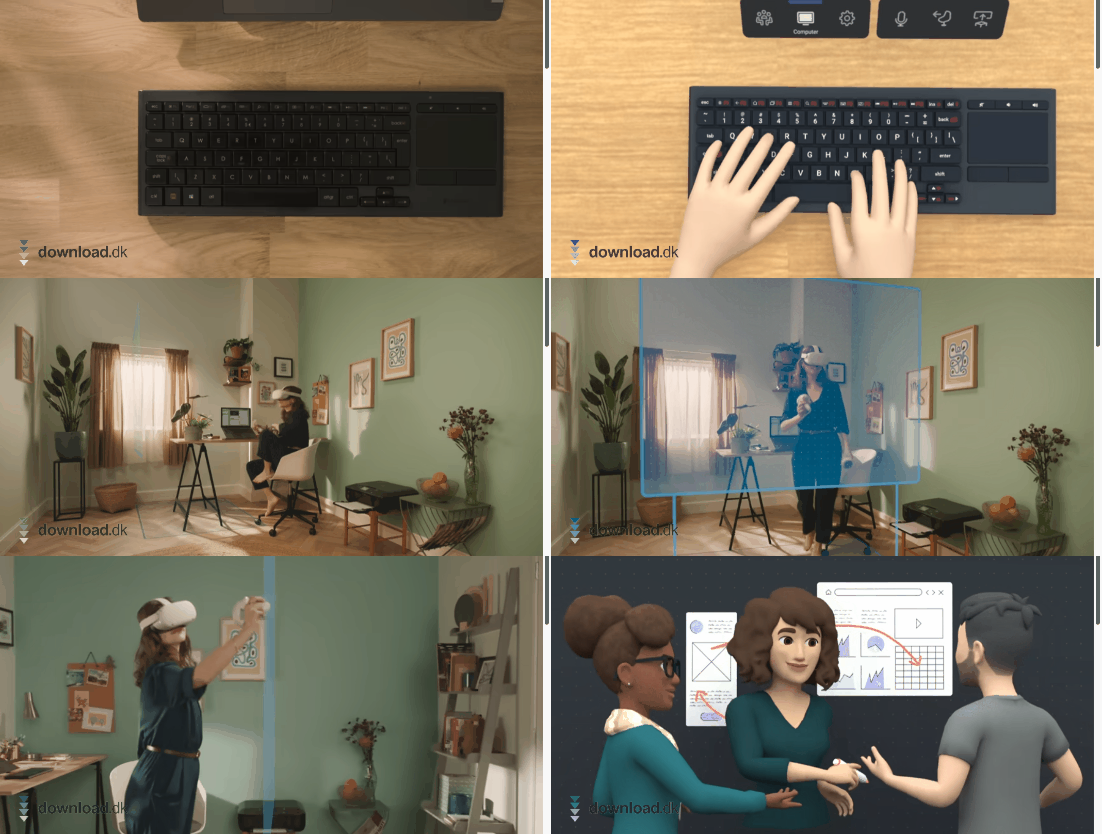
With Oculus Quest 2, you can give presentations and write notes and annotations directly on the large shared screen in the room, or on a whiteboard you add to the meeting space.
What you write and draw on your end is automatically synced to everyone else’s screens in real time, making it feel almost like you’re all physically present.
Spatial audio — feel conversations around you, just like in real life
Facebook has also designed the app with realism in mind when it comes to sound. The app features spatial audio processing that creates a virtual 3D sound field, placing where the sound comes from and how far away it is.
So if you’re seated around an oval table, you’ll hear whether the person speaking is in front of you or to one side.
Likewise, in a more classroom-like layout, you’ll notice whether it’s the person next to you or someone in the row behind you who’s talking.
Conclusion
Horizon Workrooms is an excellent alternative to physical meeting rooms, especially for companies that operate globally, where it can be hard to set up meetings in other, more limited tools such as Microsoft Teams and similar.
The app is still under development, so there’s room for improvement, and only time will tell whether it becomes a global phenomenon that wins people over to the digital world.
The tools Oculus Quest 2 offers take a little getting used to, as they can sometimes feel clumsy. But once you’ve adapted to the response time and different features, a world of possibilities opens up that can make your next meeting far more interesting and interactive, even when you can’t be together.
Download Horizon Workrooms


