
 Martin Jørgensen
Download PhoXo and get a great free photo editor for beginners.
It isn’t a full mini version of Photoshop, but it’s definitely more capable than Microsoft Paint—and it’s free. PhoXo includes the basic photo-editing tools casual users expect, plus a few fun extras that make it approachable for kids, too.
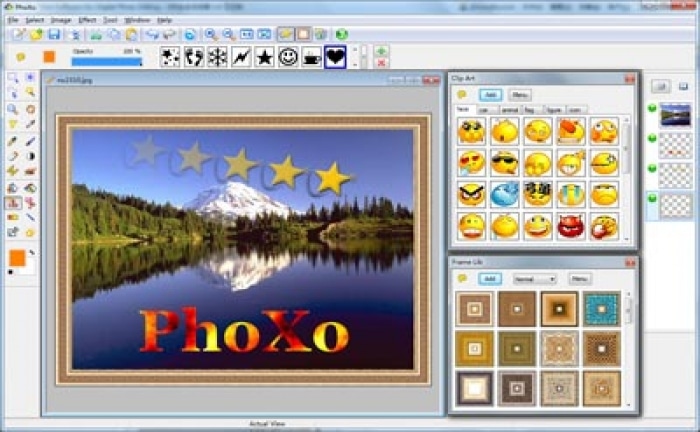
The interface is well organized and intuitive, with menus across the top and a toolbar on the left. You can open clip art, frames, and effects that pop up on the right as movable panels.
You get controls for brightness, contrast, and color saturation, plus blur and sharpen tools. A clone tool and eraser handle basic corrections. You can add text, fun designs, and media elements, and draw freehand with pen or brush tools. The Effects menu lets you distort images, add lighting effects, or apply artistic styles. We especially like that PhoXo supports layers.
Layers make it easy to experiment with different features without permanently changing your original image. There’s also a thorough online Help file with step-by-step instructions and plenty of screenshots.
Overall, we were pleasantly surprised by PhoXo. It’s easy to use and packed with features—both practical and playful. It’s a smart choice for anyone just getting started with photo editing, as well as experienced users who don’t need the advanced tools found in programs like Photoshop.
PhoXo adds a desktop icon without asking, but it uninstalls cleanly. We recommend this program for all users.
Download PhoXo


