
 Martin Jørgensen
Find out which program is crashing your PC. Download WhoCrashed for free here.
When a Windows PC suddenly restarts without any warning or a Blue Screen of Death, the first thing many assume is a hardware failure. In reality, most crashes are caused by faulty device drivers and kernel modules. In the event of a kernel module failure, most Windows systems won’t show a blue screen unless they’re configured to do so. Instead, these systems restart abruptly without warning.
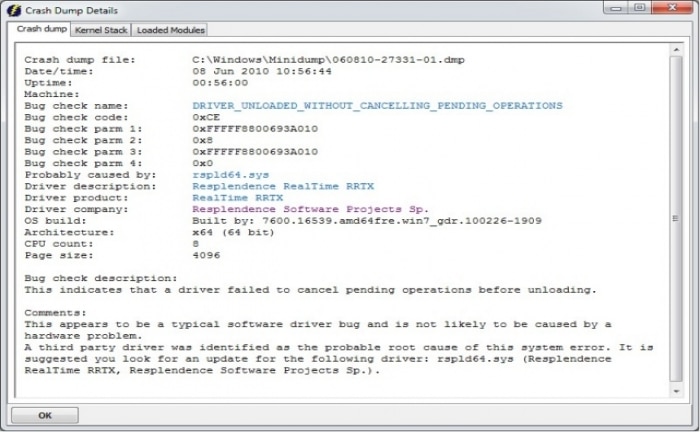
WhoCrashed identifies the drivers that have crashed your computer with a single click. In most cases, the tool pinpoints the offending drivers that caused the error on your PC. It can perform post-mortem crash dump analysis and presents all collected information in a clear, easy-to-understand way.
Normally, you would need debugging experience and specialized tools to run a post-mortem crash dump analysis. With WhoCrashed, you don’t need any debugging skills to figure out what’s causing your PC to crash.



