

 Martin Jørgensen
It is critically important that your computer has a reliable security program installed, and Zemana Antimalware is a strong choice.
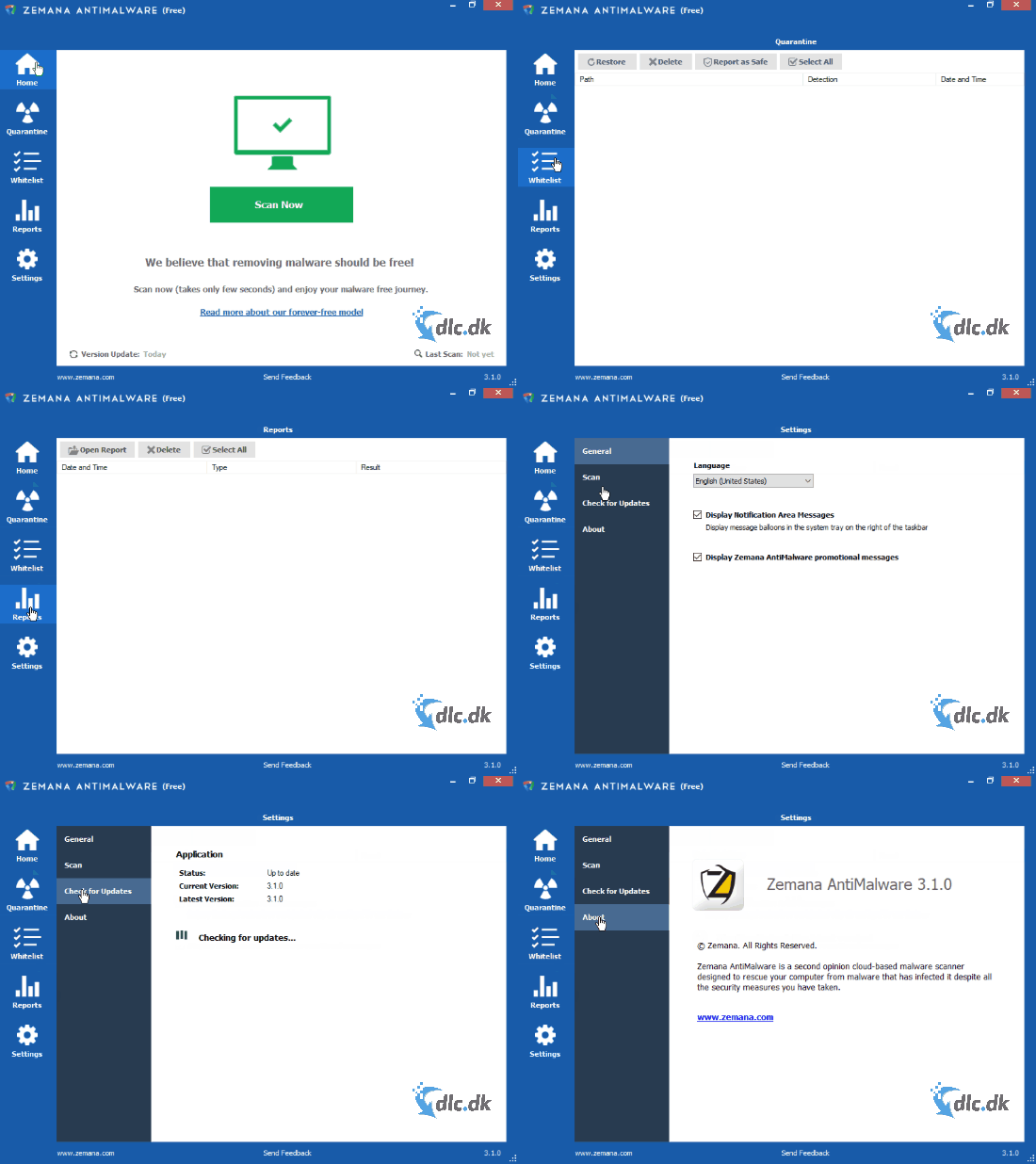
Zemana Antimalware used to cost money, but it was recently released as a free edition so everyone—regardless of budget—can get solid protection on their PC. Free security programs are generally popular with our readers, and below we examine whether the free Zemana Antimalware edition can compete with the many other security programs.
Core features
One of the most fundamental functions of any security program is, of course, the ability to detect and remove potential threats.
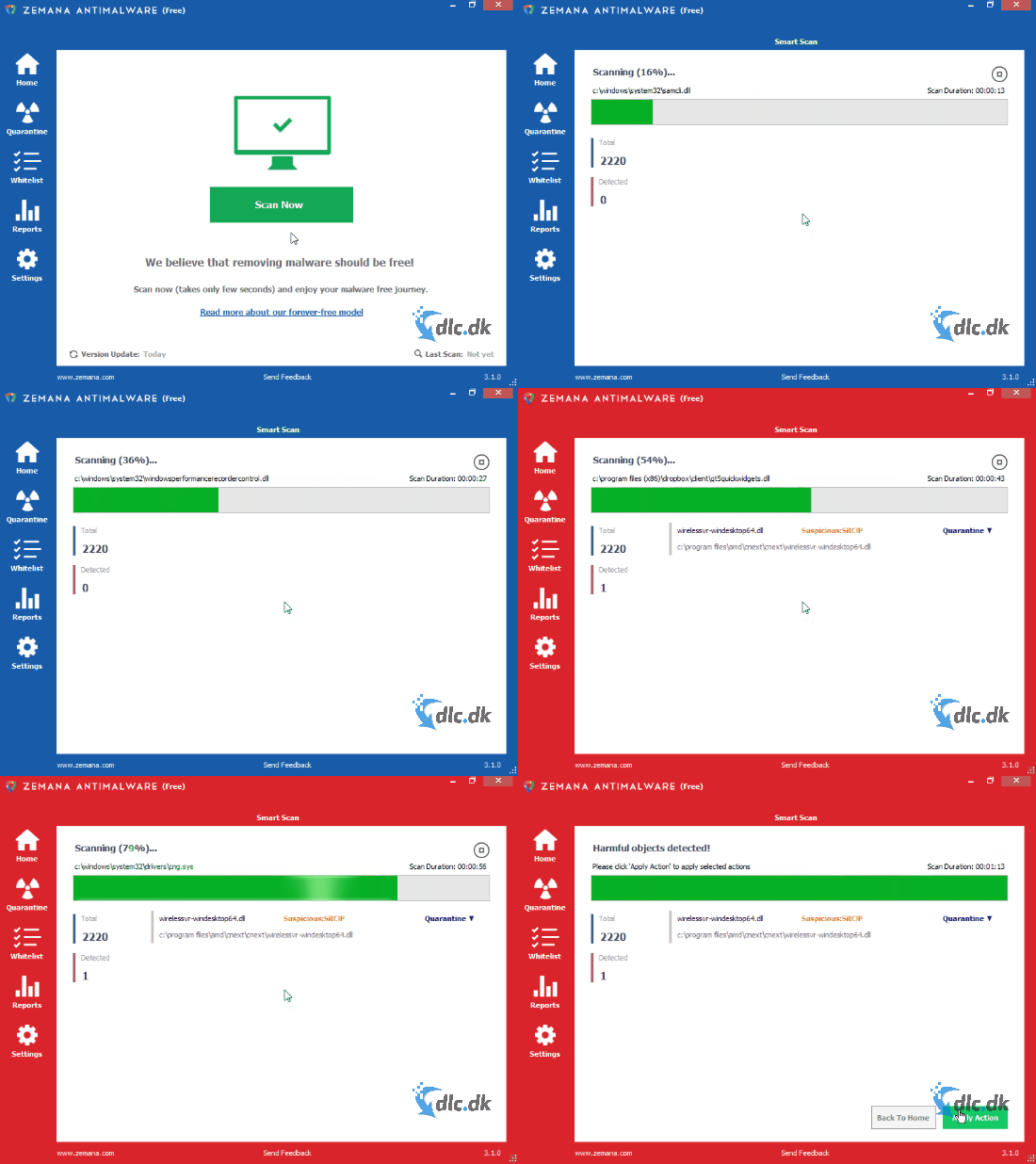
Zemana Antimalware can scan your computer very quickly, and after the scan you get a clear overview of any threats the program may have found. If Zemana Antimalware detects threats, it removes them right away. The items are placed in the Quarantine tab, where you can see exactly what the program has isolated.
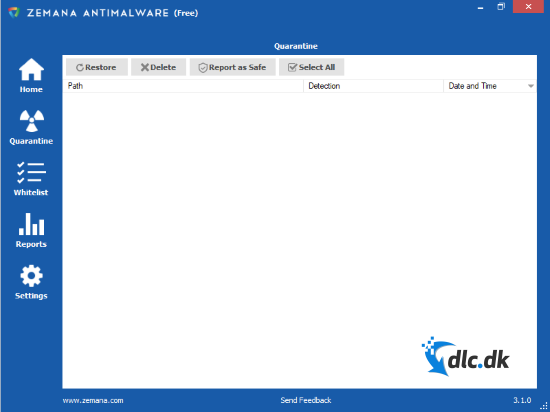
The reason Zemana Antimalware does not permanently remove items immediately is that occasional misclassifications can occur. For example, if you have an application installed that is not recognized in Zemana Antimalware’s database, it may be flagged. Using the Quarantine tab, you can restore the file if you are certain it is not malicious. It can also be helpful to mark the file as safe so Zemana Antimalware will not place it in quarantine again.
If you already know of an installed program that is often misjudged, you can whitelist it.
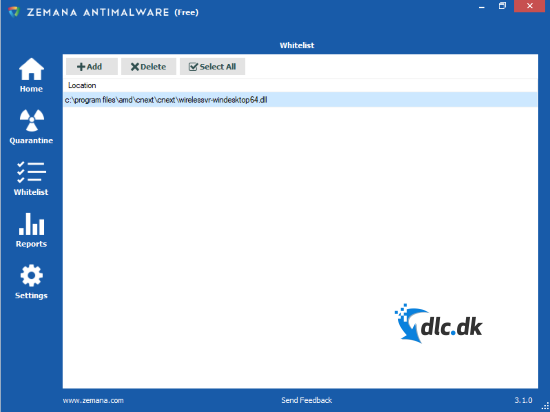
In the whitelist tab, you can add programs that Zemana Antimalware should not scan or handle at all. We recommend doing this only if you are 100% sure the program poses no risk to your system. This is also where you will find programs you previously restored from quarantine.
Well-executed features
Listing features alone does not make us any wiser, so we also examined how well they are implemented. The security scan in Zemana Antimalware is hard to fault. The program can quickly go through your entire hard drive and does not interrupt itself when it finds threats. Quarantine also works as expected. It is a feature we have seen in similar programs, but the ability to restore individual files is a welcome bonus.
The whitelist function also works flawlessly. Whitelisting is an extra feature, but a very useful one. The last section is the Reports, and as the name suggests, it gives you an overview of what the program has done.
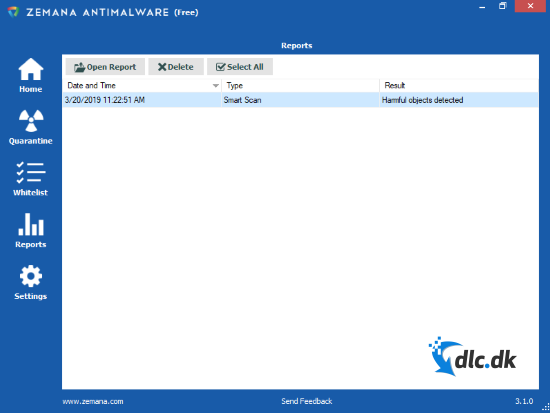
This primarily contributes to better usability, but it is still a very welcome feature because it helps you maintain a clear overview of your security.
Why you need a security program
A security solution is absolutely essential on most systems. Not having one on your PC is a bit like driving without a seat belt. You might get away with it, but if trouble strikes, the consequences can be catastrophic.
Getting a security program is about as easy as clicking a seat belt into place. We offer a wide range of sikkerhedsprogrammer for every conceivable operating system, so there is no excuse not to get one.
If you have Windows 10 as your operating system, you already have fundamental security elements installed, but it is still recommended to enhance your protection with a security program like Zemana Antimalware.
Completely free
As mentioned in the introduction, Zemana Antimalware is completely free to download and use. There are no hidden costs in the form of limited functionality or similar restrictions. Zemana Antimalware is far from the only free security program on the market, and you should always be a little cautious with free tools, as they are not always well developed. However, Zemana Antimalware stands out because it was originally a paid product, yet it is now entirely free. That means you get a well-developed program precisely because it was first built to be sold.
Future updates
It is incredibly important that a security program receives regular updates. Without an up-to-date database, it quickly becomes irrelevant because it cannot detect the latest threats. Zemana Antimalware is known for frequent updates, which means you can confidently use the program and get used to it, as it will most likely remain a solid choice among security tools.
Design and ease of use
Zemana Antimalware has a relatively simple design, but that simplicity makes everything wonderfully clear, which ultimately results in excellent usability. The interface primarily uses blue and white–two colors that work perfectly together. If the program detects something that requires your attention, the blue accents turn red as an indication of danger. The simple design keeps everything easy to grasp, even if you do not have much technical experience. Unfortunately, the program is not yet available in Danish, but we hope it will be in the near future.
Conclusion
We were very curious to see whether the free edition of Zemana Antimalware would be as well developed as the paid version, and we can conclude that it is. Overall, Zemana Antimalware is an excellent security program, no matter how experienced you are with technology. All features and controls are organized into tabs that are easy to navigate. With such a simple design, creating a Danish translation should not take long, and we hope Zemana will provide one in the future.
If you are looking for a well-developed security program that is completely free to download and use, you do not need to look any further. The program is right here, and it is called Zemana Antimalware.
Download the excellent Zemana Antimalware security program for free here.
Download Zemana Antimalware


