
 Martin Jørgensen
Orion Browser feels like Safari with more freedom
Orion Browser is a private, fast web browser from Kagi, built on WebKit with a built-in ad blocker, anti-tracking, and support for browser extensions.
The short version: Orion is for people who like Safari but want more control. It’s especially appealing on Mac, where it feels truly native to macOS in a way Chrome and Edge often don’t. In our Mac testing, Orion launched quickly, felt lightweight in daily use, and took a more power‑user approach to privacy than most mainstream browsers.

Orion is developed by Kagi, the company behind the privacy-focused Kagi search engine. The browser is free to use and, according to Kagi, requires no account or sign-up to get started. The official site describes Orion as a WebKit browser with zero telemetry, indbygget reklameblokering and anti-tracking.
A Mac browser with WebKit instead of Chromium
The most interesting thing about Orion Browser is that it isn’t just another Chromium browser with a new color and logo. Orion is built on WebKit—the same engine as Safari. On Mac, that can make it feel more native, fast, and power‑efficient than many alternatives, especially if you use a MacBook every day.
We found Orion great for everyday browsing, research, news, YouTube, webmail, and web‑based work apps. Pages load quickly, and the interface is calm without feeling empty. It still has a slightly different cadence than Safari, but that’s not a negative—more like a more flexible Safari with extra settings and better control over tabs, extensions, and privacy.
Kagi notes that after years of development, Orion for macOS has left beta and is now a stable Mac browser. Recent release notes mention among other things forbedret ydeevne with many tabs, faster switching between tab views, and lower startup time with large tab collections.
Privacy without the hassle
Orion Browser is designed for users who don’t want to spend an afternoon hardening their browser. Ad blocking and tracker protection are built in, and the browser is marketed with zero telemetry. That’s a key difference from many other browsers, where you often need to disable several settings, install extra extensions, or trust fuzzy privacy options.
In practice, Orion feels ready out of the box. You can still tweak the settings, but the default experience is already well‑tuned. We especially noticed that pages heavy on ads felt calmer—without having to install an ad blocker first.
That makes Orion a natural fit for US Mac users who want a fast daily browser but don’t necessarily want Google Chrome as the default.
Supports Chrome, Firefox, and Safari extensions
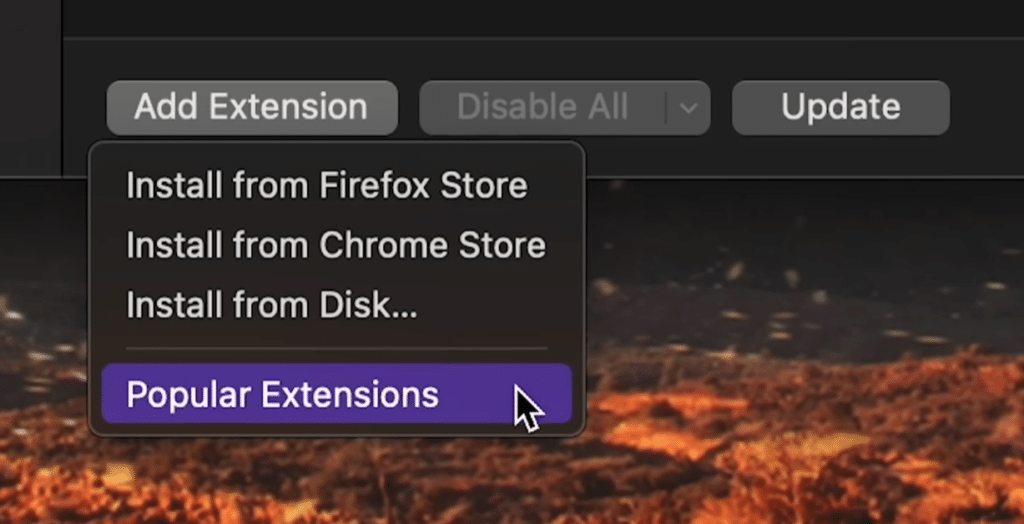
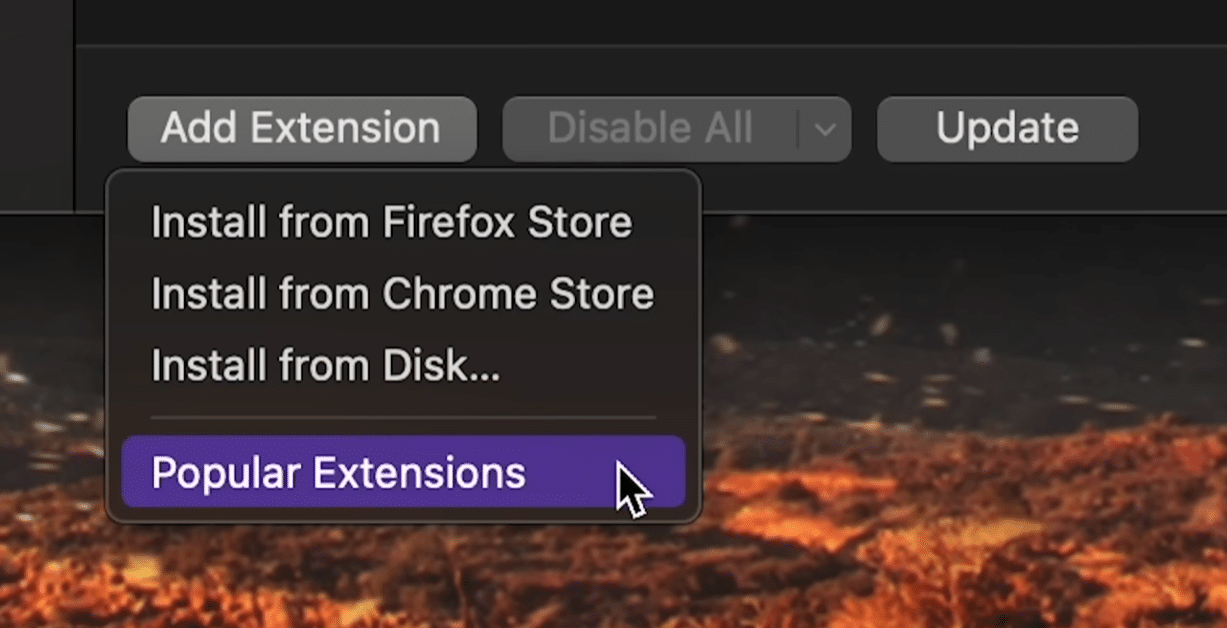
One of Orion’s most unusual features is its extension support. On the official macOS page, Kagi highlights that Orion supports Chrome, Firefox, and Safari extensions—rare to see in a WebKit browser.
That doesn’t mean every extension will work perfectly. Some are built very specifically for Chrome or Firefox and may behave differently in Orion. In our use, the most common categories felt most relevant: password managers, dark‑mode tools, productivity add‑ons, and simple ad‑blocking/reader tools.
This is where Orion stands apart from Safari. Safari is fast and polished, but its extension selection can feel limited. Orion aims to give Mac users WebKit speed and a larger extension ecosystem at the same time.
Orion for iPhone, iPad, Mac, and Linux
Orion Browser is most compelling on Apple devices. It’s available for macOS, iPhone, and iPad, and the official documentation also lists Linux as an open beta. A Windows version is in development but isn’t the obvious primary choice yet.
On iPhone and iPad, Orion is also free and marketed for speed, no ads, and no telemetry—ideal for users already in Apple’s ecosystem.
On Mac, however, Orion makes the most sense right now. It feels like a real alternative to Safari, Chrome, Firefox, Brave, and Arc.
Who should choose Orion Browser?
Orion Browser is best for Mac users who want a browser that feels fast, private, and flexible. It’s especially interesting if you like Safari but want better extensions, vertical tabs, more control, and stronger built‑in beskyttelse mod tracking.
It’s less ideal if you use Windows as your primary computer, or if you rely on a specific Chrome extension that must work 100% without quirks. In that case, Chrome, Edge, or Brave may still be safer picks.
To us, Orion feels like a browser with personality. It’s not as mainstream‑polished as Safari or Chrome, but it has a fresh idea: a browser that respects the Mac platform without locking you into Safari’s limitations.
Alternatives to Orion Browser
Safari is the obvious alternative if you want maximum battery life, Apple’s native integration, and the browser that already ships with your Mac.
Brave is a strong choice if you want privacy, a built‑in ad blocker, and broad Chrome compatibility across Windows, Mac, and mobile.
Firefox is still relevant if you want to get away from Chromium while keeping a robust extension ecosystem and many privacy controls.
Google Chrome is the most compatible option—but the least exciting—if privacy is your top priority.
Top 5 tips for Orion Browser
Start by checking ad‑blocking and tracking settings
Orion has built‑in ad blocking and anti‑tracking, but it’s still worth opening settings to decide how aggressively you want to block. On some US online stores and login pages, you may need to ease up a bit.
Test your must‑have extensions one by one
Orion can run many Chrome, Firefox, and Safari extensions, but not all behave perfectly. Install your essentials first and test them on your most‑used sites before moving your entire browsing workflow.
Try vertical tabs if you keep lots of pages open
If you often end up with 20–30 tabs, vertical tabs can make Orion easier to manage. They shine on larger Mac displays, giving you better visibility than tiny compressed tabs up top.
Use Orion as your Safari alternative for a few days
Don’t just try Orion for five minutes. Use it as your primary browser for online banking, email, streaming, research, and everyday browsing. That’s when you’ll feel whether WebKit speed and the extra features fit your routine.
Consider Kagi Search—but don’t feel obligated
Orion comes from Kagi, but you don’t need Kagi Search to enjoy the browser. Still, it’s an interesting combo if you want both browser and search with more privacy focus than the big platforms.
Orion Browser is one of the most compelling Safari alternatives
Orion Browser isn’t for everyone, but it hits a clear group: Mac, iPhone, and iPad users who want a fast browser with more privacy and better extension options than Safari.
The best parts of Orion are its WebKit foundation, zero telemetry, built‑in ad blocker, and support for multiple extension types. Its weakest point is that it still feels most mature on Apple platforms, and a few extensions or websites may require some patience.
For Mac users, though, Orion is absolutely worth a try. It doesn’t feel like just another Chrome clone—and that alone makes it interesting.



