

 Martin Jørgensen
Photos and videos are an essential part of our daily communication, which is why all kinds of image and video editing software are constantly being developed. This time, we take a look at Animotica, a video editor most people will find easy to use.
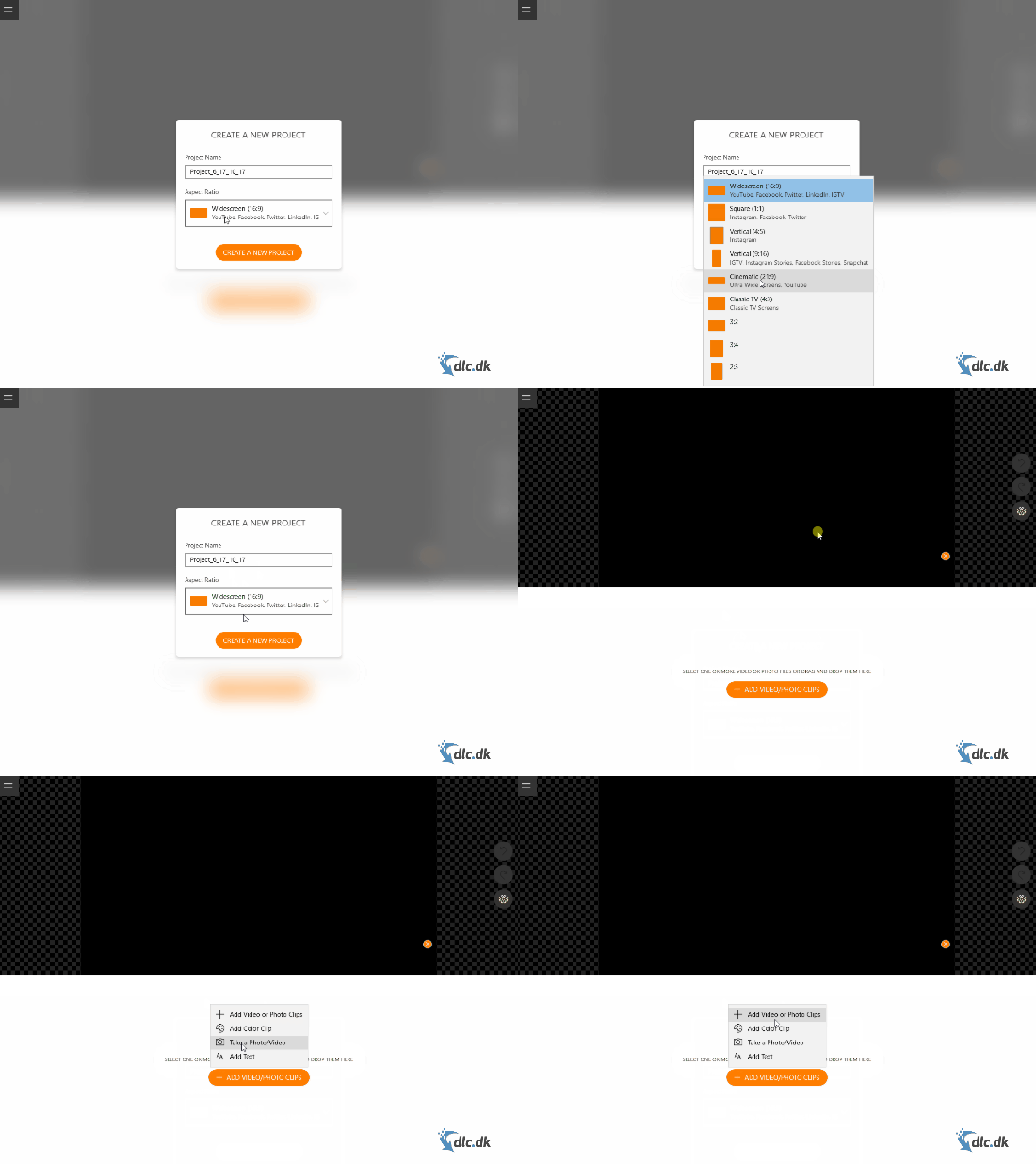
The program is completely free to download and use, but it does require Windows 10 as the operating system.
A passion for usability
There are countless video editors out there, and one of the biggest recurring challenges is that they’re often not very user-friendly. Animotica aims to change that by making video editing a breeze, no matter your experience level.
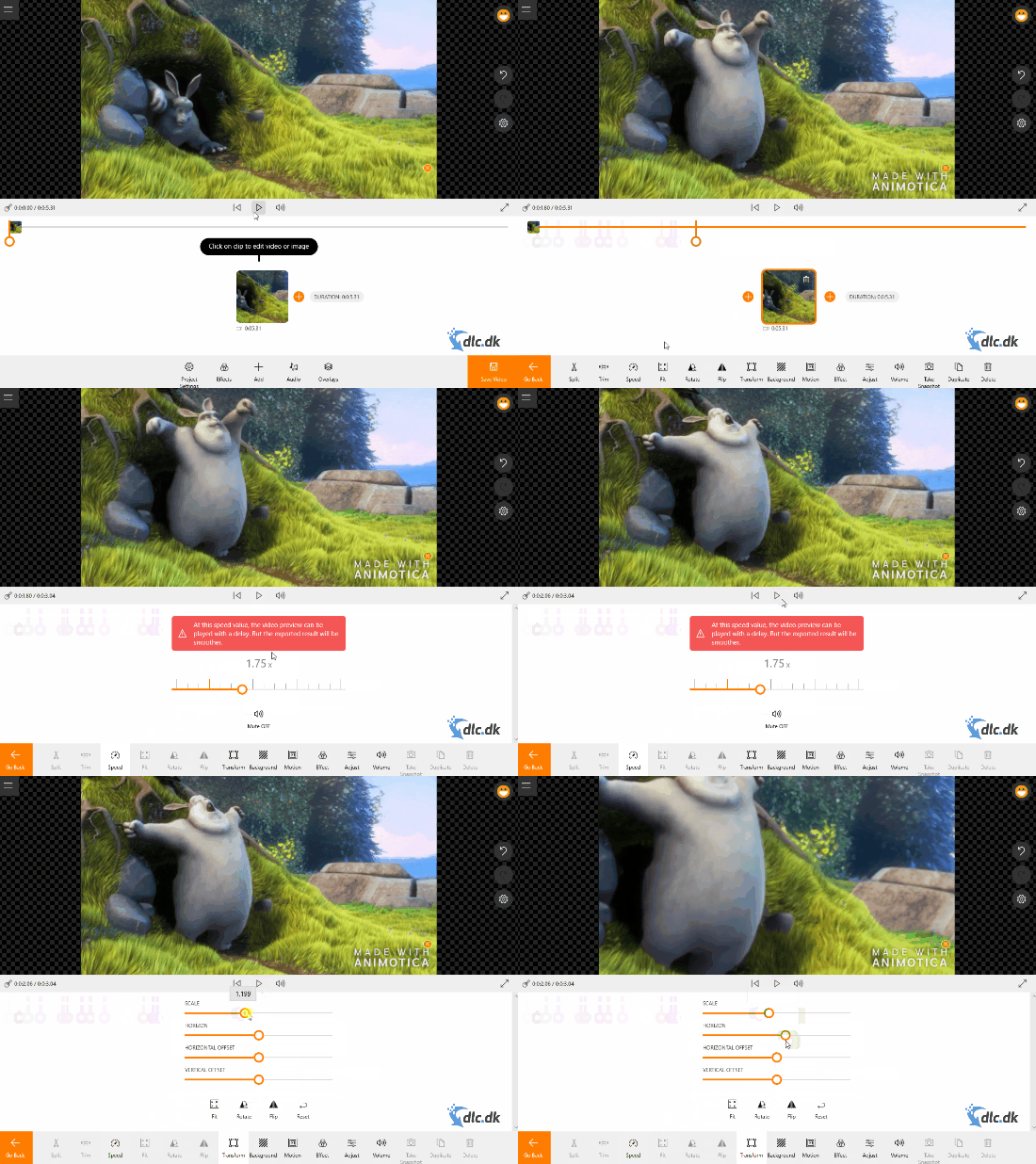
Animotica is incredibly intuitive to navigate and helps you create simple yet great-looking edits. You’ll find the essential editing tools, such as cut, trim, rotate, transforms, background, zoom, and much more.
Built for social media
You can certainly make larger film edits with Animotica, but the software is primarily designed for lightweight videos destined for social media.
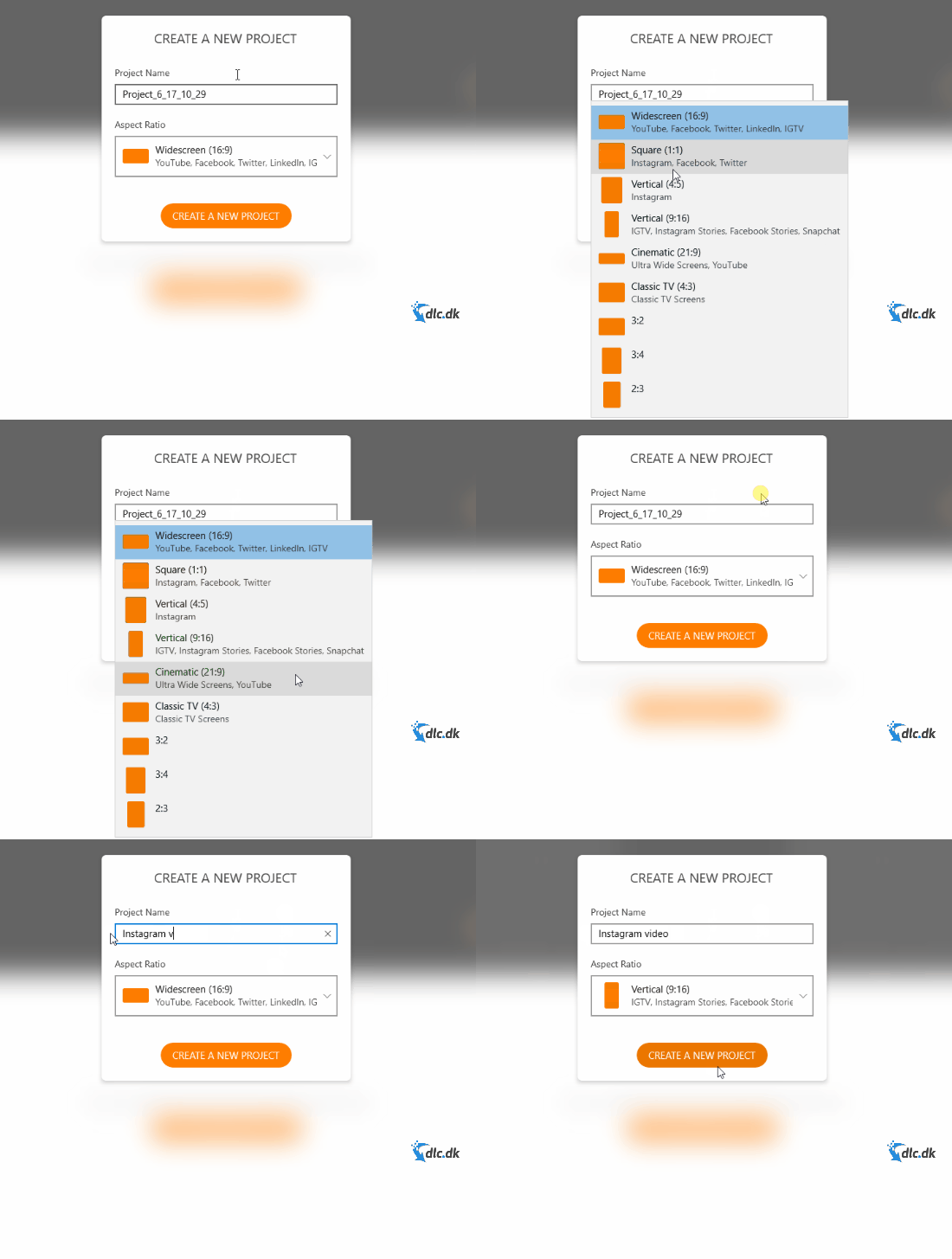
When starting a new project, you choose the aspect ratio. As the GIF above shows, Animotica includes a range of templates to pick from. Each template indicates which social platform it fits. For example, Instagram typically uses a smaller format than YouTube.
More features than expected
There are many excellent free video editors on the market, and we have tested and reviewed most of them. Even so, Animotica still manages to surprise. The program offers a wealth of features, and they’re all impressively well developed.
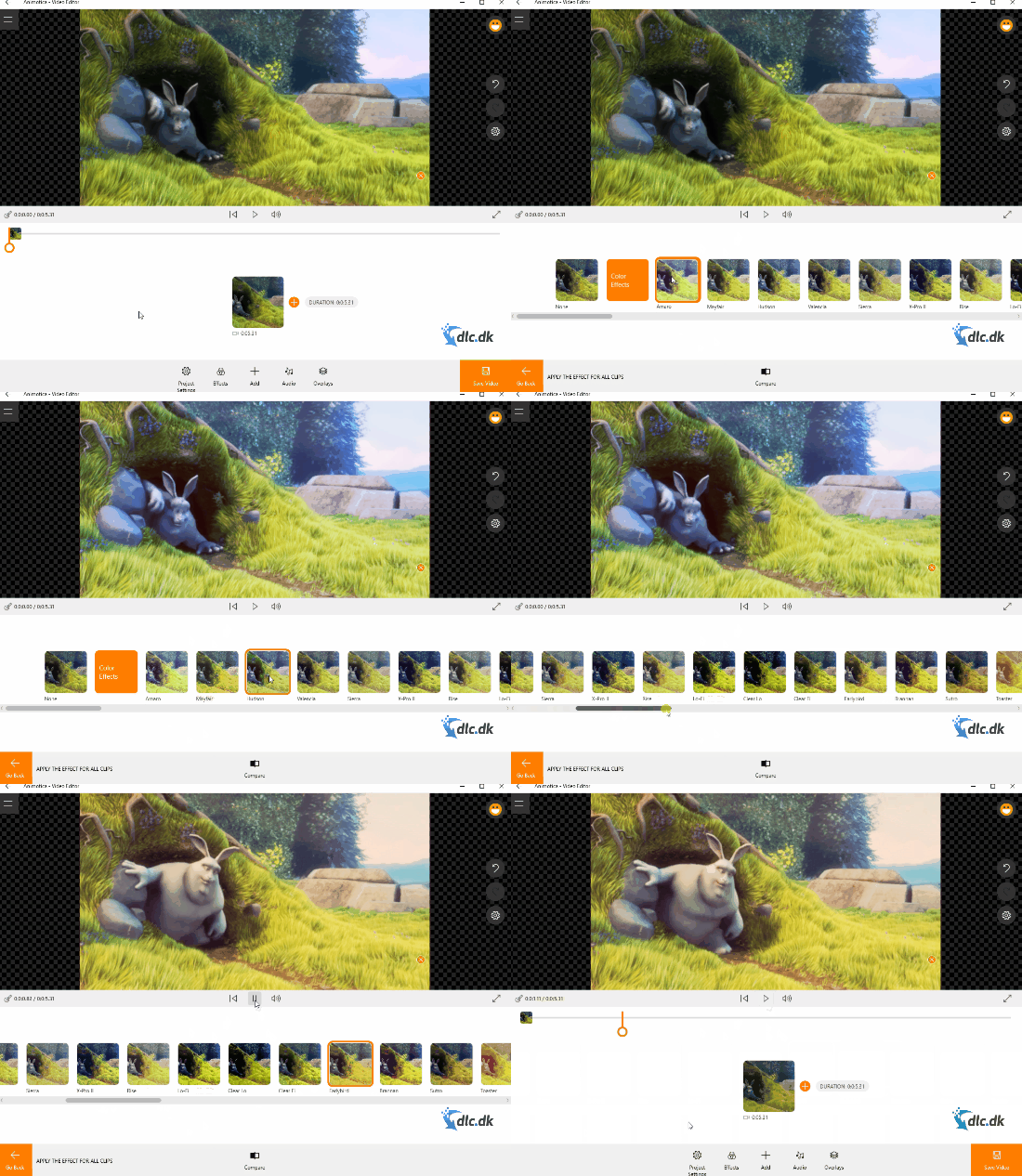
You can add effects, audio, and overlays in the form of stickers, logos, and more.
Totally free! But...
As mentioned earlier, Animotica is completely free to download and use. That said, there is also a Pro version that can significantly improve your experience. With the free edition, your videos are watermarked with "Made with Animotica". If you upgrade to the Pro version, the watermark is removed. In addition, you can export your videos in higher quality—up to 4K resolution.
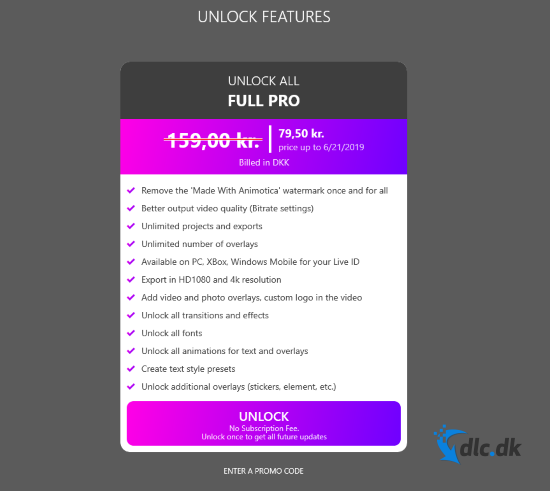
The image above provides more details on what the Pro version has to offer.
Design and ease of use
There’s no doubt the developers behind Animotica wanted to make video editing as easy as possible—and to a large extent, they’ve succeeded. The program features a modern, minimalist design that in many ways resembles a smartphone app.
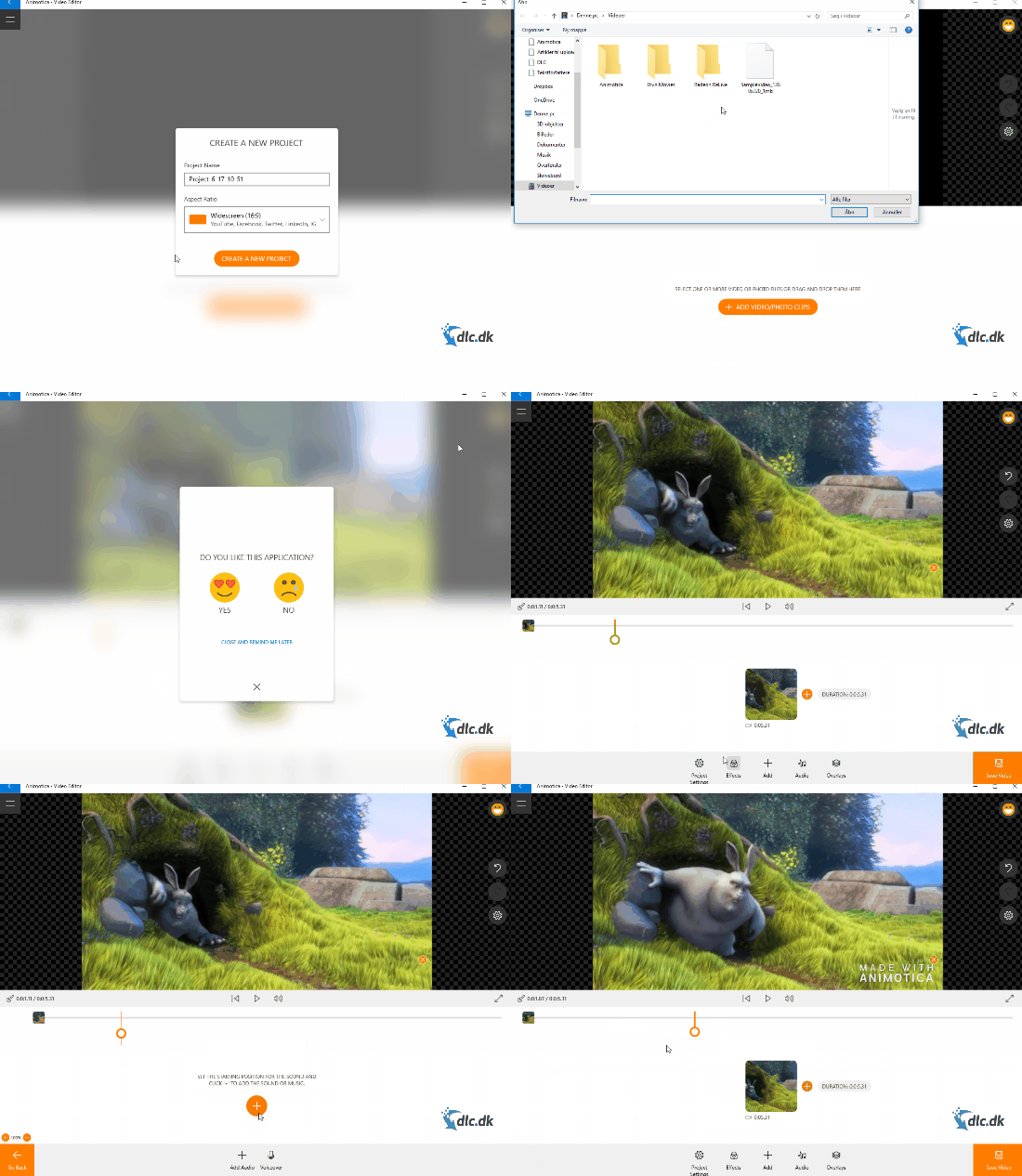
Because of this, most users will find it easy to navigate, which ultimately improves usability. It’s incredibly simple to create a video project, edit it, and finally export it to a video format. Once exported, the file takes up very little space—though this naturally depends on the size of the project.
Conclusion
There are countless video editors on the market, and they each manage to stand out in their own way. A program like Adobe Premiere Pro is one of the very best, but it’s also extremely advanced, and most users struggle with its many features. That’s why tools like Animotica are fantastic: they make otherwise complex video editing easy, simple, and approachable.
Even though there are some limitations with the free edition of Animotica, we still highly recommend it. You get the most essential features, and as a bonus there’s a large selection of extras that even complete beginners can use.
Download the Animotica video editor for free here
Download Animotica


