
 Martin Jørgensen
Bitdefender Free – effective free protection without the noise
Bitdefender Free is a no‑cost antivirus that focuses on the essentials: effective malware protection without unnecessary features, pop‑ups, or complicated settings. It’s aimed especially at Windows users who want solid security running quietly in the background—without having to deal with advanced choices.
We tested Bitdefender Free on a standard Windows 11 PC and experienced a quick installation, minimal system impact, and a very discreet user experience. It’s clear that Bitdefender stripped away the extras and lets the engine work in silence.
How Bitdefender Free works in practice
Bitdefender Free uses the same malware engine as the company’s paid solutions. That means detection of viruses, ransomware, and spyware is at a high level—even though the program is free.
In daily use, you’ll hardly notice the program. There are no constant warnings, no upgrade nags, and no need for manual maintenance. Real‑time protection runs automatically and reacts if something suspicious tries to execute on the system.
On the flip side, settings are very limited. You can’t fine‑tune sensitivity, run detailed scans, or define exceptions to the same degree as in the paid versions.
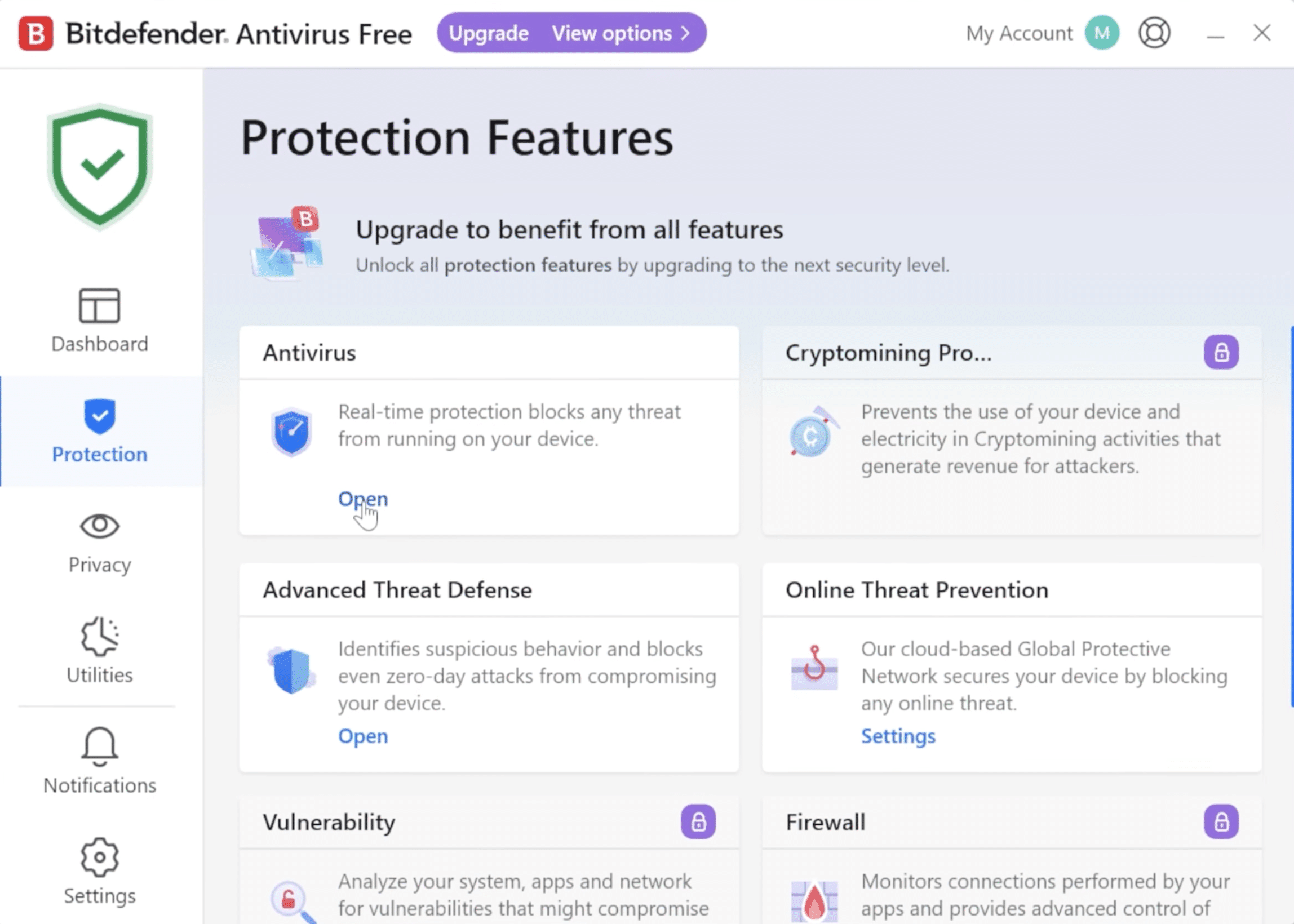
Protection and features – what do you get for free?
Bitdefender Free is intentionally minimalist. The focus is on core protection rather than extra tools.
You get:
- Real‑time protection against viruses, Trojans and spyware
- Automatic blocking of known and unknown threats
- Cloud‑based analysis that keeps the program updated without heavy downloads
You don’t get:
- Firewall
- Ransomware rollback
- Advanced web and phishing protection
- VPN, password manager, or parental controls
That makes Bitdefender Free a solid “install and forget” option, but less suitable if you want full control over your security.
Bitdefender Free vs Windows Defender
One of the most common questions from US users is whether Bitdefender Free is actually better than Windows’ built‑in security.
In our tests:
- Bitdefender Free reacted faster to suspicious files
- The program used fewer system resources during scans
- Windows Defender shows more notifications and requires more manual oversight
Windows Defender, however, benefits from deep system integration and includes a firewall by default. Bitdefender Free wins on pure usability and staying out of your way.
Limitations you should know in advance
It’s important to understand that Bitdefender Free is not a “free Total Security.” It’s meant to be a safety net—not a complete security suite.
You can’t:
- Schedule your own scans
- View detailed logs
- Protect online banking or shopping in an isolated environment
If you need those features, you should look at Bitdefender’s paid plans instead.
Who is Bitdefender Free best for?
Bitdefender Free is a great choice if:
- You want free antivirus with no ads
- You don’t want to mess with settings
- You use Windows and want something more discreet than Windows Defender
It’s less suitable if:
- You download a lot from unknown sources
- You want extra layers like a firewall and a VPN
- You share your computer with kids or other users
Top 5 tips for Bitdefender Free
Let the program take care of itself
Bitdefender Free is designed to run automatically. Avoid installing other antivirus tools at the same time—it can cause conflicts.
Combine with browser protection
Because web protection is limited, we recommend using a secure browser or a reputable anti‑phishing browser extension.
Keep Windows up to date
Bitdefender Free works best alongside a fully updated Windows system.
Avoid “tune-up” tools
Many free system utilities can trigger false alerts. Keep your setup as clean as possible.
Consider upgrading if your needs change
If you start shopping online more or work with sensitive data, a paid suite is worth considering.
Bitdefender Free FAQ
Yes. Bitdefender Free is 100% free and doesn’t require a credit card or a time‑limited trial. You only get core protection, though—none of the extra features found in the paid versions.
Yes, but it’s important to understand that Bitdefender Free isn’t the same product on every platform. The Windows version is the most complete, while the macOS and Android versions are more limited and work differently.
On Windows, Bitdefender Free works as a classic antivirus with active real‑time protection. On macOS, the focus is more on malware detection, and functionality is more limited compared to the Windows version.
In practice, many find that Bitdefender Free is more discreet and uses fewer system resources than Windows Defender. Windows Defender, however, is deeply integrated into the system and includes a firewall by default.
If you shop online frequently, handle sensitive data, or want features like a firewall, ransomware protection, and a VPN, consider one of Bitdefender’s paid security suites.



