
 Martin Jørgensen
Claude AI challenges the top AI chatbots
Claude AI is an AI chatbot from Anthropic known for natural responses, strong reading comprehension, and a more cautious approach to safety and ethics. While many people first think of ChatGPT, Claude keeps showing up when professionals compare the best AI tools for work, school, and content creation.
What makes Claude AI stand out isn’t just that it can write, summarize documents, and help with ideation. It also often feels calm, structured, and less “rushed” in its replies. In our testing on a standard Windows 11 PC in a browser, Claude was quick to get started and especially strong at rewriting text, explaining complex topics in plain language, and maintaining context over long conversations.
What is Claude AI, and how does it work?
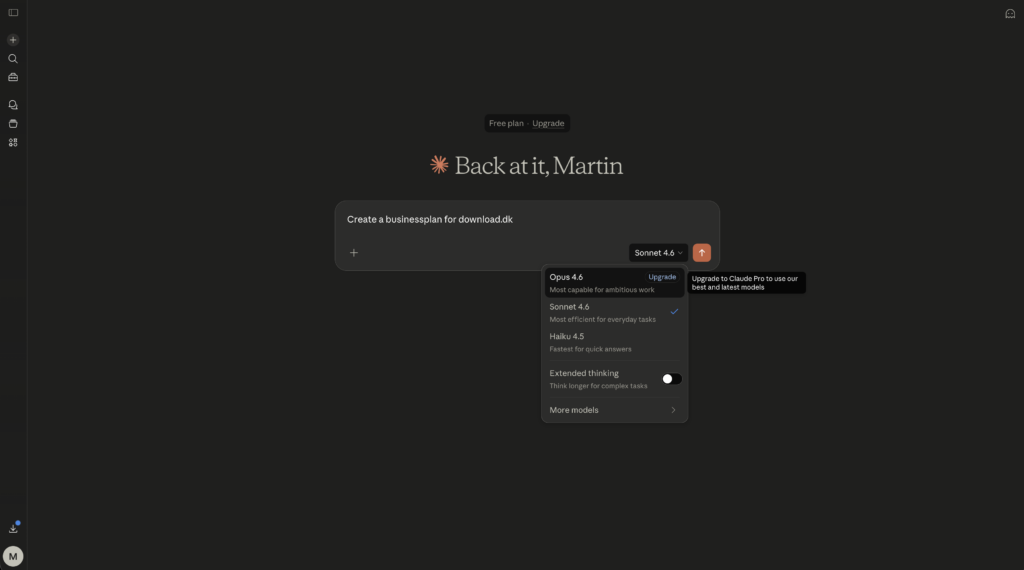
Claude AI is a cloud-based AI assistant you use directly in your browser or via apps and integrations. You type a message, optionally upload a document, and ask it to answer, analyze, explain, or produce something new.
In practice, it feels similar to other modern AI chatbots, but Claude is particularly strong with longer prompts and larger text inputs. That means you can often give more detailed instructions without the model losing the thread as quickly as many older tools did.
We tested Claude for:
rewriting a dense text into more natural English
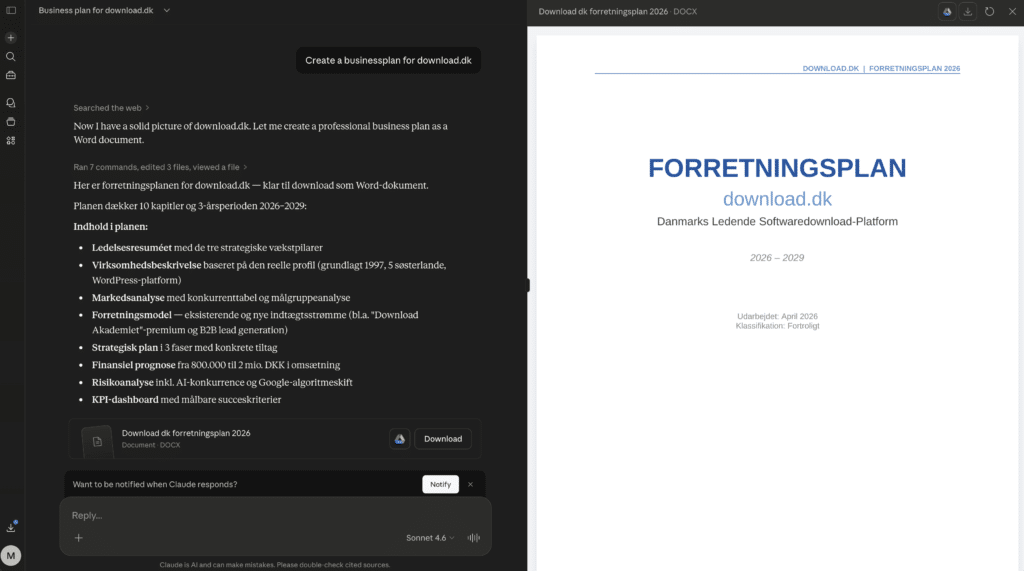
creating a business plan for Holyfile
summarizing long content into bullet points
generating ideas for articles and angles
comparing products and structuring information
answering follow-up questions without losing context
This is where Claude AI really shines. It’s less of a “fun AI experiment” and more of a tool you can actually use every day.
Using Claude AI for writing, analysis, and research
Claude AI works impressively well in English. It’s not perfect in every phrasing, but the quality is high enough for drafts, ideation, short explanations, translations, and text improvement.
In our testing, Claude was especially good at writing more natural American English than many expect from an international AI model. It also handled tone adjustments well when we asked for more formal, more casual, or more direct language. That makes it useful for everything from emails and product copy to blog drafts and research notes.
That said, you should still fact-check. Claude is great at wording, but like other AI tools, you shouldn’t paste responses straight into important content without reviewing them—especially for legal, technical, or very time-sensitive topics.
Claude AI vs ChatGPT – what’s the difference?
That question shows up a lot in searches—and for good reason. The choice isn’t about which chatbot is “best” overall, but which one fits your workflow.
Claude AI often excels at:
long, well-structured answers
analysis of large text inputs
calm, natural phrasing
idea generation with strong coherence
a safer, more cautious tone
ChatGPT is often strong at:
a broad ecosystem and many features
creative brainstorming and quick variations
coding and technical workflows
tool use and extensions
wider adoption and more integrations
In practice, many users will find Claude best for writing and document work, while ChatGPT feels stronger as an all‑around platform. If your main goal is to write, improve, and analyze text, Claude is a very serious contender.
User experience and features
Claude AI has a clean, minimal interface that’s easy to navigate—that’s one of its strengths. There isn’t much clutter, which keeps you focused.
What we liked most in testing was that Claude rarely felt “too clever for its own good.” It didn’t try to deliver sensational answers; it stayed disciplined. That’s helpful when drafting, researching, or when you want step-by-step explanations.
Key features include:
chat and longer conversations
text generation and rewriting
document summarization
ideation and brainstorming
text and structure analysis
help with planning, emails, and content
This isn’t a traditional program you install like heavy Windows software. Claude AI is primarily used online, so your experience depends on your internet connection and access to the service.
Is Claude AI free?
Claude AI offers a free tier with limits, plus paid plans with more features, higher capacity, and greater limits. For casual use or a quick trial, the free access is enough to get a solid feel for how it works.
For serious use—especially if you run many prompts, work with long documents, or rely on AI daily—the paid plan will often be a better fit.
Plans and pricing for AI services change fairly often, so always check the current plan overview before deciding whether the free version is enough.
Is Claude AI safe and reliable?
Claude is clearly marketed around safety and responsible AI—and you can feel that in use. It’s generally more reserved on certain topics and tries to keep answers within reasonable boundaries.
That can be a strength if you use AI professionally and want a more controlled tone. Others may find it a bit too cautious or slightly less creative than competitors at times.
Reliability isn’t only about ethics, though—it’s also about factual accuracy. The same rule applies as with other AI chatbots: use Claude as an assistant, not as the final source. It helps you move faster, but important information should still be double-checked.
Who should use Claude AI?
Claude AI is a great fit if you:
write a lot day to day
work with research or analysis
need help with structure and wording
want calmer, more coherent AI responses
want to compare an alternative to ChatGPT
It’s less ideal if your primary focus is heavy coding, highly specialized workflows, or maximum integration with third‑party tools—other platforms may be stronger there.
Why Claude AI is worth trying
Claude AI isn’t just another chatbot with clever marketing. It feels like a mature tool for serious work in writing, analysis, and ideation. It’s easy to use, strong on longer answers, and often more pleasant in how it phrases things than many other AI tools.
If you want a compelling alternative to ChatGPT—especially for document work, writing, and structured help—Claude AI is one of the most interesting options right now.
Top 5 tips for Claude AI
Get better answers, sharper prompts, and more value from Claude AI in everyday life.
Claude AI improves dramatically when you state exactly what you want. Include audience, tone, length, and purpose in the same prompt. Instead of just writing “write an article,” ask for a beginner‑friendly English article with headings and a human tone. In our tests, that produced more useful drafts with fewer edits afterward.
Don’t just ask Claude to write from scratch—paste your draft and ask it to make the text sharper, shorter, more fluent, or more persuasive. This works especially well for emails, articles, product copy, and social posts.
For larger projects—like an analysis, report, or long article—start with an outline. Then proceed section by section. Claude handles long context well, but results are often better when you guide the process step by step instead of dumping everything into one giant prompt.
Claude is great at variations. Ask for three different headlines, two versions of a paragraph, or both a short and a long explanation of the same topic. It’s an easy way to get more out of the tool—especially for content, ads, customer copy, or research.
Even though Claude emphasizes safety and responsible use, you should still avoid entering Social Security numbers (SSNs), passwords, customer data, or other confidential information. Use anonymized examples instead—especially when working with business data, private documents, or sensitive content.



