
 Martin Jørgensen
FileZilla – Free FTP and SFTP client download
FileZilla is a free FTP client for Windows, Mac, and Linux that makes it easy to transfer files between your computer and a web server via FTP, FTPS, or SFTP.
Need to upload files to your website, download a backup from your hosting account, or edit files directly on a WordPress installation? FileZilla remains one of the best tools to keep on your computer.
FileZilla doesn’t have the most modern interface, but it’s a workhorse FTP client that handles everything from a single image to thousands of folders and files. And you don’t need a subscription or the paid Pro version to use standard FTP and SFTP.
It’s the combination of free access, encrypted connections, and the clear split between local files and server files that makes FileZilla so compelling.
What is FileZilla and what can you use it for?
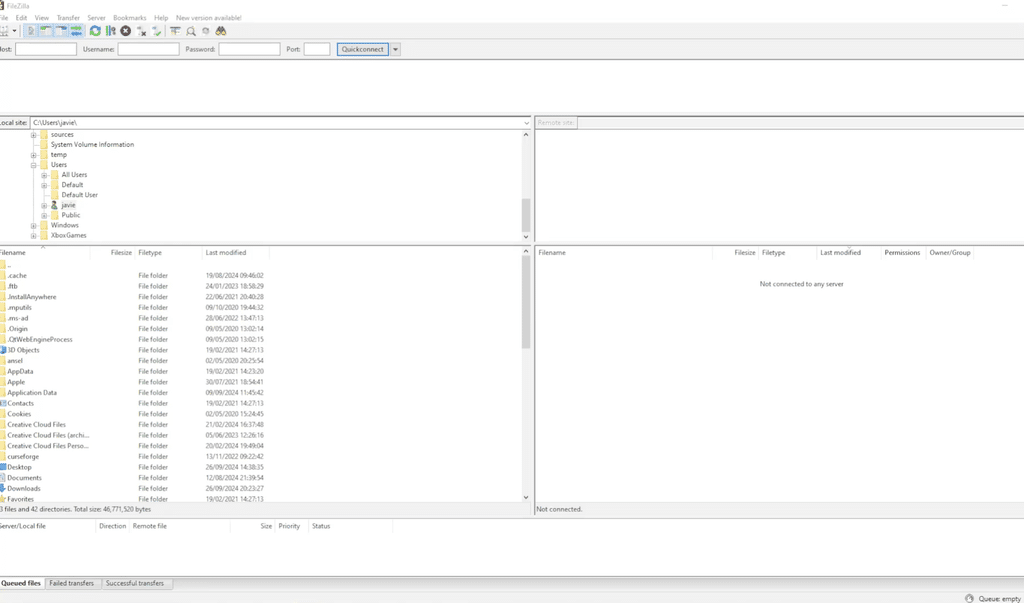
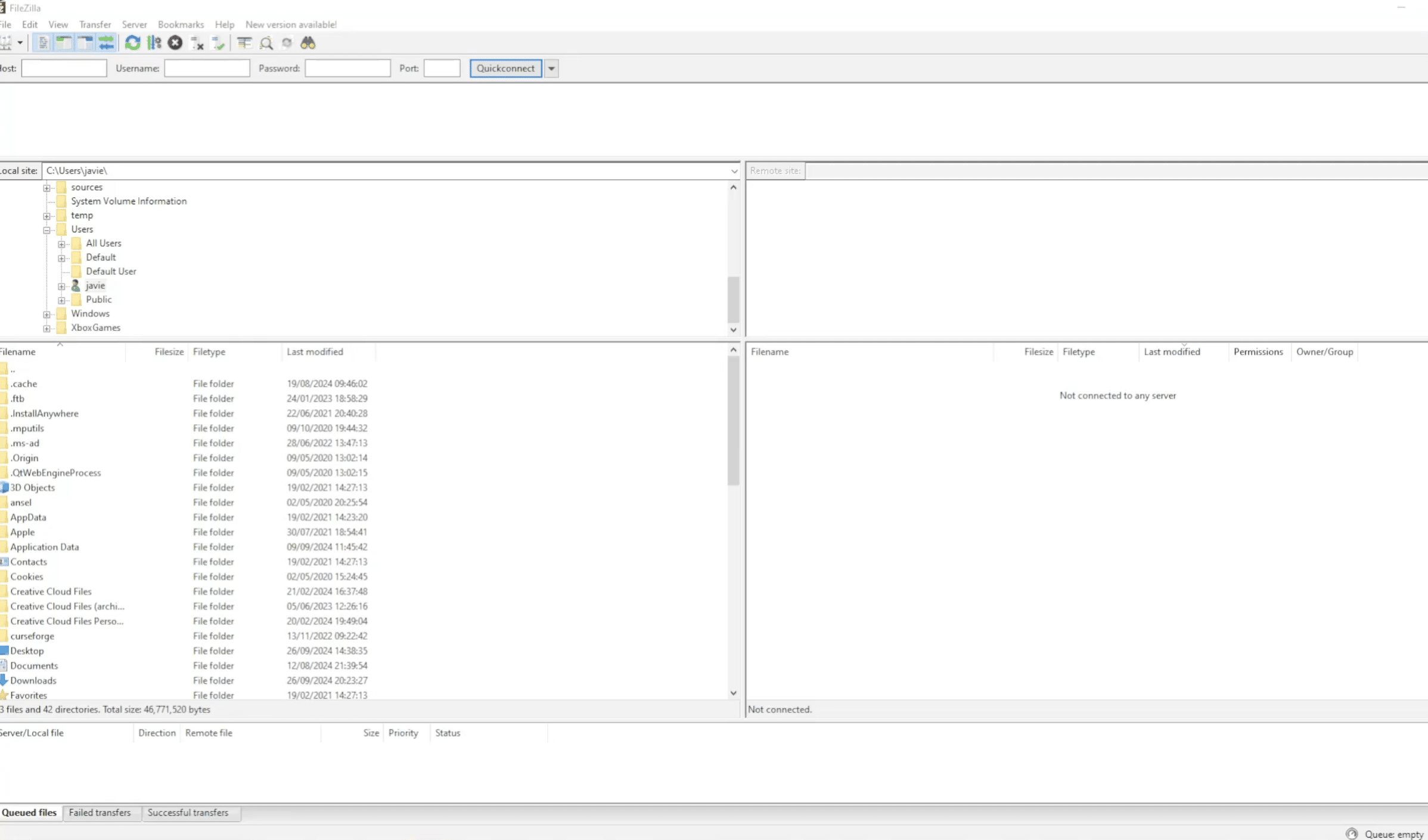
FileZilla is a so‑called FTP client. That means the program can connect to a remote server so you can upload, download, rename, and delete files.
That’s useful when you need to:
- Upload a website to your web host.
- Manually transfer WordPress files or plugins.
- Download a copy of important files from the server.
- Manage folders and file permissions.
- Move large sets of files without using your host’s file manager.
- Connect to a server over encrypted SFTP.
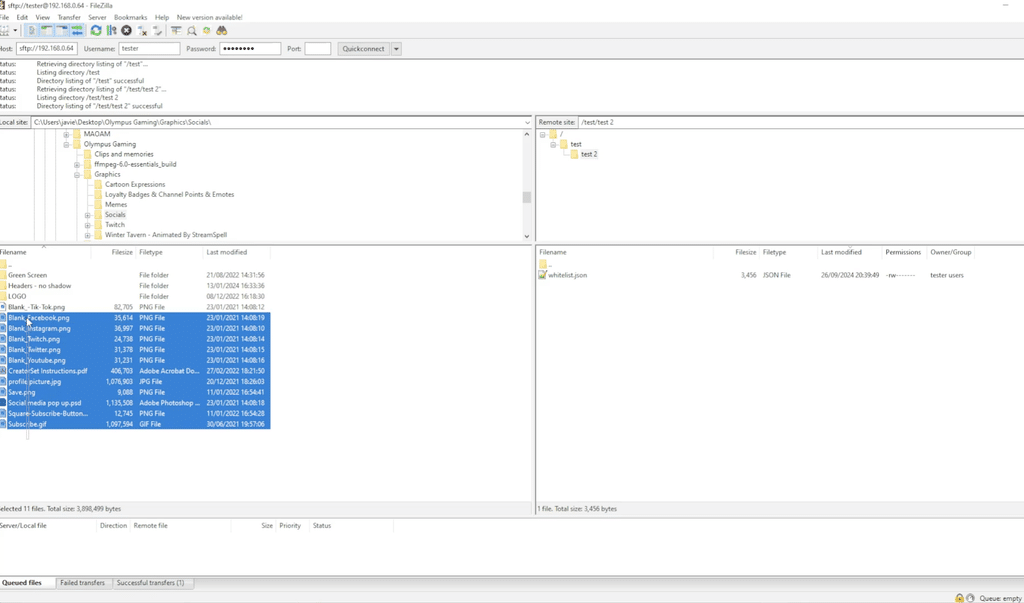
Just drag files from one side to the other. This is handy when you’ve updated images or a CSS file locally and want to upload the changes to your site.
Be careful with overwrites, though. FileZilla can’t automatically undo an upload that replaces an original file.
Download FileZilla free for Windows, Mac, and Linux
FileZilla Client is free and open source. You can download it directly from the developer’s website.
| Platform | Support |
|---|---|
| Windows 11 | ✅ Yes |
| Windows 10 | ✅ Depends on version |
| macOS | ✅ Yes |
| Linux | ✅ Yes |
| Android and iOS | ❌ No official app |
| Price | Free (Client) |
| Interface language | ✅ Yes (English and more) |
Always choose the standard FileZilla Client if you’re connecting to a web host. FileZilla Server is a different program used to make a server available to others.
FileZilla for Windows 11
On Windows, FileZilla is a solid choice if you manage multiple websites or frequently move files to a remote server.
Installation works like other Windows apps. Once open, you can use the quick connect bar at the top or save your servers in the Site Manager.
Download the current release for your Windows edition rather than an old installer from an archive.
FileZilla for Mac
Mac users get virtually the same features as Windows users: SFTP, file transfers, connection management, and handling of large directories.
If you have an Apple Silicon Mac, choose a compatible build on the developer’s download page.
It’s a good alternative to Cyberduck, even if some Mac users prefer Cyberduck’s interface.
How to set up FileZilla with FTP or SFTP
The first question is usually: How do you connect FileZilla to your hosting account?
You’ll need connection details typically found in your hosting provider’s control panel.
Example: SFTP setup
Example values – use the details from your own provider.
| Protocol | SFTP – SSH File Transfer Protocol |
| Host | sftp.example.com |
| Port | 22 |
| Username | Your SFTP username |
| Password | Your password or SSH key |
Open FileZilla and choose File → Site Manager. Create a new site, select SFTP as the protocol, and enter your details.
Then click Connect. On first connect you may be asked to trust the server’s SSH host key. Verify the fingerprint against information from your provider before accepting.
Once connected, the server’s files appear on the right side of FileZilla.
If your host offers FTPS instead, use their FTPS settings. FTP with explicit TLS often uses port 21, while SFTP typically uses port 22. They are two different protocols.
FileZilla for WordPress – upload plugins, themes, and files
One of FileZilla’s most useful jobs is file management on WordPress sites.
Usually you can install plugins and themes directly from the WordPress dashboard. But if an update goes wrong or you get locked out, FTP access can save the day.
With FileZilla, open the folder:
/wp-content/plugins/
This is where your WordPress plugins live. If a specific plugin is causing a fatal error, you can sometimes disable it by temporarily renaming the plugin’s folder.
You can also work with:
/wp-content/themes/– installed themes./wp-content/uploads/– images and other uploaded media.wp-config.php– the WordPress configuration file; handle with extra care..htaccess– server rules on installs that use Apache and this file.
This is exactly where a dedicated FTP client proves its value.
Important: Always back up before changing or deleting files on a live site. A single mistake can take your site offline.
FTP, FTPS, and SFTP – what’s the difference?
These three protocols are often confused, but there are important differences.
| Protocol | Encryption | Typical port | Our take |
|---|---|---|---|
| FTP | ❌ No | 21 | Avoid for sensitive data |
| FTPS | ✅ TLS | 21 (explicit FTPS) | Secure when configured correctly |
| SFTP | ✅ SSH | 22 | Often our first choice |
SFTP is not just a secure version of FTP; it’s a separate protocol that uses SSH.
Both FTPS and SFTP can be used for secure transfers. The choice depends primarily on what the server supports.
If you can choose, SFTP is often easier to manage because it typically uses a single connection and a single port.
Is FileZilla safe to download?
FileZilla is a legitimate open source program that’s been around for years and is actively maintained.
It’s important to distinguish between the app itself, the security of your connection, and the installer you download.
In the past, FileZilla received criticism for installers that offered bundled software. We recommend downloading from the official FileZilla project, reviewing the installer options, and declining any unwanted offers.
Additionally, you should:
- Use SFTP or FTPS instead of unencrypted FTP.
- Keep FileZilla up to date.
- Avoid storing server passwords unprotected.
- Use SSH keys if your server supports them.
- Verify server certificates and SSH host keys.
FileZilla isn’t inherently unsafe, but how you use it matters.
FileZilla Server – when you want to host your own FTP server
FileZilla Client and FileZilla Server are often confused.
FileZilla Client is used to connect to an existing server and transfer files.
FileZilla Server is used to make files available via a server you administer yourself.
If you just need to upload images to your site or download a backup from your host, you want the client.
The server edition makes more sense if you’re setting up your own file transfer server, for example on an internal network.
FileZilla Pro – is the paid version worth it?
The free FileZilla Client is more than enough for most website owners.
FileZilla Pro becomes interesting if you need additional connection types, especially cloud storage.
| Feature | Free | Pro |
|---|---|---|
| FTP, FTPS, and SFTP | ✅ | ✅ |
| Transfer queue and resume | ✅ | ✅ |
| Amazon S3 | ❌ | ✅ |
| Google Drive | ❌ | ✅ |
| OneDrive | ❌ | ✅ |
| WebDAV | ❌ | ✅ |
| Price | Free | Paid |
For routine uploads to WordPress, websites, and hosting servers, we’d choose the free version.
The Pro version mainly makes sense if you work with cloud services and want to consolidate multiple connection types in a single client.
FileZilla not working? Common errors
If FileZilla can’t connect, you rarely need to reinstall the app as a first step.
Connection timed out
This usually means the server didn’t respond within the timeout window.
Check the hostname, port, and server availability. A firewall or incorrect network setup can also be the cause.
530 Login authentication failed
The server is rejecting your login details.
Verify the username and password, and check whether the account is active or if the server requires a different login method.
Failed to retrieve directory listing
This often occurs with FTP or FTPS connections.
Common causes include incorrect passive mode settings, firewall rules, or server data connections.
Review the connection settings in Site Manager and follow any instructions from your hosting provider.
Could not connect to server
Start by verifying the protocol.
If your server requires SFTP on port 22, standard FTP on port 21 won’t work.
Using the wrong protocol is a classic reason FileZilla fails even when the username and password are correct.
What’s new in FileZilla in 2026?
FileZilla continues to receive updates. In August 2026, FileZilla Client 3.71.1 was released, among others.
That update fixed a macOS language issue and improved SFTP login against servers using interactive authentication.
Version 3.71.0 improved handling of SFTP algorithms and key file formats, and included fixes for FTP permissions and path handling.
These may not look exciting on the surface, but for software that manages critical server connections, ongoing compatibility and bug fixes matter more than new visual effects.
FileZilla vs. WinSCP, Cyberduck, and other FTP clients
FileZilla isn’t the only free FTP client, and depending on your work, an alternative might be a better fit.
| App | Best for | Platforms |
|---|---|---|
| FileZilla | Free FTP, FTPS, and SFTP | Windows, Mac, Linux |
| WinSCP | SFTP and automation | Windows |
| Cyberduck | FTP and cloud connections | Windows, Mac |
| Transmit | Professional file transfers | macOS |
WinSCP is especially interesting if you use Windows and want more options for automation and administration.
Cyberduck is a solid alternative if you work on Mac or need cloud connections.
FileZilla wins on the mix of being free, supporting the key transfer protocols, and working across multiple operating systems.
Top 5 FileZilla tips
1. Save your servers in Site Manager
If you use FileZilla for multiple sites, create a separate connection for each server via File → Site Manager.
Give connections clear names like "Website – Production" and "Website – Staging" to avoid uploading to the wrong server.
Choose SFTP or FTPS when your host supports it, and avoid storing passwords unencrypted.
2. Enable synchronized browsing
If your computer and server share the same folder structure, synchronized browsing saves clicks.
Open View → Synchronized browsing after selecting the corresponding local and server folders.
When you enter a subfolder on one side, the other follows automatically if that folder exists in both places.
Great when working with WordPress themes or large sites with many subfolders.
3. Compare directories before you upload
FileZilla’s directory comparison helps identify files that are missing or different between your computer and the server.
Enable View → Directory comparison and compare by size or modification time.
It’s especially helpful if you edited multiple files locally and want to review differences before uploading.
Note: It doesn’t replace a real backup or full synchronization.
4. Limit concurrent transfers
Uploading many small files to a shared host can cause failures if the server limits connections.
Try lowering concurrent transfers to 2–3 in FileZilla’s transfer settings.
This can be more reliable than trying to transfer as many files as possible at once.
Also check the failed transfers tab so you don’t miss files that never made it.
5. Use SSH keys for SFTP
If your server supports SSH keys, consider key‑based login instead of passwords.
Create a key pair, place the public key on the server, and use the private key in FileZilla.
Protect the private key with a strong passphrase and never share it.
This is especially relevant if you manage multiple sites or work professionally with servers.
FAQ about FileZilla
Is FileZilla free?
Yes. FileZilla Client is free and open source. You can use FTP, FTPS, and SFTP at no cost. There’s also FileZilla Pro, which adds support for more cloud services.
Does FileZilla support English and other languages?
Yes. FileZilla supports English and many other languages. You can switch languages in the app settings if your interface isn’t already in English.
Can I use FileZilla with Bluehost, SiteGround, or GoDaddy?
Yes. FileZilla works with hosts that offer FTP, FTPS, or SFTP. Use the host name, port, and login details provided by your hosting company.
What’s the difference between FTP and SFTP?
Standard FTP transfers data without encryption. SFTP uses SSH to secure the connection and file transfers. We generally recommend SFTP when available. Properly configured FTPS is also a secure option.
Why can’t FileZilla connect?
The most common causes are an incorrect host, port, username, or password. Also check whether the server requires SFTP or FTPS. Firewalls and host‑level limits can block connections too.
Is FileZilla better than WinSCP?
Both are excellent for secure file transfer. FileZilla runs on Windows, Mac, and Linux, while WinSCP is popular with Windows users who want advanced SFTP administration and automation.
Can FileZilla back up WordPress?
You can download your WordPress files with FileZilla, but a complete backup also requires the database. FileZilla is great for manual file backups, but it’s not a full backup solution on its own.
Is there a FileZilla app for Android or iPhone?
No. There’s no official FileZilla Client for Android or iOS. For mobile file transfers, choose another FTP or SFTP app.



