
 Martin Jørgensen
Greenshot – The best free screenshot tool for Windows.
Tired of using Print Screen and cropping in Paint every time you want to take a screenshot on Windows? Then Greenshot is the solution. It’s a free, open-source screen capture tool that makes it easy to take precise screenshots and quickly edit or export them. 1 simply sets the standard for screenshot software on Windows.
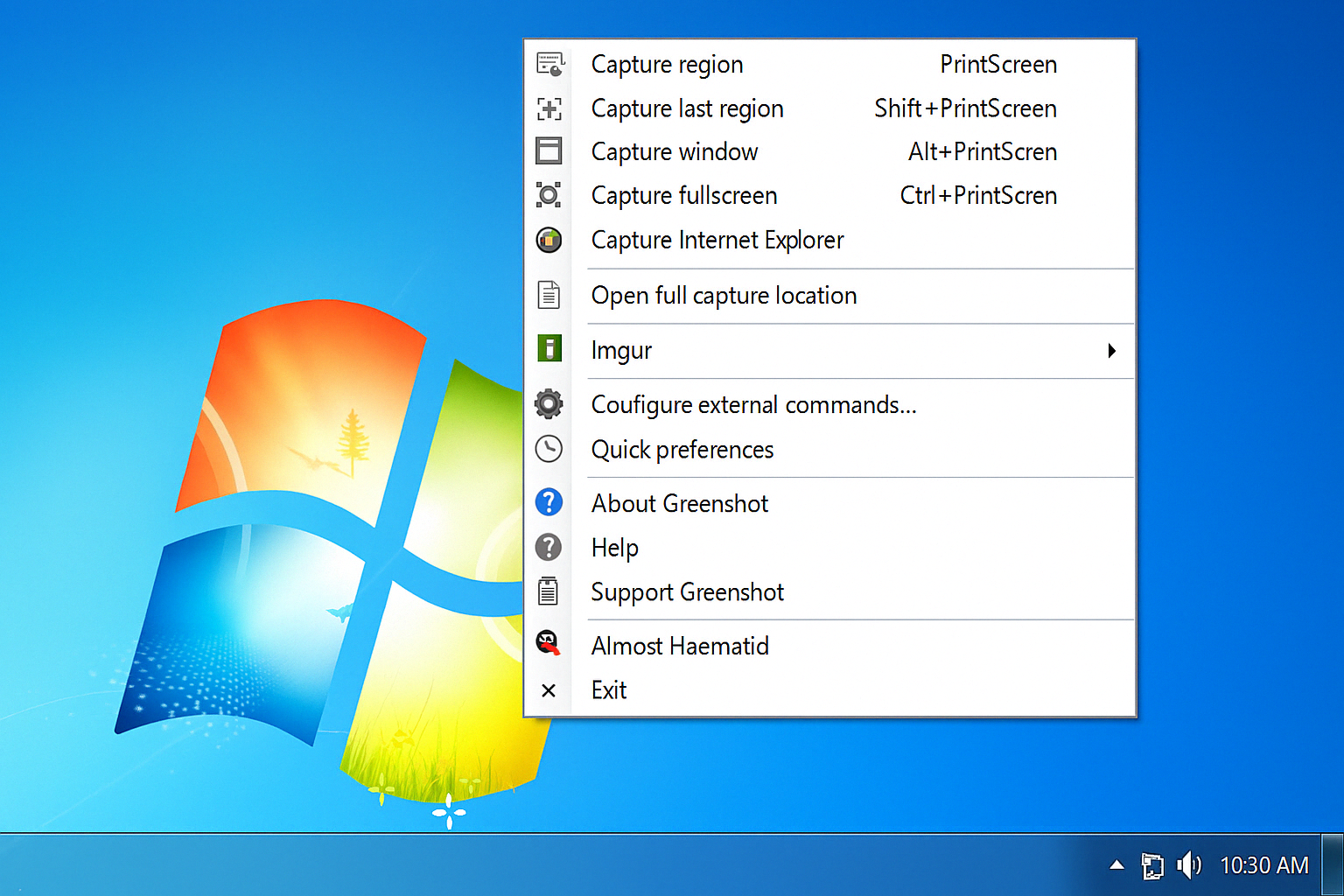
Lightning-fast shortcuts and smart features
One thing Mac users have enjoyed for years is fast, efficient screenshot shortcuts. With Greenshot, you get something similar on Windows—and more. The program lets you:
- 📸 Capture the entire screen with
Ctrl + Print Screen - 🖼️ Capture a specific window with
Alt + Print Screen - ✂️ Freely select a portion of the screen with
Print Screenalone
These shortcuts make it effortless to get exactly the screenshot you need—without wasted time or hassle.

Export directly to Word, Paint, and more
Greenshot makes it easy to continue working with your screenshots. You can send them directly to apps such as:
- Word
- Excel
- Paint
- Outlook
- En FTP-server
- Or simply copy to the clipboard
You can also choose to open the image in Greenshot’s built-in editor, where you can quickly:
- Draw arrows, rectangles, and text
- Blur sensitive information
- Highlight areas
- Cut and crop
It’s perfect for both professionals and home users who create how-tos, file bug reports, or just want to share something from the screen.
Customize everything to your needs
Greenshot is packed with options to tailor your experience. In Settings, you can adjust:
- Automatic opening in the editor
- Cursor visibility
- Camera shutter sound
- Default save location
- Image format (JPG, PNG, BMP, etc.)
- Quality and compression
You decide how the app should behave—and that’s a big advantage.



