

 Martin Jørgensen
Do you want to strip formatting from the text in your clipboard? Download HovText for free—and get instant access to your clipboard history!
Most PC users know how frustrating it is to copy text and images from a PDF or a website. When you paste that content somewhere else, for example into a document in LibreOffice, the original formatting often causes problems. Fortunately, the open-source tool HovText puts an end to this. You can download it completely free for your PC! See the app in action in the GIF below!
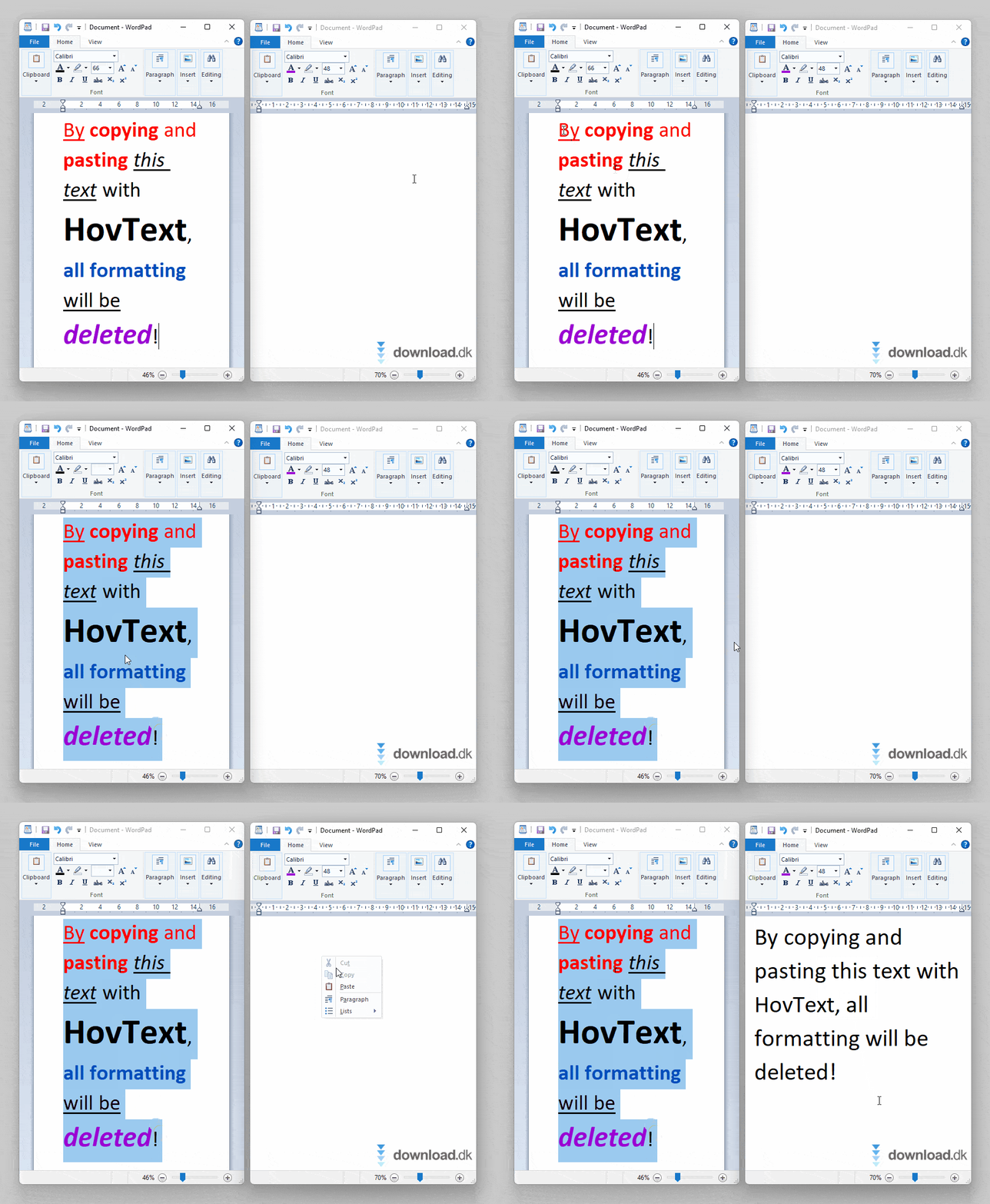
HovText is a so-called “clipboard manager.” In addition to letting you copy and paste text without formatting, it also offers a smart clipboard history feature—so you no longer have to worry about losing what was on your clipboard. Handy!
On this page, you’ll find a brief review of HovText that focuses on the most important features. We gave the program 3 out of 5 stars, and our overall verdict is summarized at the bottom. We hope you find our review helpful—enjoy HovText!
System requirements
HovText has very modest requirements. Officially, the app only supports Windows 10 or newer. Also remember that outdated versions of Windows no longer receive security updates, so always keep your PC’s operating system up to date.
It’s also worth noting that HovText is a “portable” app, so you don’t need to install it. Just download the program file and open it—and if you later want to remove HovText, simply drag the file to the Recycle Bin. Convenient! You can access more portable tools by downloading PortableApps.com, which we’ve also reviewed on our site!
Interface
When HovText is running on your PC, it stays hidden in the background and continuously monitors your clipboard. As shown in the GIF below, you can access the app from the Windows system tray (notification area) on the taskbar. Left-click to toggle HovText on or off, which changes the icon color, and right-click the app icon to open Settings.

The Settings menu gives you several options. One of the most useful features is the ability to customize hotkeys. You can also change the color theme or choose different icons. Generally speaking, the interface looks a bit dated, and we understand if some users feel it could use a modern makeover.
Copy and paste without formatting
When HovText is enabled, it automatically strips all formatting from the content in your clipboard. In the screenshot below, you can see an example where we copied the formatted text on the left and pasted it into a new document on the right.
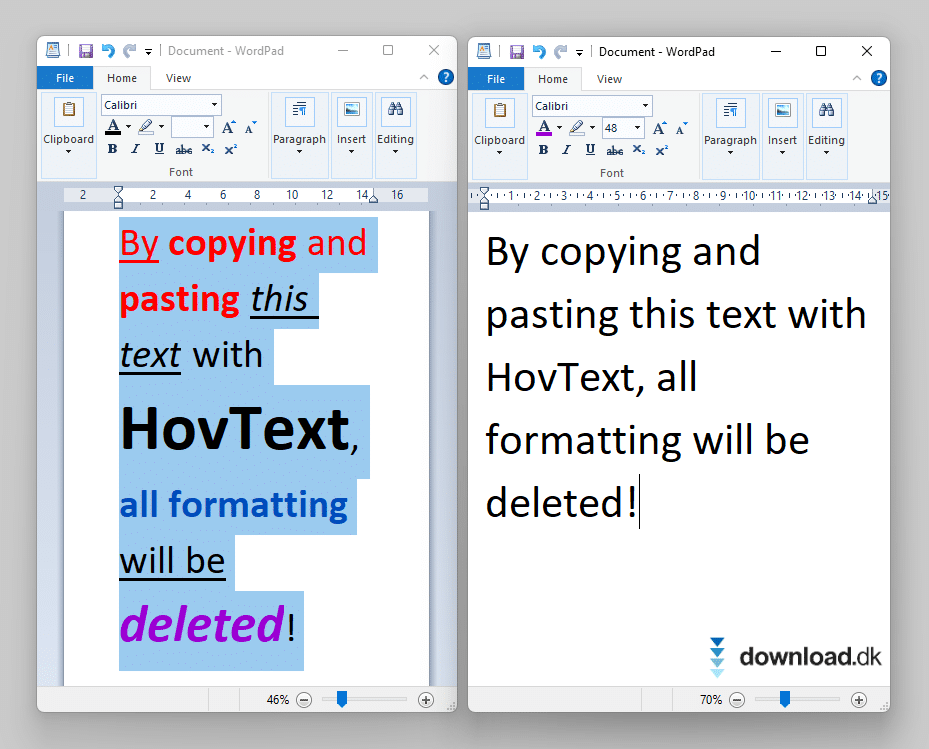
As you can see, the pasted text in the new document is completely plain and free of any formatting.
Note that many apps already support pasting without formatting. The advantage of HovText is that it brings this functionality everywhere in Windows, no matter which programs you use.
Clipboard history
Have you ever accidentally overwritten and lost your clipboard content by copying something new? Most of us have—HovText solves that problem, too. The app stores your clipboard history so you can go back and retrieve previous items. All data is cleared if you shut down your PC or exit HovText.
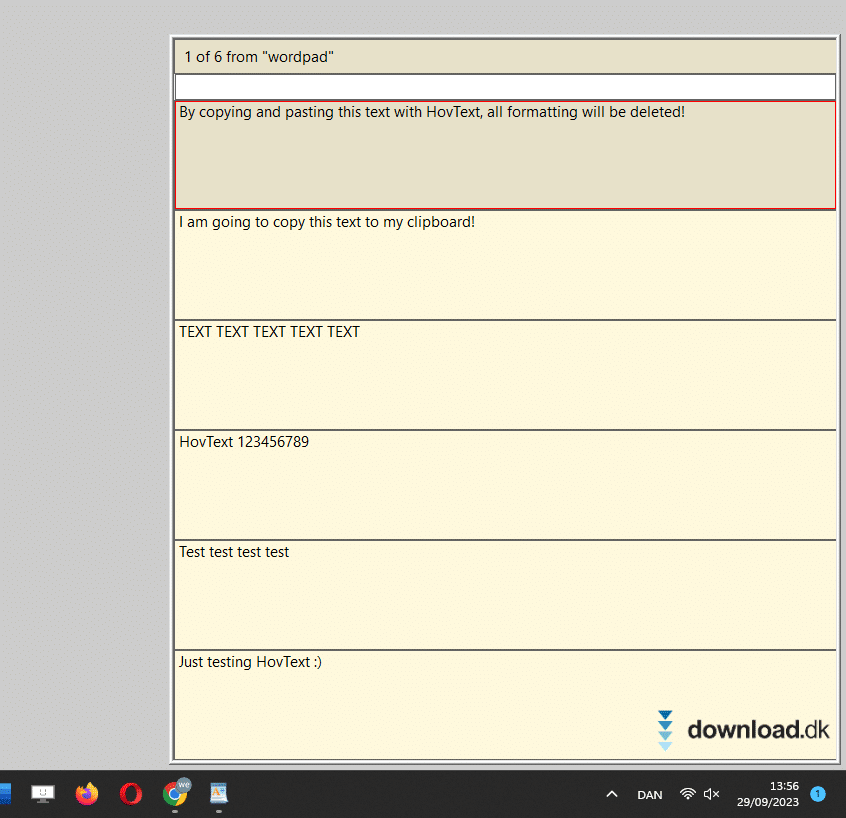
To open your clipboard history, press Alt+S. A small window appears in the lower-right corner of the screen. You can move up and down the list until you find exactly the item you’re looking for.
As mentioned earlier in this review, HovText’s interface could use an upgrade for a more modern look. Functionally, it’s also somewhat limited compared to more advanced alternatives with online features, such as the ability to sync your clipboard across multiple devices.
Other features
In this HovText review, we focused on the two core features: paste without formatting and clipboard history. If you want a complete guide to HovText, you can find much more information on the program’s website under “Documentation” by clicking right here.
Overall verdict
Overall, HovText is a solid utility. The paste-without-formatting feature and clipboard history are super handy, and we love that the app is 100% free and open-source. On the other hand, the interface looks bland, and there’s no option to sync your clipboard online with your other devices. All in all, we land on a rating of 3 out of 5 stars.



