
 Martin Jørgensen
Keep your Intel PC up to date with Intel Driver & Support Assistant.
Intel Driver & Support Assistant (DSA) is Intel’s official tool for automatically detecting and updating drivers for Intel components — including graphics (iGPU), networking, chipset, Wi‑Fi, Bluetooth, and more. The software scans your system and recommends updates directly from Intel’s servers, ensuring maximum stability and performance.
It’s an ideal tool for both everyday users and tech enthusiasts who want to keep their Intel-based systems updated without manually searching for drivers by model numbers and support lists.
Features and ease of use
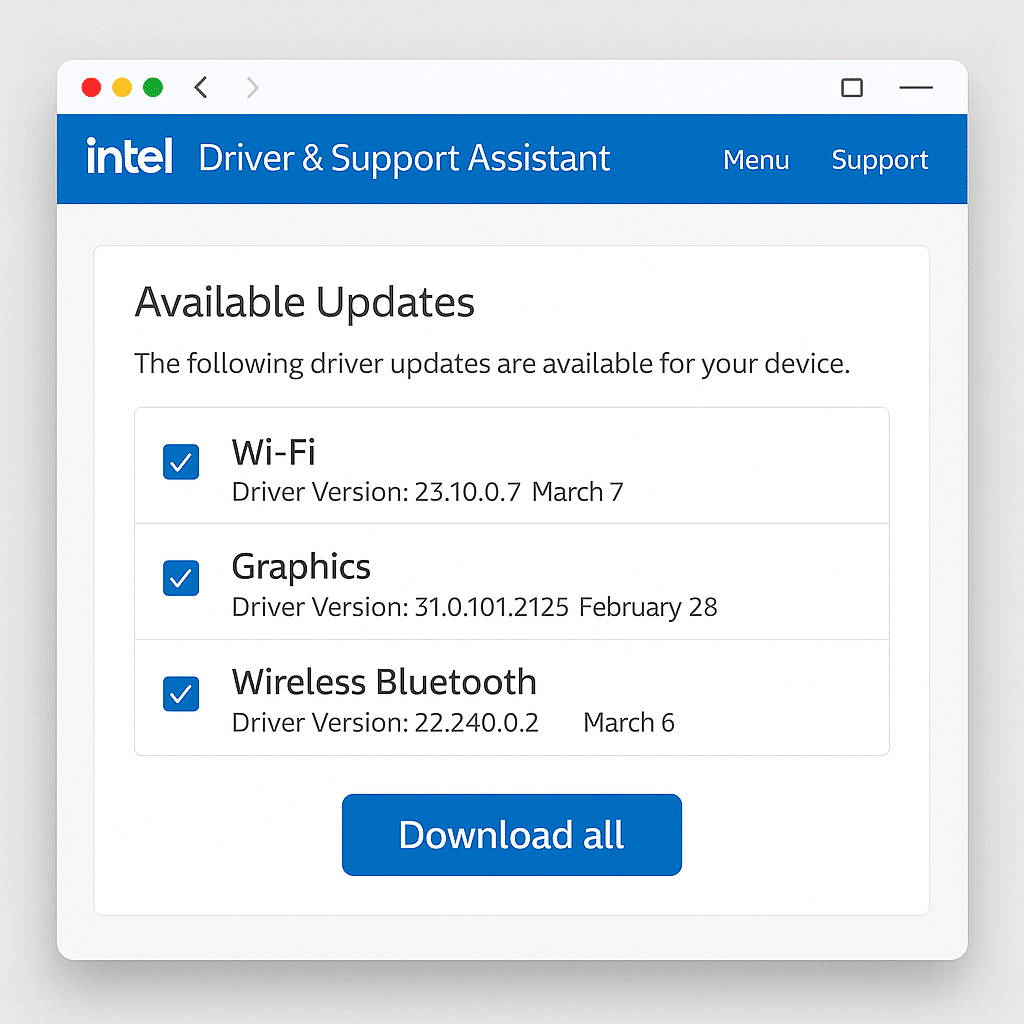
Automatic system scan
On first launch, DSA scans your PC for Intel hardware and matches it against the latest driver database. The results appear right in your browser, letting you install drivers with a single click.
Supports a wide range of components
1 automatically supports updates for:
- Intel UHD and Iris Xe graphics
- Intel Wi‑Fi and Bluetooth
- Intel Ethernet and network controllers
- Intel Chipset and Rapid Storage Technology
- Intel NUC and mini PCs
Web-based dashboard
Instead of a classic desktop application, Intel DSA uses a browser-based interface that opens automatically after the scan. This means you always interact with the latest version of the tool with no separate updates required. The intuitive design makes it easy to navigate between recommended updates, previously installed drivers, support articles, and manual download options. You also get direct access to detailed changelogs and version numbers, so you know exactly what you’re installing.
Regular updates
Intel updates its drivers frequently — often several times per month — to ensure full compatibility with new versions of Windows, DirectX, and popular third‑party apps like Zoom, Microsoft Teams, and Adobe Creative Cloud. This is especially true for graphics drivers (Intel Iris Xe and UHD), Wi‑Fi, and Bluetooth, where updates improve not only speed but also stability, security, and bug fixes. With DSA, you don’t have to keep watch — you’ll be notified automatically when new versions are available.
Why use DSA instead of Windows Update?
While Windows Update can fetch and install basic drivers for most Intel components, they’re often delayed versions with limited functionality. With 1 & Support Assistant (DSA), you get direct access to the newest and most complete drivers — exactly as released by Intel.
That means better system stability, optimal performance, and access to the latest features and fixes. DSA also reduces the risk of incompatibilities that can occur when Windows installs a generic or outdated version. This is especially important for graphics, Wi‑Fi, and Bluetooth, where performance improvements and security patches are often rolled out before they reach Windows Update.
Top 5 tips for Intel Driver & Support Assistant
Intel updates frequently — especially Wi‑Fi and graphics drivers.
Windows handles general patches; DSA covers hardware‑specific optimizations.
DSA runs in the browser — sometimes a fresh session is required.
Intel offers solid driver support even for older NUC models.
See which fixes and improvements the new version includes — especially useful for graphics and networking.


