

 Martin Jørgensen
Microsoft PowerPoint is a reliable, user-friendly tool for creating presentations for work, school, and more. However, it can feel a bit limited—especially when it comes to design options. That’s why there’s now a solution that gives you far more creative possibilities inside Microsoft PowerPoint.
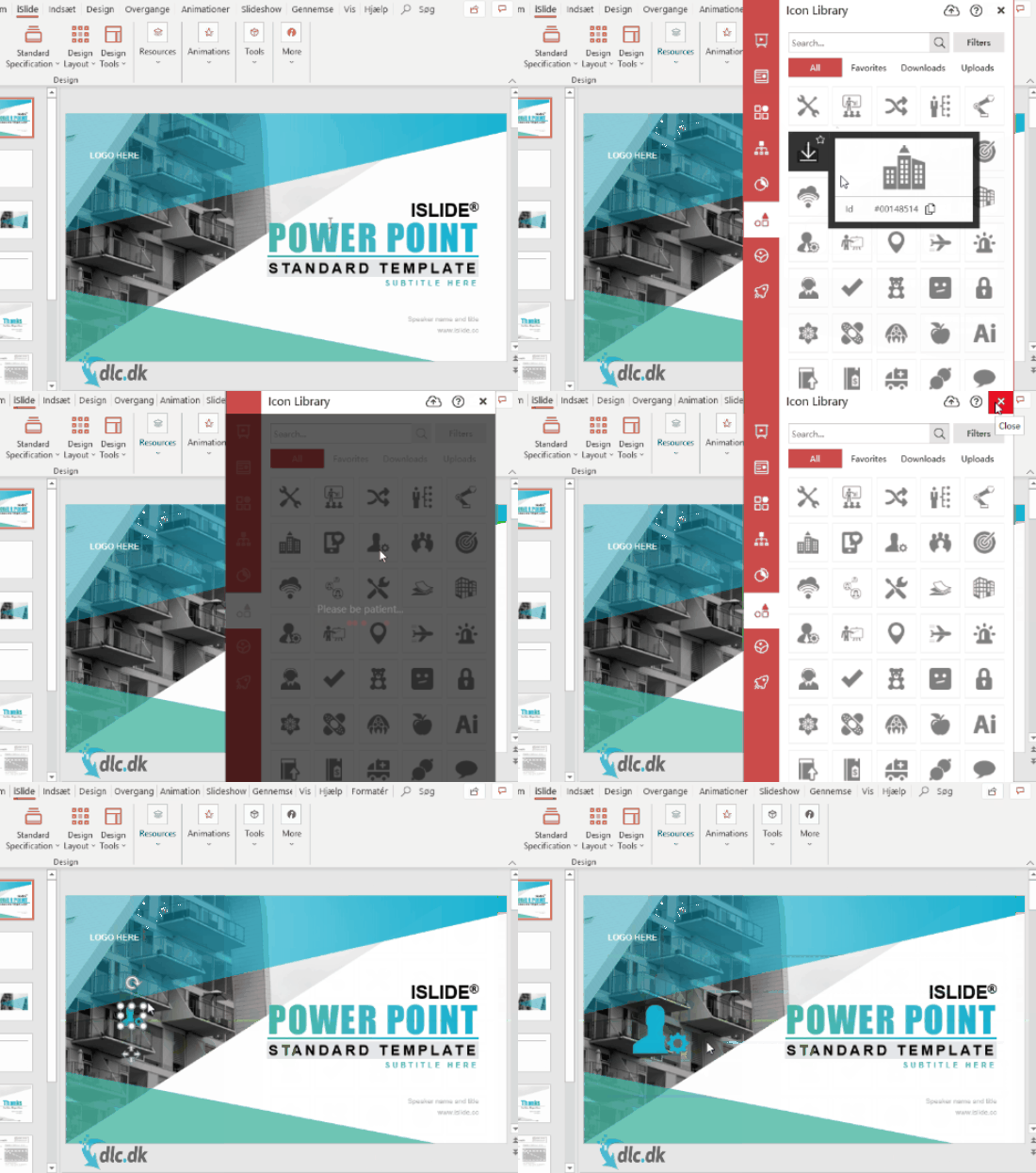
It’s called iSlide Tools, a dedicated add-in for PowerPoint. It installs directly into PowerPoint, and right after setup you’ll find a wide range of new features designed to make your PowerPoint presentations far more engaging than you thought possible with Microsoft PowerPoint.
Tools and features
The new features iSlide Tools brings to PowerPoint include lots of new themes/templates, charts, and more.
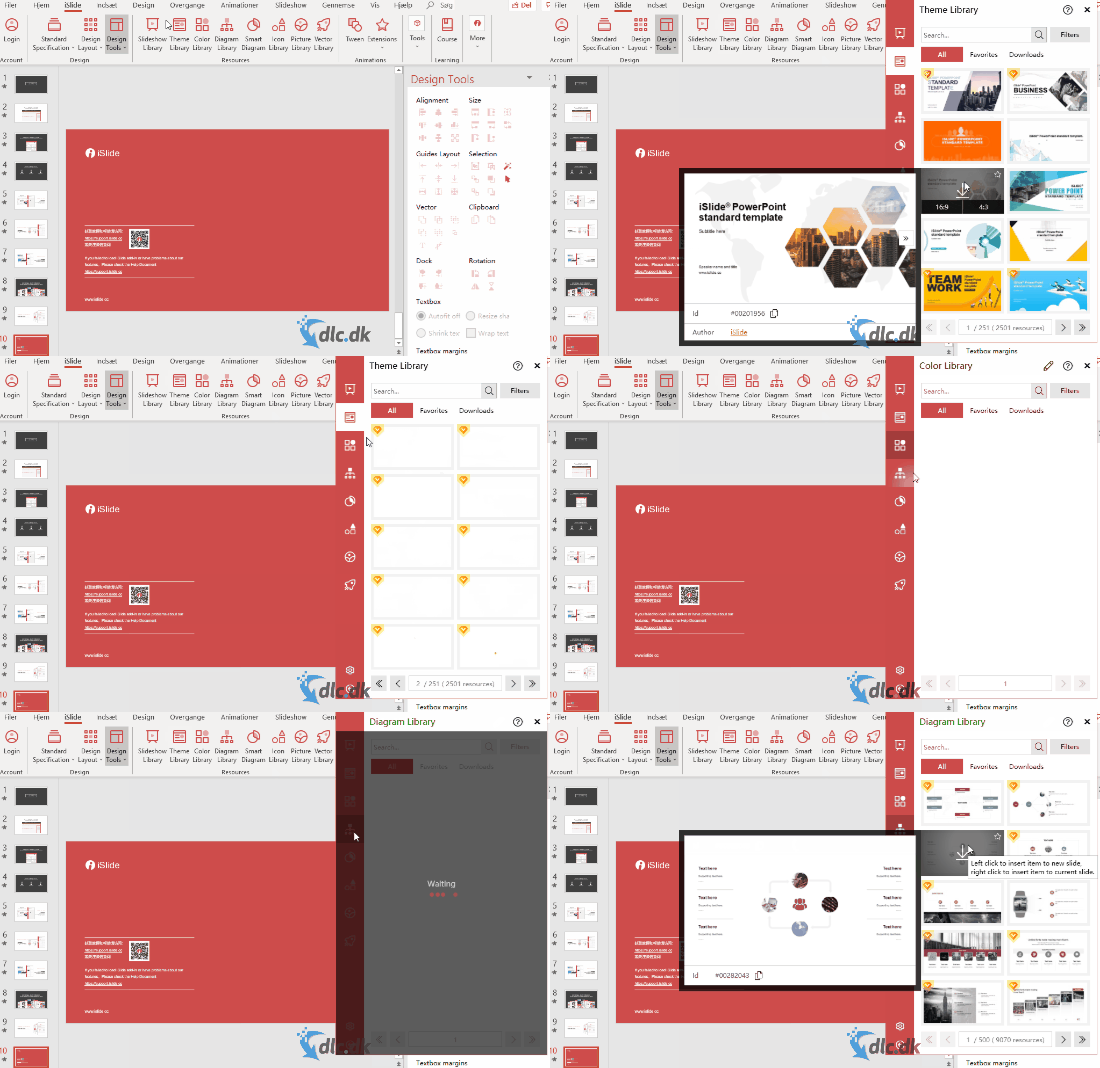
These assets are stored in the developer’s online library. When you find one you want, just click it to download. In a few seconds, you’ll have a brand-new theme/template for your presentation. The program also includes a large collection of icons you can add to your slides, helping you highlight key points while improving the overall visual appeal.
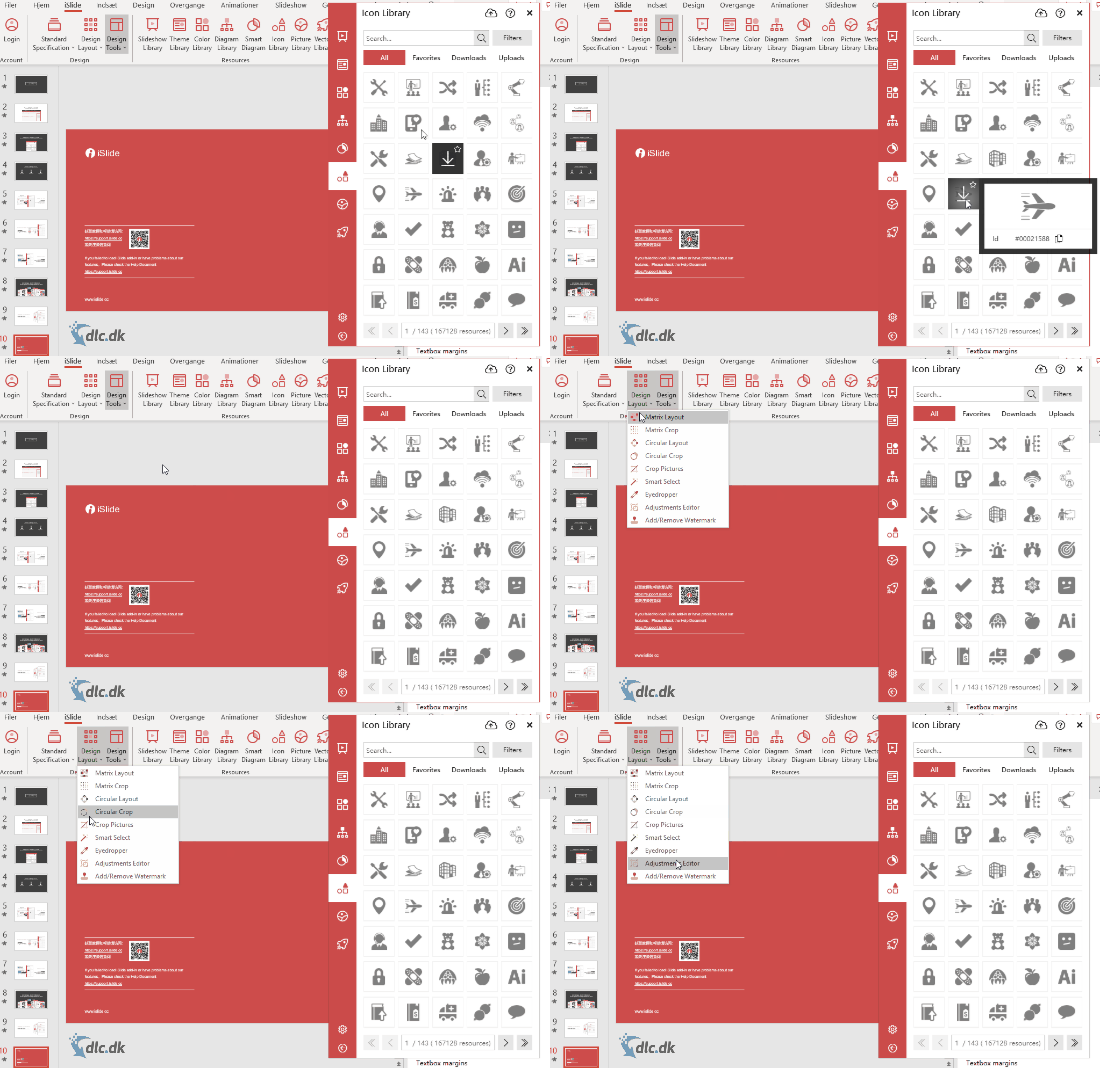
You also get plenty of tools to customize themes and their content. One-Click Optimization lets you fine-tune even the smallest details of a theme, chart, and more with a single click. There’s also a built-in image library packed with pictures you can use in your presentations.
Getting started
When you click Download, the program installs automatically. Once the installation finishes, PowerPoint opens automatically. You’ll then find the iSlide tab in the top ribbon, and you can start using its many features right away.
Availability
As mentioned, iSlide Tools requires Microsoft PowerPoint to be installed. The software is only compatible with Windows operating systems. So even if you have Microsoft PowerPoint on your MacBook, you unfortunately can’t use iSlide Tools.
Conclusion
iSlide Tools is an excellent presentation add-in that adds many useful features to Microsoft PowerPoint. It gives you access to a huge library of themes/templates, images, icons, and more to use in your presentations. This helps you make your slides far more engaging and visually exciting than the standard Microsoft PowerPoint elements. You also get tools to edit and adjust the included themes so they match the exact presentation you’re creating. Unfortunately, the add-in is only available for PowerPoint on Windows, so Mac users will need an alternative. You can download the program for free here; some themes and similar assets are locked and can be unlocked for a fee if you wish.
Optimize your PowerPoint presentations with iSlide Tools’ many features. Download it here for free.
Download iSlide Tools


