

 Martin Jørgensen
Since Windows 10 hit the market, the Windows system has seen a number of changes—some good and some not so good. For example, the system now includes a strong antivirus, which is a welcome addition.
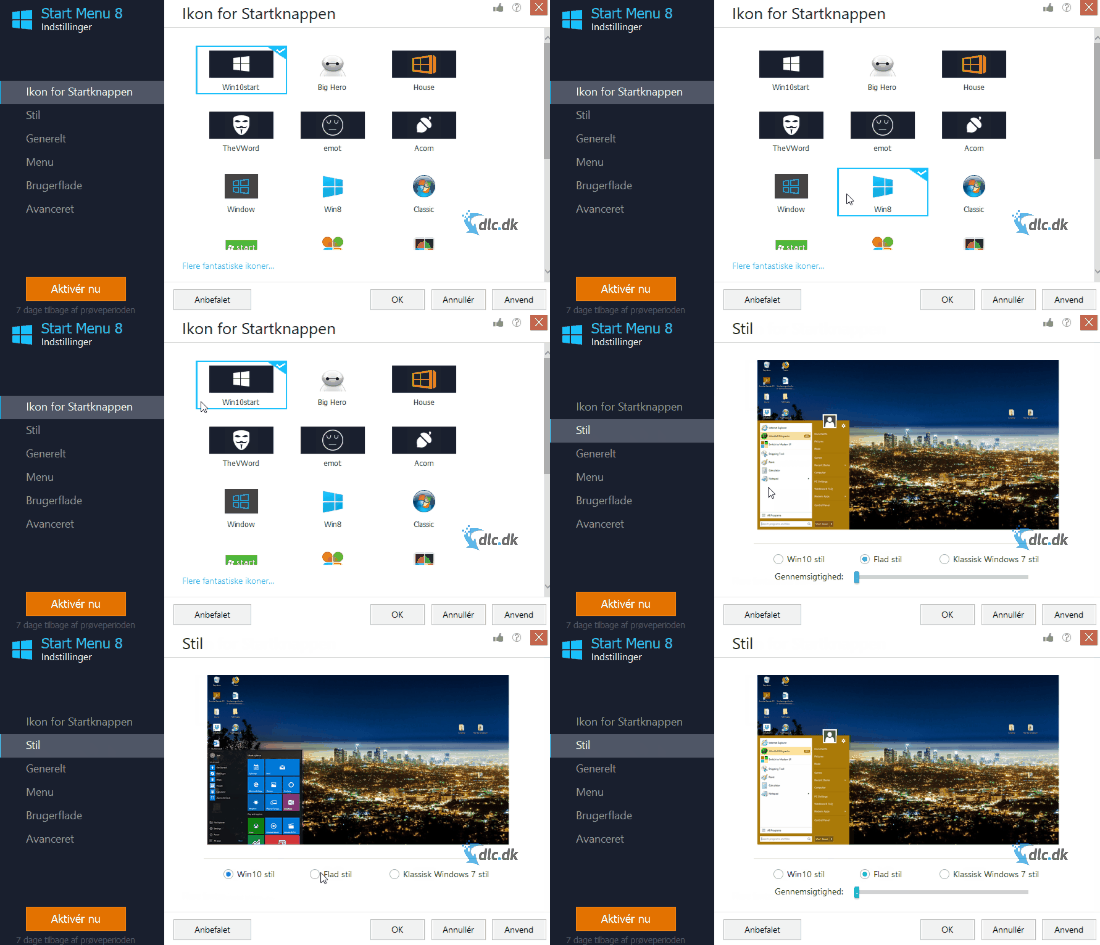
And then there’s the new Start menu, Metro, modeled after the menus on Windows phones and tablets. For many Windows users, this wasn’t a welcome change and brought more confusion than help.
That’s why Start Menu 8 was created.
Turn your Start menu back into what you know
The Windows Start menu many of us have been familiar with for years is the one from, for example, Windows 7 and early 8. A simple, clear menu where you could find your most-used programs and easily search for files, etc.
Now that it’s gone, you need alternative software. Start Menu 8 turns your Start menu back into the one you know from Windows 7 and 8.
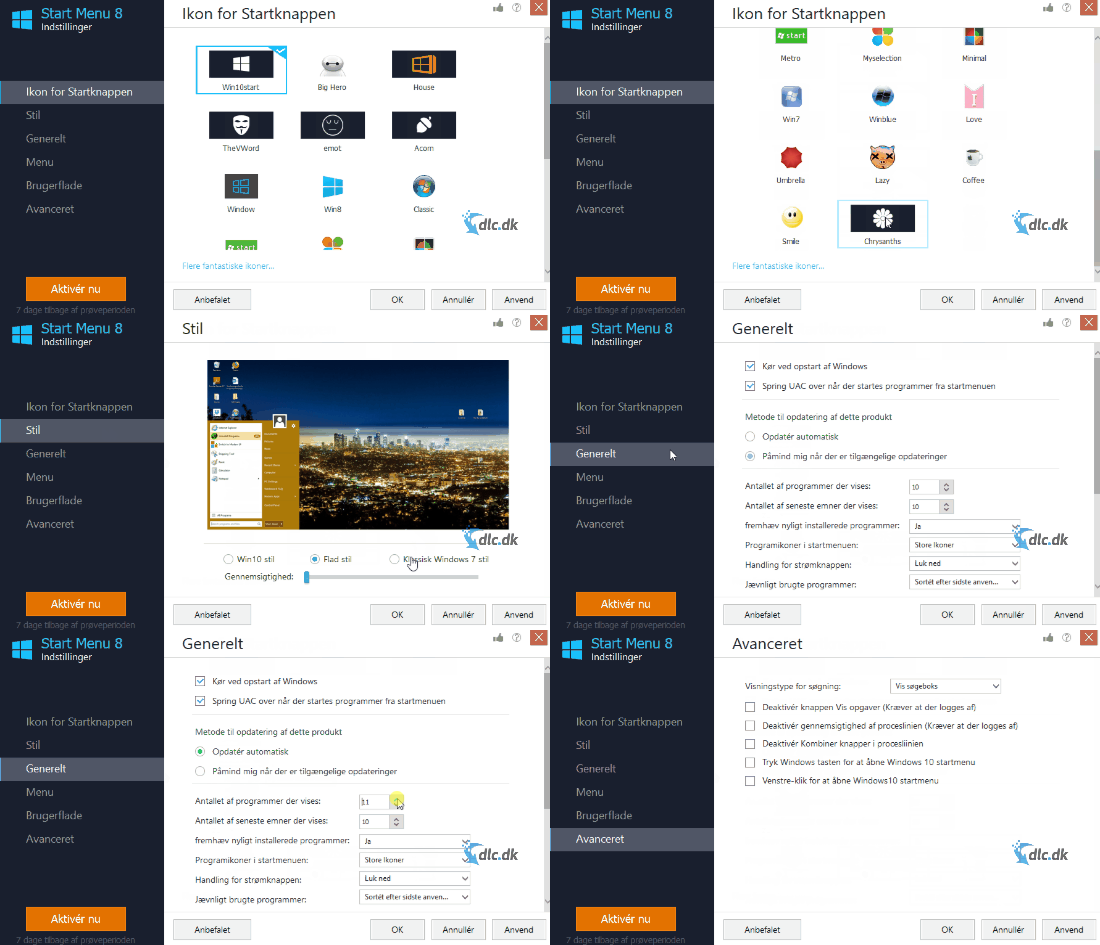
There are many ways to customize the Start menu the way you want. You can change the Start button icon, adjust the menu style, and control how games and documents appear in the menu, etc.
In short, you have extensive options to tailor the menu to your exact preferences.
The program also features a redesigned search engine that can find files on your PC up to 20% faster than the standard Windows search.
The best of both worlds
Start Menu 8 is for anyone who wants the best of both worlds. You want the optimized, well-functioning Windows 10, but you also want the superior classic Start menu from earlier versions.
That’s not too much to ask when your computer is a tool you use every day. It should work the way you like—and Start Menu 8 makes that possible.
Elegant, smart design
Start Menu 8 makes it easy to customize your Start menu. The program is divided into six sections listed on the left. Each section lets you change different aspects of your new Start menu.
Most editing options are self-explanatory. These include cosmetic tweaks such as which picture to display for your account in the Start menu, which icon your Start button should use, etc.
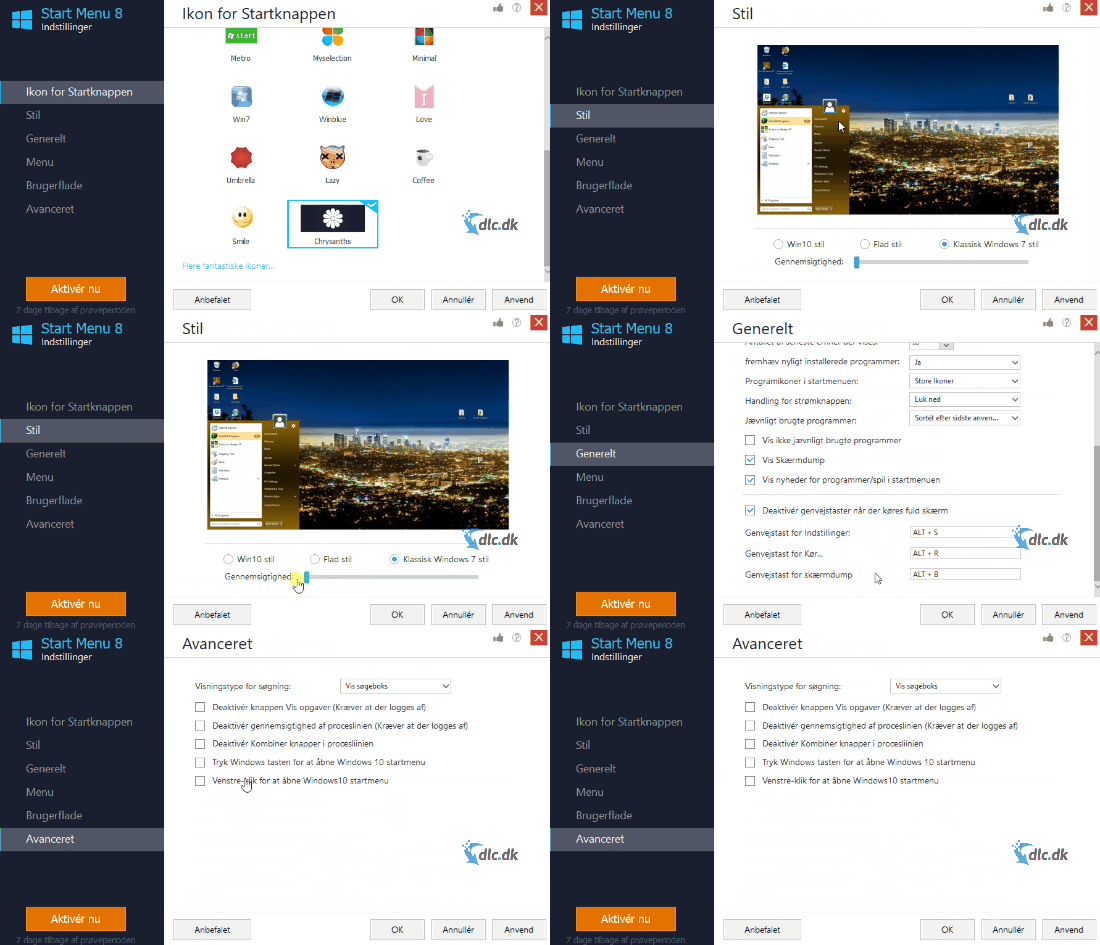
There are also more technical settings to play with—for example, how and when documents, games, and pictures appear in your Start menu and in what format.
The program is easy to get started with, and if you feel adventurous, there are advanced features to experiment with to get the optimal Windows experience.
Conclusion
Start Menu 8 is a powerful, practical tool that can improve your Windows experience. It’s important to feel comfortable using your PC, and Start Menu 8 delivers that. Highly recommended.
Download and try Start Menu 8 here
Download Start Menu 8


