
 Martin Jørgensen
Lunatask – take control of tasks, habits, and your mental focus
Lunatask is a modern productivity app that combines to-do lists, habit tracking, mood tracking, and secure notes in one solution. We tested the app on a Windows 11 PC and a MacBook, and found the installation quick, while setup took a bit of time to configure encryption and personal workflows. In daily use, the software felt stable and streamlined.
Features and user experience
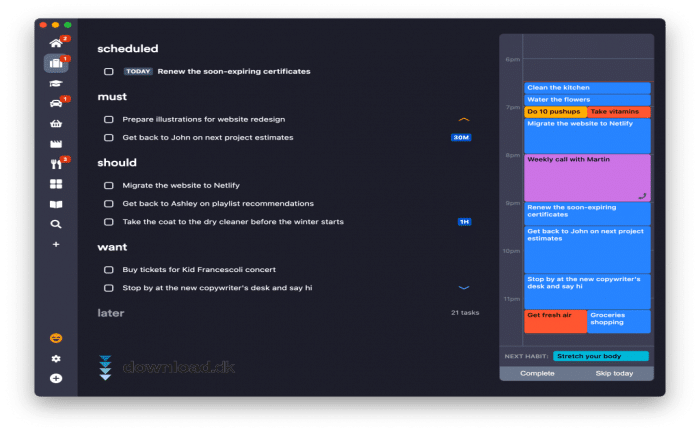
When you open Lunatask, you’re greeted by a left-hand navigation menu with a calendar, daily tasks, and clear sections for notes and habits. We found it easy to drag tasks around and change priority on the fly—an essential feature on a busy day.
Security with full encryption
One of the most unique aspects is security. Everything—from notes to the calendar—is encrypted with an industry‑leading algorithm. That means not even the company behind the app can access your data. It’s reassuring, especially if you also use the app to track mood or personal habits. The downside is that if you lose your password, your data is gone forever.
Calendar integration (premium only)
We tested the Google Calendar integration in the premium version. It works smoothly and adds real value by letting you view meetings and deadlines right alongside your to‑dos and habit tracking. That said, many users will be fine with the free version if their needs are mainly task management.
Notes with Markdown and code blocks
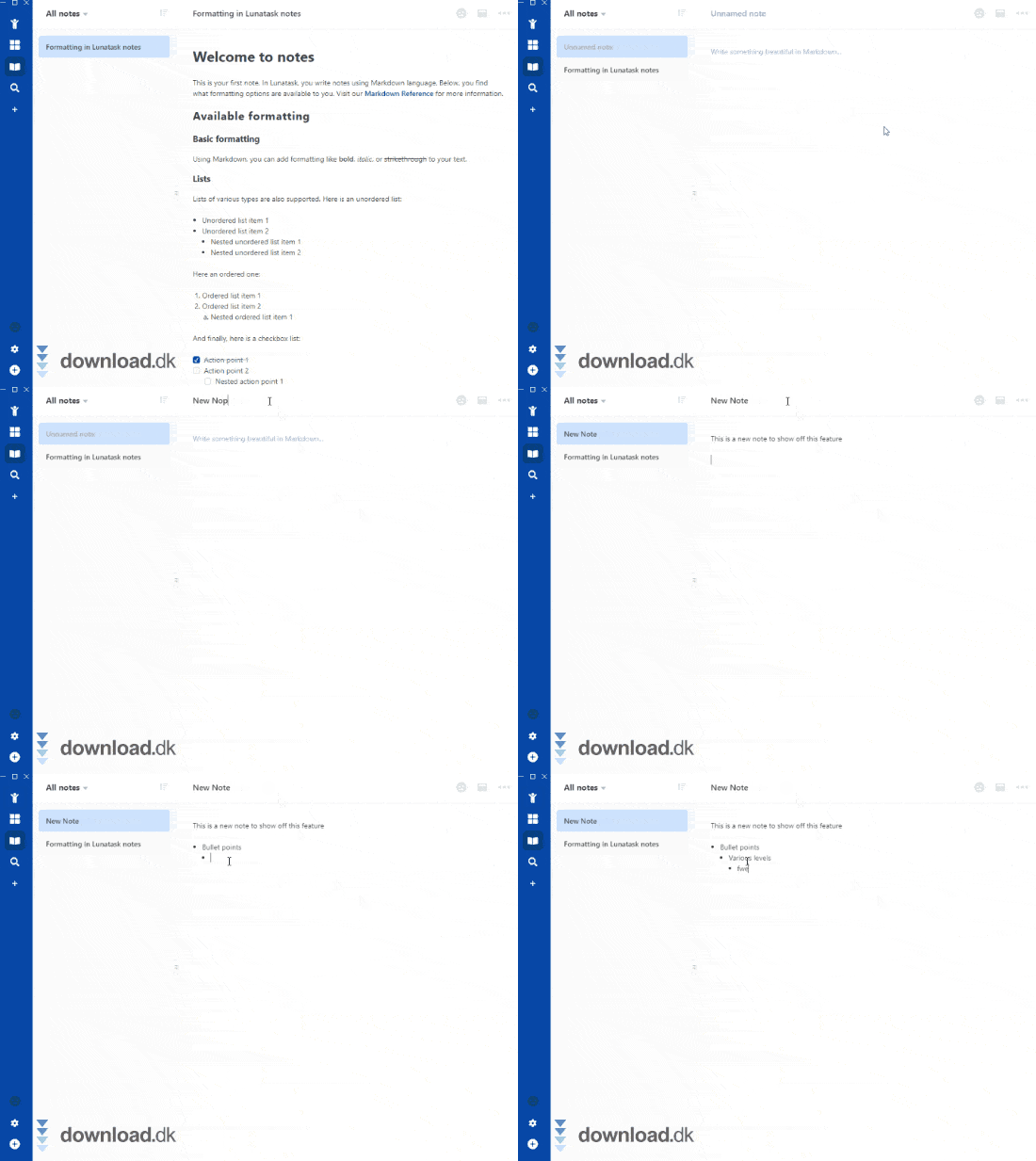
Lunatask also includes a notes feature that will especially appeal to developers and advanced users. You can use Markdown, create bullet points, and insert code blocks. We found it useful, for example, when combining to‑do lists with technical project notes.
Quick Add – offline and lightning fast
One feature we really leaned on during testing was Quick Add. It lets you add a task in no time—even without an internet connection. When you’re back online, it syncs automatically. On mobile, you can place Quick Add as a shortcut right on the home screen, which is handy on a busy day.
Comparison with alternatives
If you primarily want a collaboration‑oriented solution, LeaderTask is a close alternative, while Evernote is still stronger for pure note‑taking. Lunatask, however, is better if you want an all‑in‑one tool that excels at individual productivity and security.
Top 5 Lunatask tips
If you get an idea or task on the go, use Quick Add. The feature works even offline and syncs automatically once you’re online again.
Have an important note or task you use often? Pin it to the top of the notes area so it’s always at hand.
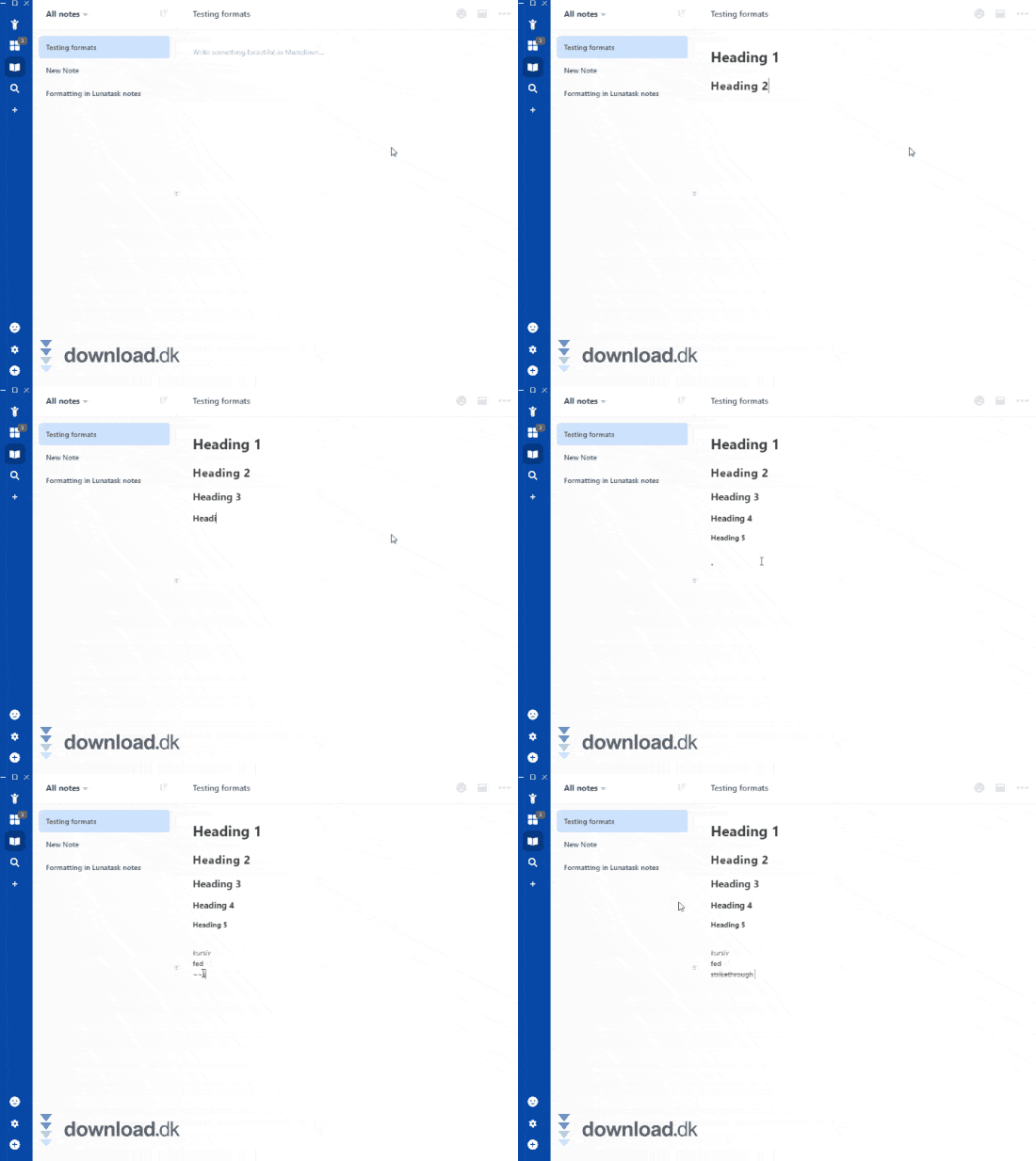
With Markdown, you can create clear lists, headings, and highlighted text. Perfect for both project notes and daily checklists.
In the premium version, you can connect Lunatask with Google Calendar. This gives you a complete overview of tasks and appointments in one window.
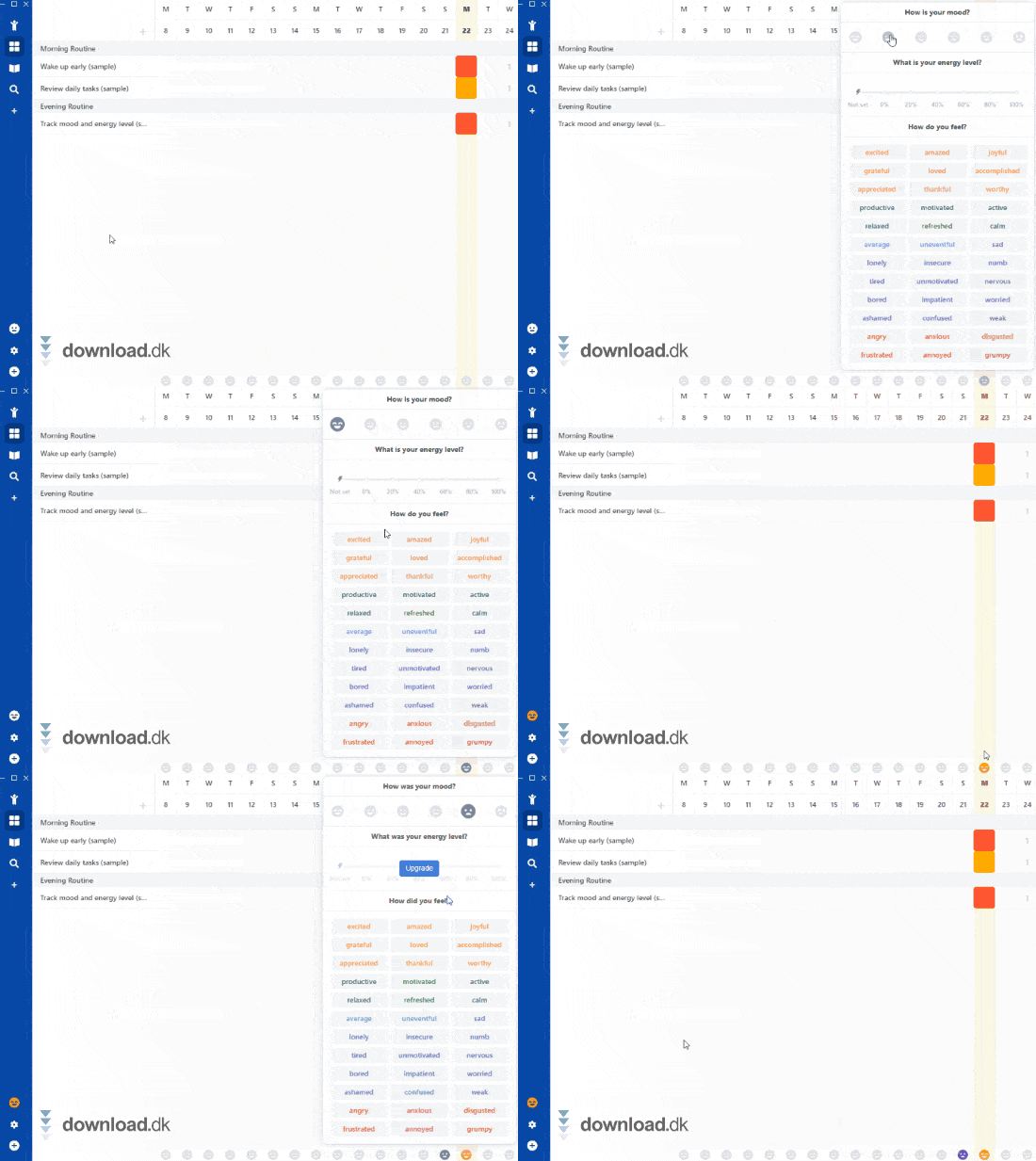
Use the habit tracker and mood measurements to spot patterns in your routines. That way, you can adjust habits and build better workflows over time.



