
 Martin Jørgensen
Mezzmo – stream your media directly to your TV and devices.
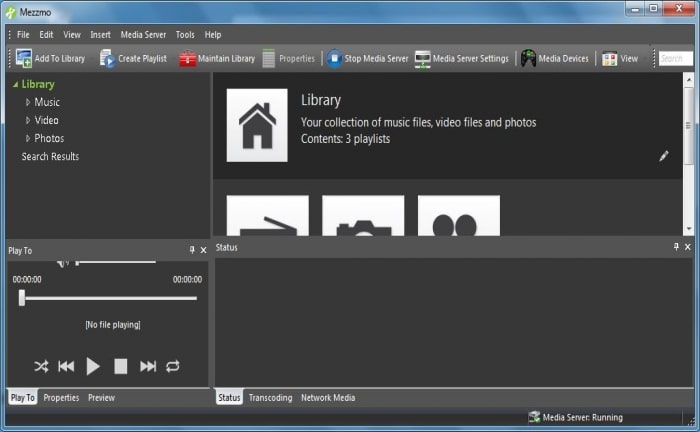
Mezzmo is more than just a media player—it’s a complete media server that lets you wirelessly stream your videos, photos, and music to your TV, tablet, smartphone, or any other DLNA- or Chromecast-compatible device. It’s ideal for anyone with a large media library who wants everything organized in one place.
Stream, edit, and organize your files
1 works as a local media server that scans your devices and network drives for media files and then makes them available to other devices in your home. It supports:
- Video, music, and photos
- Importing media from iTunes and Windows Media Player
- Advanced categorization, editing, and metadata management
- Automatic transcoding of media files to formats your TV or device supports
- Playback on smart TVs, DLNA devices, Android, and iOS via apps
Mezzmo isn’t just a player—it’s a complete media solution.
Key features
- DLNA media server — stream wirelessly to compatible devices
- Supports all popular file formats
- Metadata editor — edit artist, album, cover art, and more
- Smart Playlists — play automatically based on rating, genre, date, and more
- Multi-device support — from smart TVs to mobile
Tips for Mezzmo
Try the Mezzmo Android/iOS app for mobile control over streaming
Use metadata editing to make your library easier to browse
Add ratings to your media to filter them in Smart Playlists
Enable transcoding to ensure videos play correctly on older devices



