

 Martin Jørgensen
Nomi AI – Your personal AI assistant for better communication
Nomi AI is an innovative social AI assistant that helps you communicate more clearly and confidently online. Whether it’s for emails, social media, or dating apps, Nomi analyzes your messages and suggests better ways to phrase them.
We tested Nomi AI on both Windows 11 and mobile (Android), and installation was quick. The interface is simple, and from the very first login we were guided through the key features. That makes it easy to get started, even if you’ve never used an AI assistant before.
Features in Nomi AI
✅ Conversation optimization — The AI suggests improvements to your messages so they’re clearer and more engaging.
✅ Tone control — Choose whether you want to sound professional, casual, or charming.
✅ AI-generated replies — Quick suggestions for both work-related and personal chats.
✅ Learning engine — Adapts to your personal communication style over time.
✅ Platform compatibility — Works across social media, email, and chat apps.
User experience and interface
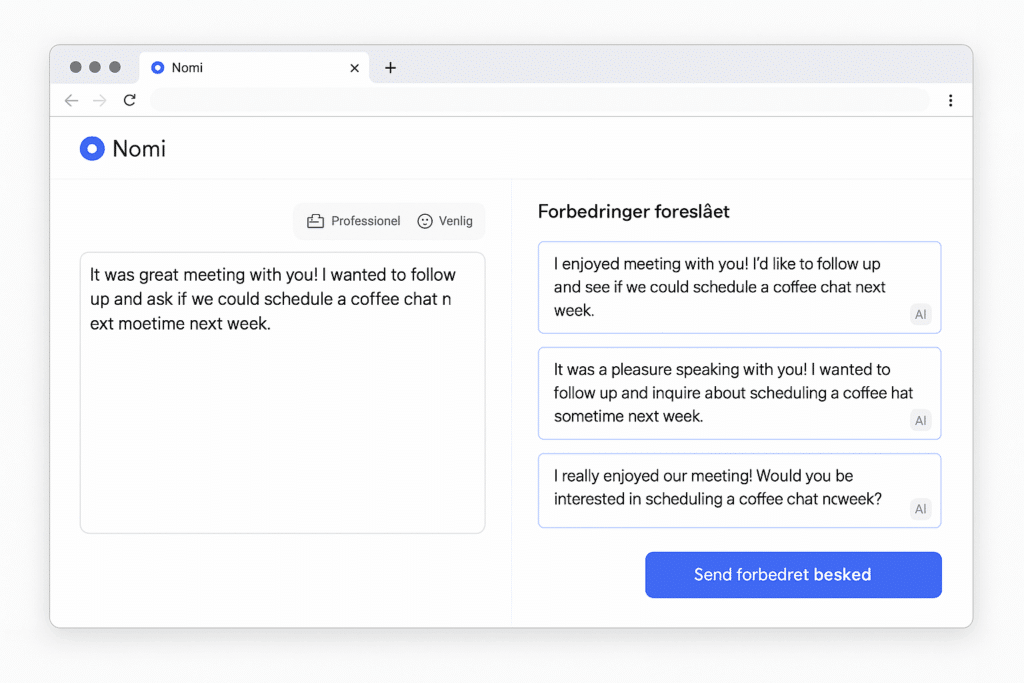
The first thing you notice is how streamlined the interface is. We found that suggestions were generated in real time, which is a clear advantage when you’re writing on the go.
The learning curve is low. Even if you’re not technical, it only takes a few minutes to understand the key features.
Pricing and plans
Nomi AI offers a free trial so you can test most features. After that, you can choose from several plans. Premium unlocks:
- Advanced tone control
- Unlimited AI suggestions
- Personal communication profile
Pricing is competitive compared to other AI assistants like Jasper Chat and GrammarlyGO.
Is Nomi AI worth it?
If you want to improve your digital communication, Nomi AI is a powerful tool. Its biggest strength is that it adapts to many different situations—from professional emails to personal messages. We did find some AI replies a bit generic, especially in the free version.
Top 5 tips for Nomi AI
Switch between professional, casual, and personal tones to match the context.
Let the AI inspire you, but keep your own voice so your messages remain authentic.
Give feedback on suggestions so Nomi learns your communication style faster and becomes more accurate.
Try Nomi AI in email, social media, and dating apps to find where it delivers the most value.
The best messages often happen when you use the AI’s suggestions as inspiration and add your own creativity.



