
 Martin Jørgensen
Edit photos professionally — no subscription
Corel PaintShop Pro is an advanced photo editing program for Windows designed for both enthusiasts and experienced users who want powerful editing without paying a recurring subscription. It’s a popular alternative to Adobe Photoshop in the United States — mainly because you pay once and own the software.
We tested 1 Pro on a standard Windows 11 PC, and the installation was quick and hassle-free. Within minutes, we were editing photos, and it quickly became clear that the program can do far more than its price suggests.
Features and capabilities of PaintShop Pro
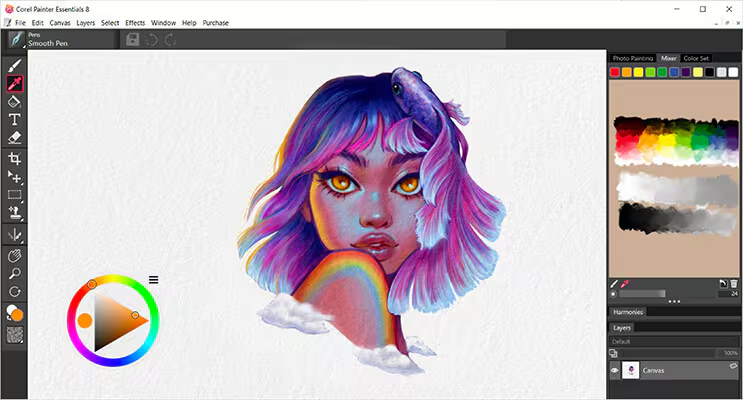
PaintShop Pro combines classic photo editing tools with modern AI features. Highlights include:
• Advanced photo editing and image manipulation tools
• Layers, masks, and adjustment layers
• RAW support for cameras
• Built-in AI tools for noise reduction and upscaling
• Graphic tools for illustration and design
The Ultimate edition also includes extra plugins and companion tools, which are especially interesting for creative users.
Interface and workflows
One of PaintShop Pro’s biggest strengths is its flexible interface. You can choose a simpler view geared toward beginners or a full advanced workspace with access to every tool.
On touchscreens, icons and menus can scale so the program works well on 2‑in‑1 laptops and Windows tablets. Overall, workflows feel more logical than in many competing apps — especially if you don’t have years of photo editing experience.
Performance and speed
PaintShop Pro starts quickly and feels responsive, even with large image files. In our tests, we worked with RAW files and layer‑based projects without noticeable delays.
Compared to earlier versions, the program feels more optimized and stable — especially on newer hardware.
No subscription — and why it matters
One of PaintShop Pro’s biggest selling points is that it isn’t subscription-based. You pay once and can use the program without monthly costs.
For many U.S. users, that’s a clear advantage — especially if you edit photos occasionally or freelance and want to keep fixed costs down.
Operating systems and compatibility
PaintShop Pro is developed exclusively for Windows and doesn’t run on macOS. If you use a Mac, look for alternatives such as Pixelmator, Affinity Photo, or GIMP.
On the other hand, PaintShop Pro is fully optimized for Windows and makes efficient use of system resources.
Alternatives to PaintShop Pro
If you want to compare PaintShop Pro with other photo editors, the most obvious alternatives are:
• Adobe Photoshop — extremely powerful, but requires a subscription
• GIMP — free and open source, but with a steep learning curve
• Affinity Photo — one‑time purchase and a very popular alternative
PaintShop Pro sits right in the middle: more user‑friendly than GIMP, cheaper than Photoshop, and more Windows‑native than many other solutions.
Why PaintShop Pro is still a strong choice
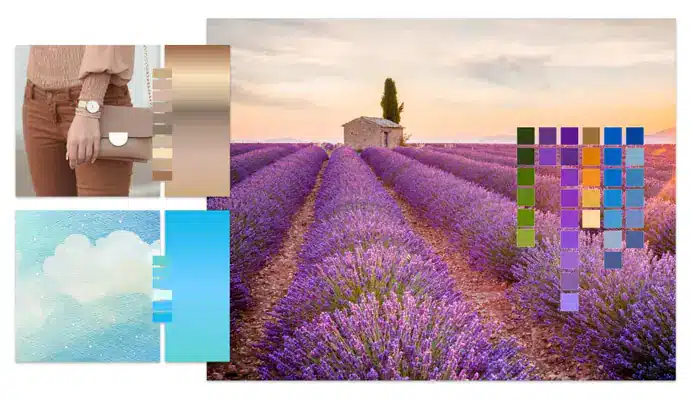
PaintShop Pro is a solid choice if you want serious photo editing without locking yourself into a subscription. It strikes a smart balance between advanced features and accessibility, and the price remains low compared to competitors.
Corel updates the software regularly, adding new features and improvements so the program doesn’t feel outdated after a short time.
Top 5 PaintShop Pro tips
Here’s how to get the most out of PaintShop Pro — whether you’re new or an experienced user.
1. Use adjustment layers instead of direct edits
Always work with adjustment layers when correcting color, lighting, and contrast. This makes it easy to tweak or undo edits later without damaging the original image.
2. Use the AI tools for quick enhancements
PaintShop Pro includes several AI‑powered features such as noise reduction and image upscaling. They save a lot of time — especially for portraits and older photos.
3. Save your own workspaces
Do you often keep the same panels open? Save your custom workspace so PaintShop Pro launches exactly the way you prefer. It noticeably speeds up your workflow.
4. Use batch processing for many images
If you need to edit many images at once — for a website or online store — use batch editing. You can automate cropping, resizing, and color adjustments.
5. Learn the keyboard shortcuts early
PaintShop Pro supports a wide range of shortcuts — and you can customize them. It takes a little practice but pays off in the long run.
FAQ — Frequently asked questions about PaintShop Pro
PaintShop Pro isn’t free, but you can download a free trial. After the trial, it’s a one‑time purchase with no subscription.
No — PaintShop Pro runs on Windows only. If you use a Mac, choose alternatives such as Affinity Photo or GIMP.
Yes — especially if you want to avoid a subscription. PaintShop Pro delivers advanced photo editing and many professional tools for a fixed price.
The Ultimate edition includes extra plugins and creative tools. The standard edition is more than enough for most users.
Yes. Corel releases ongoing updates with improvements, bug fixes, and new features.



