
 Martin Jørgensen
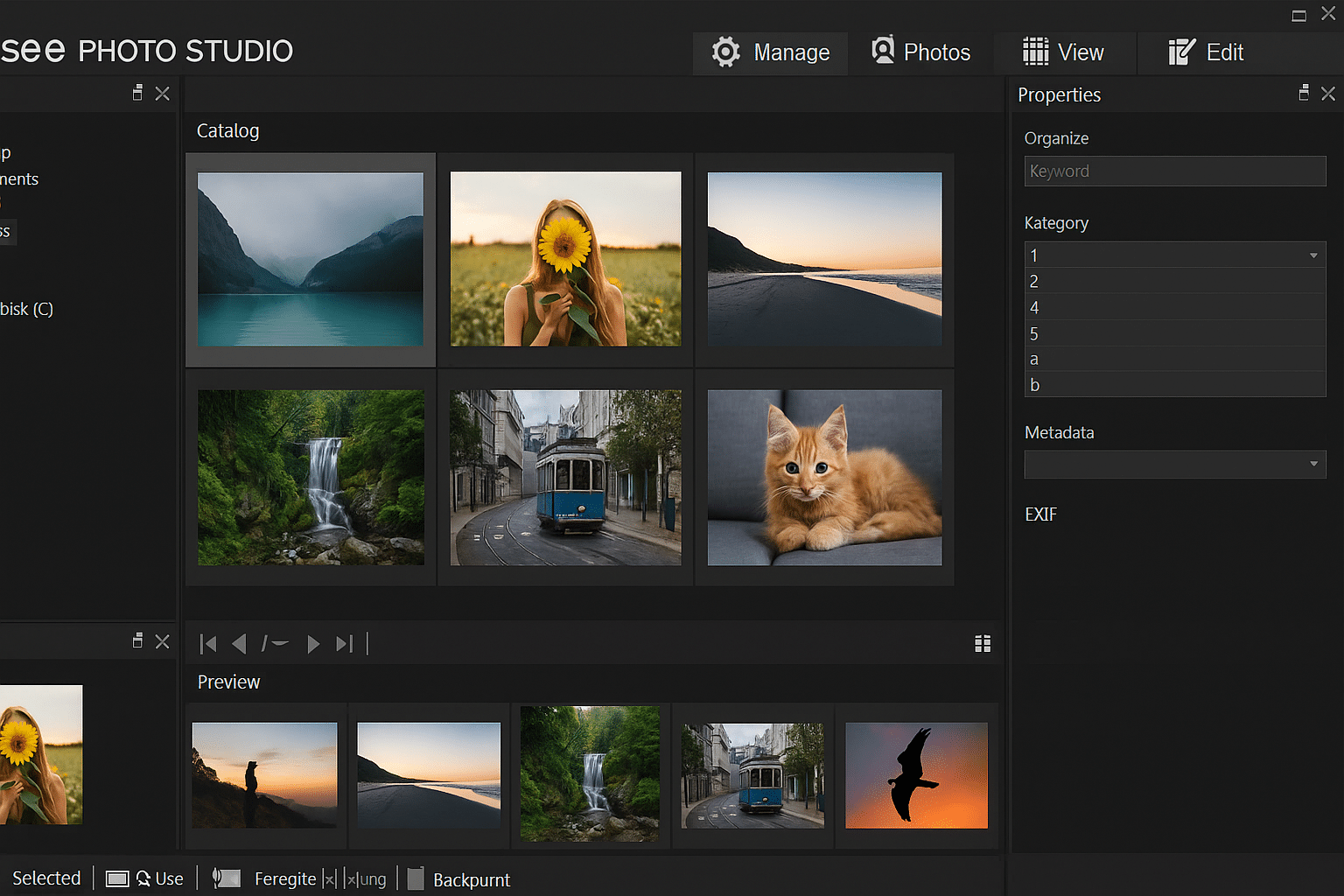
ACDSee Photo Studio – Powerful photo organization and editing
This app is one of the most popular tools for organizing, viewing, and editing photos—especially among photographers and digital enthusiasts. It succeeds the classic ACDSee versions and is available in both free and paid editions, which ACD Systems updates regularly.
All-in-one photo management
ACDSee Photo Studio brings everything together in one place:
- Lynhurtig billedfremviser til store samlinger
- Advanced cataloging with tags, colors, keywords, and face detection
- Powerful search that makes it easy to find exactly the photo you need
- Slideshow med musik right inside the app
- Mulighed for backup og synkronisering
The software supports 60+ image formats, including RAW files from professional cameras.
Editing and enhancement
The app includes many tools for quick, precise photo editing—ideal for both beginners and advanced users.
- Adjust exposure, contrast, sharpness, and color with intuitive sliders and curves—perfect for bringing out detail or fixing unevenly exposed shots.
- Fjern røde øjne, billedstøj og fejl with automatic and manual tools, so portraits and older photos get new life.
- Apply creative filters and enhancements such as vignettes, toning, black-and-white effects, HDR simulation, and color shifts.
- Cut, crop, and straighten with pinpoint precision, including fixing perspective and horizons with rotate and transform tools.
- Tilføj tekst and graphic elements directly on your photos—ideal for memes, presentations, or photo books.
- Use layers and masks (in the Ultimate version) for advanced edits with full control over each adjustment.
It also supports non-destructive editing, which means your original files are always preserved—no matter how many changes you make. You can revert or tweak your edits at any time without losing the image’s original quality.
The app also lets you save your own presets to quickly apply your favorite adjustments to new photos—and with batch editing, you can edit hundreds of images at once with just a few clicks.
Share your photos easily
You can easily share photos with others—via email, cloud services, or by creating beautiful slideshows and burning them to CD/DVD. ACDSee also offers cloud options if you want to sync your photos across multiple devices.
Free and paid versions
There are several editions of the app, including:
- ACDSee Photo Studio Home – for home use and hobby photographers
- ACDSee Photo Studio Professional – with more RAW and editing features
- ACDSee Photo Studio Ultimate – an all‑in‑one solution with layer-based editing
You can try the app free for 30 days—and if you only need a simple image viewer, there’s also a permanently free version called 1.
ACDSee Free is suitable for basic viewing and organizing, but it doesn’t include advanced editing features.
ACDSee Photo Studio also comes in a free edition called ACDSee Free—perfect if you only need a viewer without advanced editing.
Top 5 tips for ACDSee Photo Studio
Make it easy to search large libraries by adding tags like "vacation," "family," or "work."
Edit hundreds of photos with one click using automated actions and presets.
Create your own adjustments and save them as presets for quick reuse later.
Automatically group photos with specific people.
Send your photos to ACDSee Cloud or an external hard drive with just a few clicks.



