
 Martin Jørgensen
Simple and effective photo editor with Danish language support
PhotoFiltre Studio is a user-friendly photo editor for Windows that both beginners and intermediate users can enjoy. It supports multiple languages, offers a free trial, and packs a wide range of editing tools—without feeling overwhelming like many pro-grade alternatives.
What can PhotoFiltre Studio do?

1 Studio includes all the essential image-editing features, such as:
- Brightness and color adjustments
- Cloning and retouching
- Layer support
- Filters and effects
- Brushes and selections
It’s especially known for its many filters and a simple yet capable interface. That makes it easy to remove red-eye, smooth skin, adjust colors, or create fun photo manipulations.
Free version vs. Studio edition

There are three versions of PhotoFiltre:
- PhotoFiltre 7 (free): For personal, school, and nonprofit use. Includes many core features.
- PhotoFiltre Studio X (paid): Includes more advanced features like layer management and alpha channels.
- 30-day free trial: Gives you access to the Studio edition at no cost for one month.
The version available here is Studio X in a free trial.
Design and interface

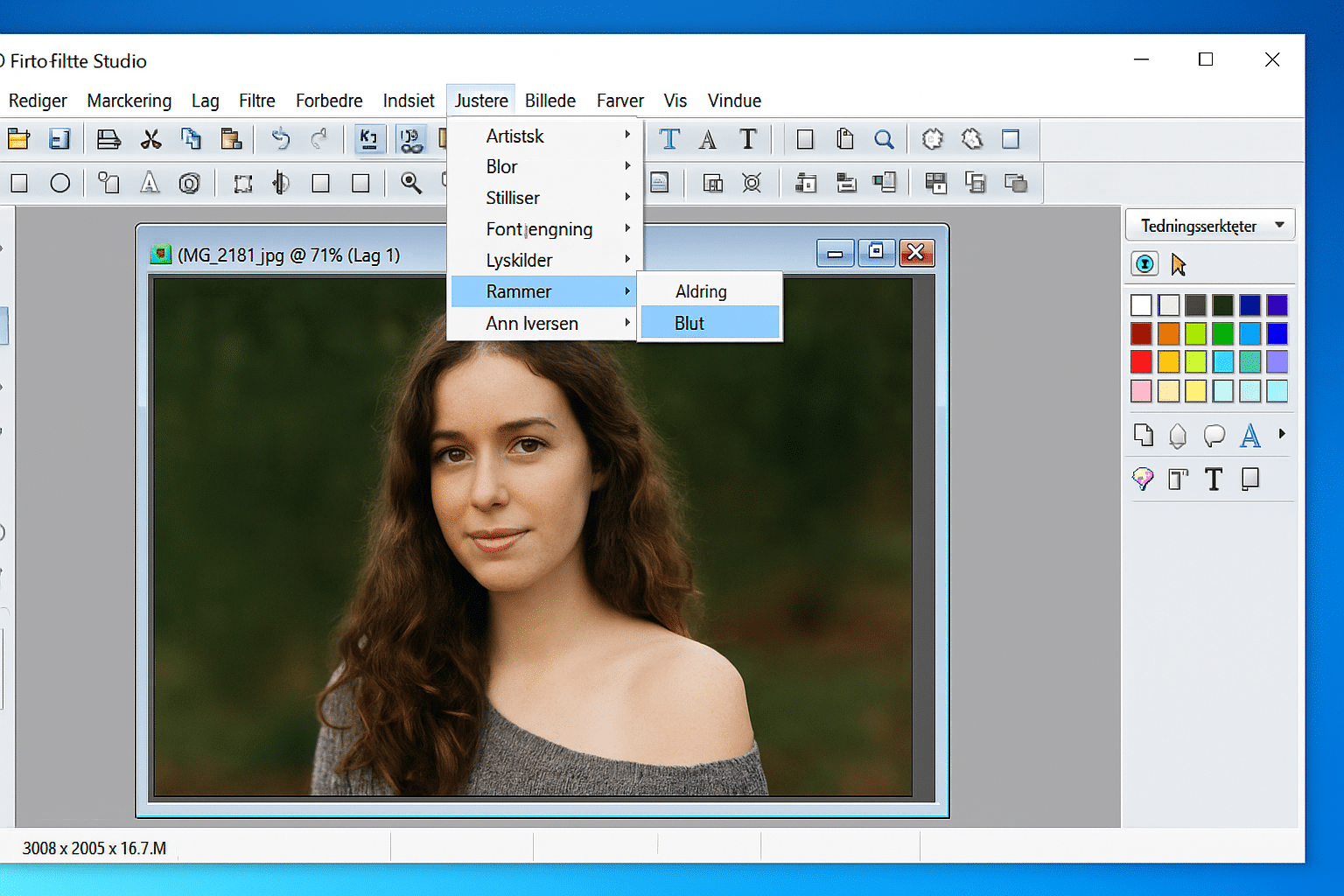
The interface in PhotoFiltre Studio is traditional, reminiscent of older versions of Paint Shop Pro or classic Photoshop. At the top are familiar menus and toolbars, and on the right you’ll find the color palette and tools such as shape, brush, and eyedropper.
Note that the UI isn’t as customizable as modern editors—which can be a limitation for some users.
Ease of use and language
A big plus is that PhotoFiltre Studio supports multiple languages. The interface is available in English, and optional language packs (including Danish) can be installed. It installs quickly and launches in seconds, which is rare among image editors.
Alternatives to PhotoFiltre
If you’re exploring alternatives, there are strong free and paid options:
- GIMP – Free and open source. Far more advanced, but with a steeper learning curve.
- Paint.NET – Free, user-friendly, and lighter than GIMP.
- Adobe Photoshop – The industry standard, but expensive and heavy.
- Photopea – A browser-based free alternative with many pro features.
PhotoFiltre sits between GIMP and Paint.NET—easier than GIMP, but offering more than Paint.NET.
Top 5 tips for PhotoFiltre Studio
Explore the many filters
PhotoFiltre makes it super easy to add artistic or stylized effects—try the "Artistic" and "Stylize" filters for fun results.
Use the Danish language pack
Download and install the Danish language pack by clicking here to make the interface more intuitive.
Leverage the batch feature
Edit or rename many images at once with the built-in batch tool.
Use transparent layers in the Studio version
In the Studio X edition, you can work with transparency and alpha channels—ideal for more advanced compositions.
Save often and in multiple formats
Use "Save As" to export to .jpg, .png, and .pfi (the program’s own format for layered projects).



