
 Martin Jørgensen
Download TrustZone VPN for free here and stay protected online
Data—how it’s stored and shared—is one of the most debated topics of the digital age. What exactly are we sharing on the internet, and how are others allowed to use it? In short, the digital world is a place where few of us truly know the rules or how we should behave.
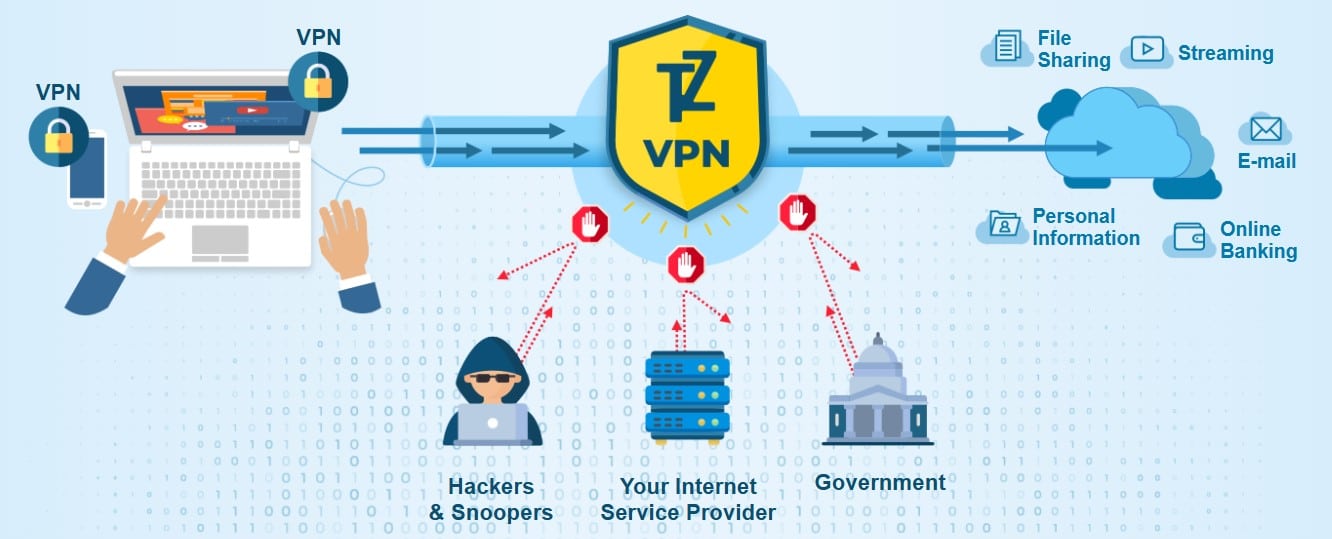
When you use the internet, you leave many traces that reveal more about you than you might think. Various companies are interested in this data—either to sell it or to target you with marketing. That’s why it’s smart to get a VPN like TrustZone VPN.
What is a VPN? A quick explanation
VPN stands for Virtual Private Network, and the key thing to know is that a VPN creates a secure connection between you and the internet, letting you browse anonymously, avoid surveillance, and reduce the risk of cyberattacks.
A VPN has private servers you can route your connection through instead of the one your internet provider normally supplies. For example, you can connect to a server in Australia, and it will look like your connection comes from there—not the United States. In other words, you’re much harder to track.
Servers across the globe
As mentioned above, a VPN connects you to a different server than the one your ISP would normally route you through. This helps keep you hidden so your online activity can’t easily be traced back to you.
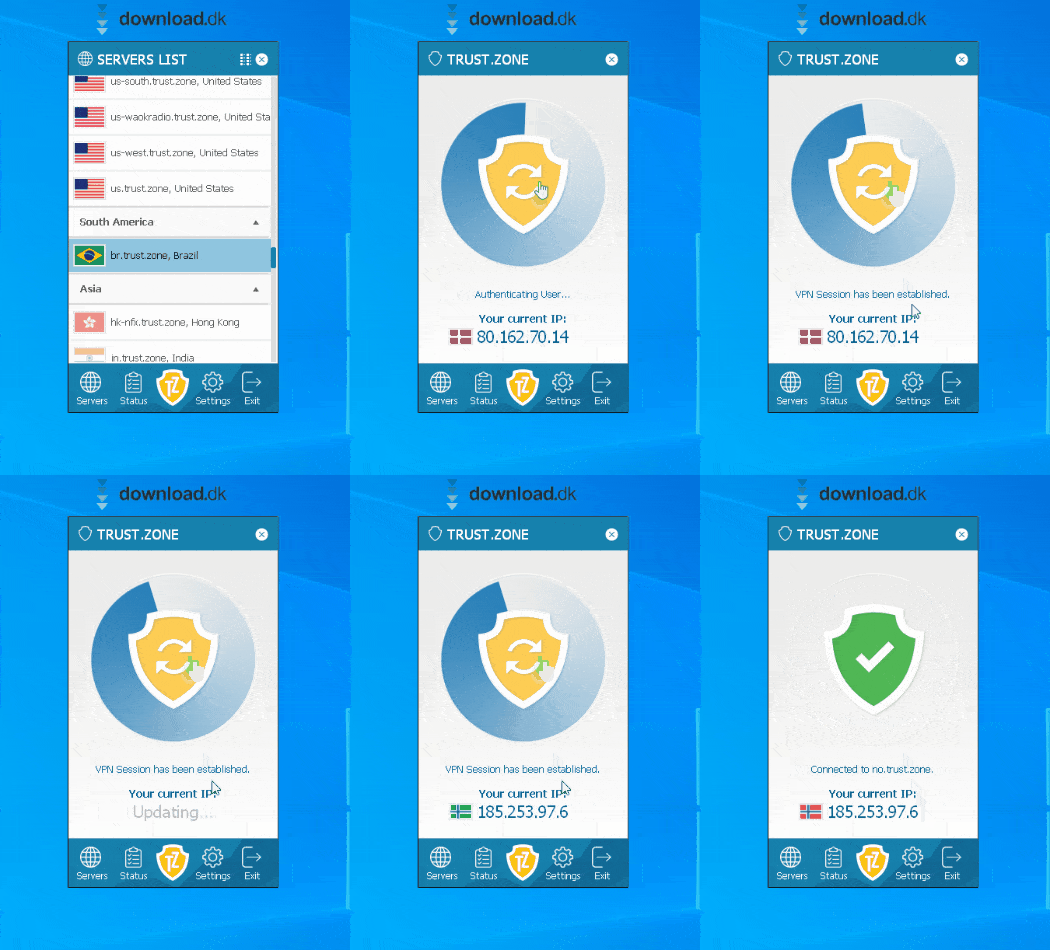
With TrustZone VPN, you can connect to different VPN servers on every continent, whether that’s Africa or South America. Keep in mind that the farther away the server is, the more your connection quality may drop. So if you’re in the U.S., it’s usually best to connect to a server in your region or a nearby location such as Canada.
The benefits of anonymity
Everyone values privacy. No one likes the idea of someone constantly standing at the window watching you, so we use curtains or blinds to shut them out.
You don’t automatically have that on the internet. With the right know-how, people can keep an eye on what you do and download, often by requesting information from your provider. With a VPN, it’s as if you’ve disappeared. The data you send is routed through your VPN provider’s servers, and many providers delete logs immediately so governments or law enforcement have nothing to collect. They can do this because they often operate from privacy-friendly jurisdictions, including certain Caribbean islands, where laws allow them to dispose of data in ways that aren’t permitted everywhere.
Minimal, simple design
TrustZone VPN is a small, lightweight app without endless tabs and features. That makes it user-friendly and pleasant to use.
The main thing to pay attention to is the server list. Here you choose where your connection is routed—to South Africa, Brazil, and more—and you can switch at any time.

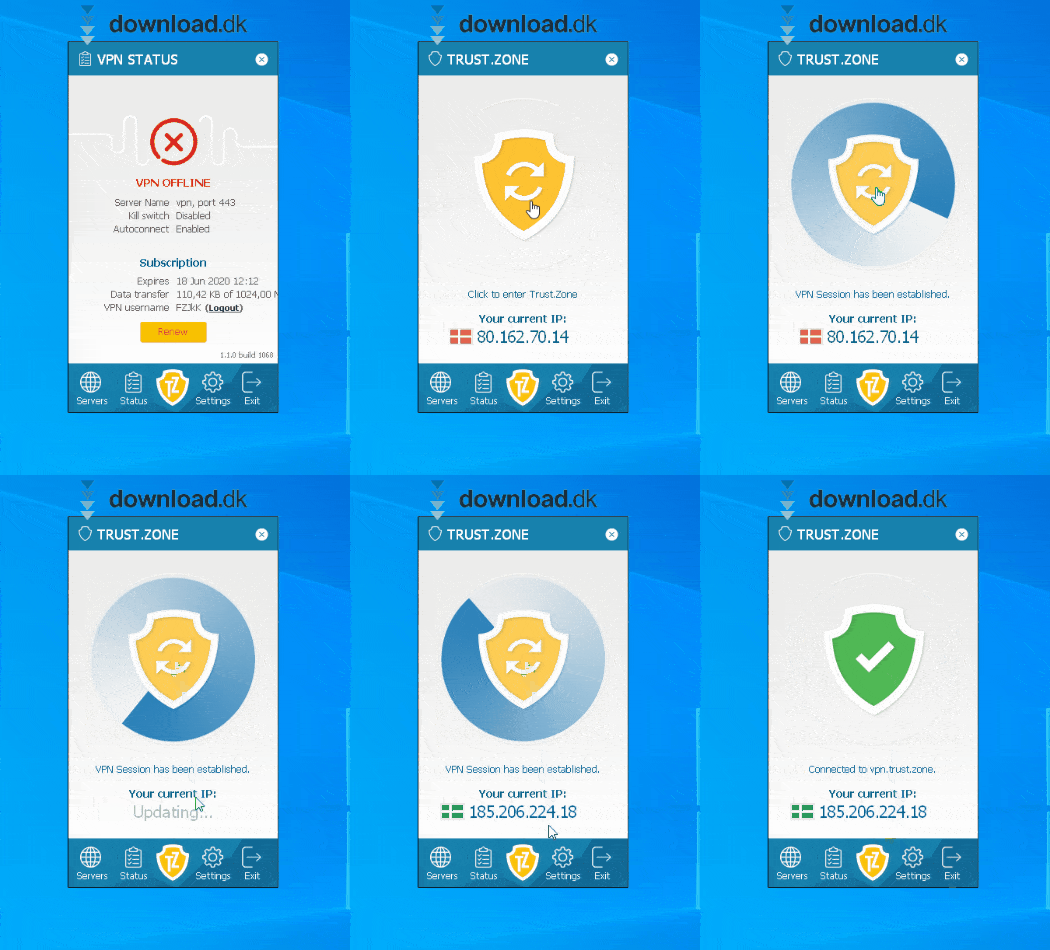
The main menu simply shows whether you’re connected, how much data you’ve used, and how much you have left.
At the bottom of the app, you’ll find buttons that lead to different menus and settings. In the middle of these buttons is a shield icon—tap it to turn your VPN on or off.
Alternative software
Another VPN that’s also worth a look is Radmin VPN. Radmin VPN er en gratis VPN, der tilbyder høj hastighed og sikkerhed. There’s also a built-in LAN feature that makes it easier for you and your friends to play together at LAN parties.
A good VPN
If you value your privacy and don’t want everyone to freely see what you do online, a VPN is for you. TrustZone VPN is a solid, privacy-focused option for this purpose, and it’s easy to recommend.



