
 Martin Jørgensen
With TweakPower, you get a suite of tools that optimize your PC for you. Download it free right here.
TweakPower is a program that, as the name suggests, tunes your PC’s performance. It includes a wide range of features to help you get the most out of your computer’s power.
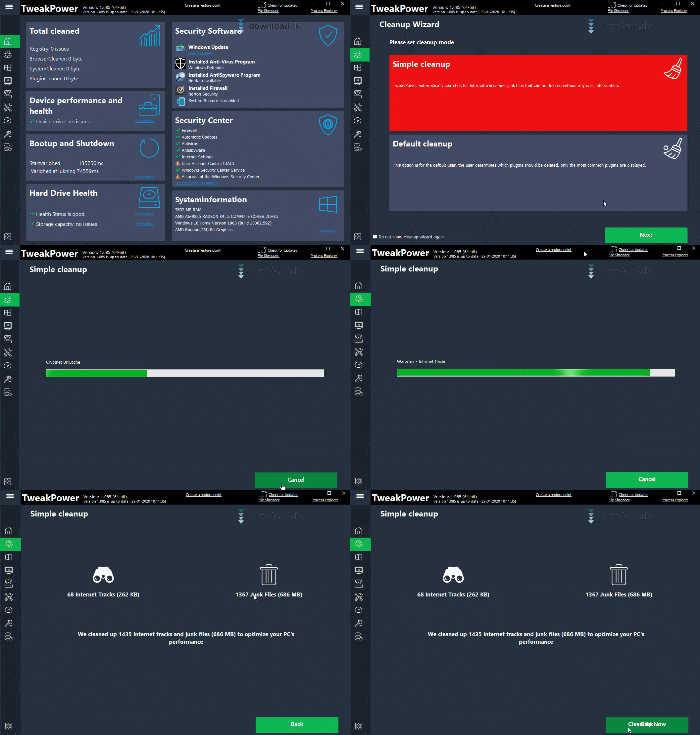
One of the key features is the Cleaning tool, which clears your system of junk files and other space-hogging clutter that only makes your computer slower. This frees up storage and speeds up your PC. Running a cleanup takes just a moment, after which you’ll get an overview of the results.
The Menu
On the left side of the interface, you’ll find a menu bar you can use to navigate between the different features. Click the three-line icon in the top-left corner to show a label for each icon, making it easier to get an overview. Among the menu items you’ll find HDD, where you can, for example, defragment your drive to free up space and speed up your computer. You’ll also find the Windows menu item, which includes a wide range of options to change your system and its layout to suit your needs.
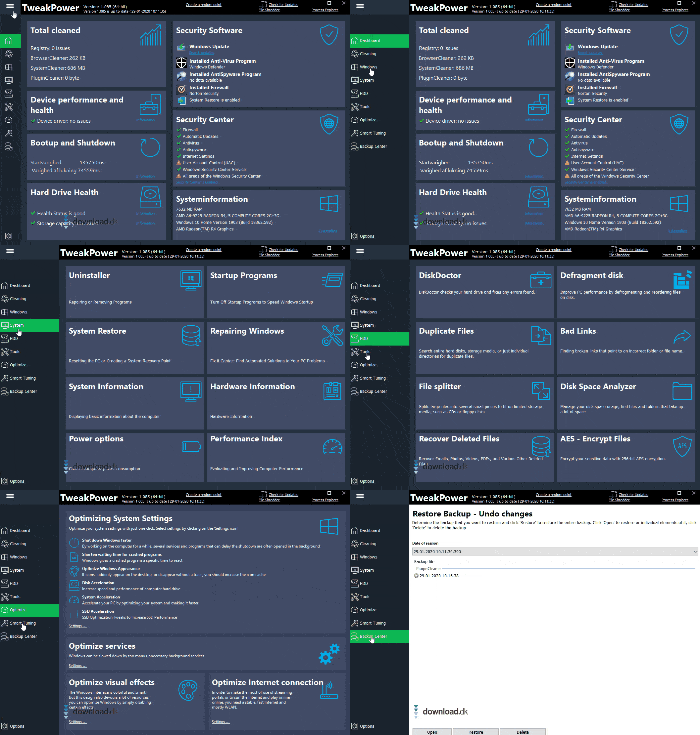
You’ll also find the Backup Center, where you can create backups of your system so nothing is lost, and above that is Smart Tuning, an exciting feature described in the next section.
Smart Tuning
In this menu, you can switch your entire PC setup with a single click. Smart Tuning offers three computer modes to choose from. When you click one, your computer shifts its focus accordingly.
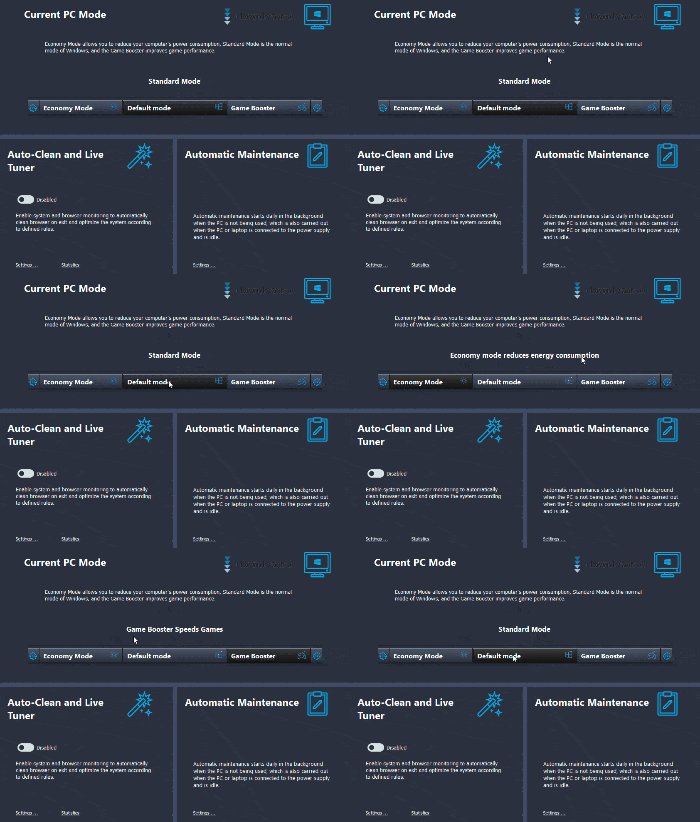
The middle option is called Default mode and, as the name suggests, is the standard state your computer normally runs in. Choosing Economy mode applies a series of changes designed to save as much energy as possible, helping you extend battery life. The third and final mode is called Game Booster and gives your PC a boost when you’re playing games, adjusting settings to handle demanding graphics and performance.
Get started fast
If you want to optimize your computer with TweakPower, just get started. It’s a big plus that the program can be downloaded and installed in moments, so you can begin optimizing right away.
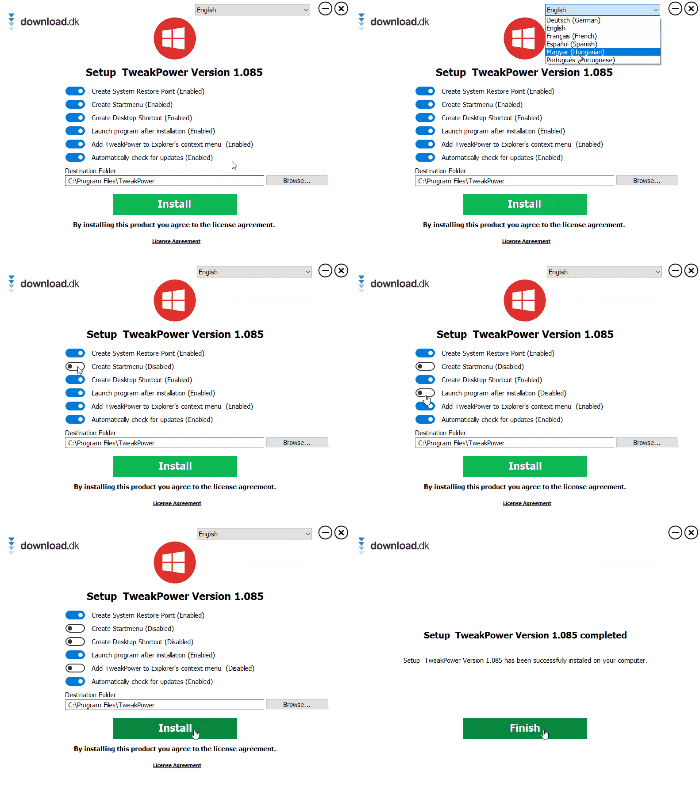
The installer gives you options such as adding the program to your Windows Start menu, and you can change the language here as well.
Availability
When you click download on this page, the program is set to English by default. You can also switch it to German or Spanish, but Danish isn’t available yet. The software is designed specifically for Windows, so if you’re hoping to optimize a MacBook, you’ll need to look for alternative programs.
Conclusion
TweakPower is an impressive program that gives you a wide range of tools to quickly and easily make your computer run much better. It’s completely free to download, and it only takes a few seconds to get started.
Download TweakPower


