
 Martin Jørgensen
Download the website builder WordPress for free here.
Do you need a platform to establish an online presence? Or maybe you’re a passionate person with interests you’d like to share with like-minded people? Many of us can probably see ourselves in one or both of these boxes, especially now that the internet is such a big part of everyday life.
So where do you find a platform that lets you achieve one or both of these goals? Through a website. Websites have been around for a long time, and we all more or less know what they are—so enough about that.
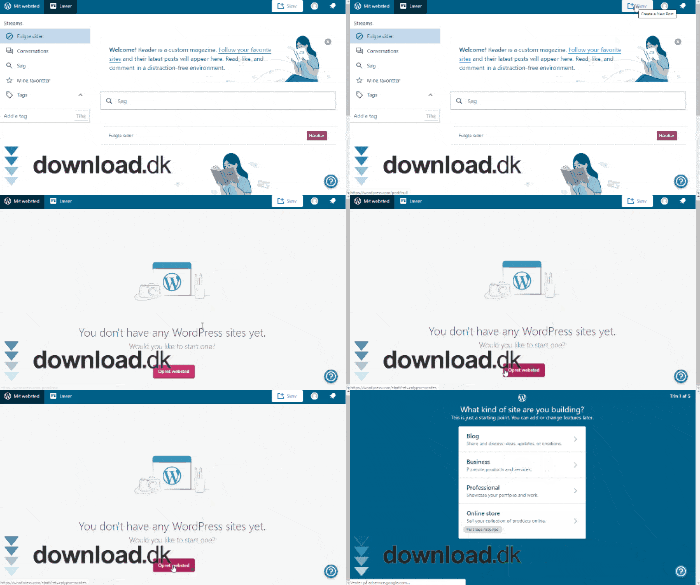
But a website doesn’t build itself, of course. That’s why people typically hire a website designer to build one for them. But that costs a respectable amount of money—and time. Today, however, there are methods that let you create your own websites for free, wherever you are and whenever you want.
A service like WordPress makes all of this possible for you.
Start designing a great website yourself
WordPress is an open‑source service that lets you create your own websites exactly the way you want them. It’s a platform that takes you by the hand and guides you, while also giving you the freedom to do what you want.
Best of all, you don’t need to be an especially skilled website designer yourself. There are no image and text slots you have to code by hand. You can move everything around as if it were a PowerPoint. The only thing you need is your own creativity and sense of style. In WordPress’ theme directory, you can also find a wide range of themes and layouts you might need.
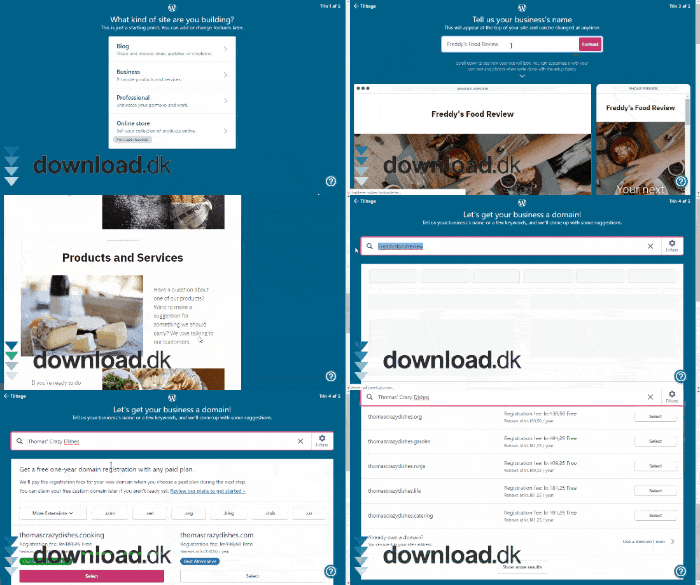
Once you’ve designed your website, you need to publish it on the internet, which requires a domain. A domain is, in short, the link people click to reach your site. Domains aren’t free because your website provider has to host it on their servers. The same goes for WordPress. Creating a website in WordPress is free, but getting them to publish it costs money. They offer many different hosting plans, each with various benefits depending on how much you’re willing to pay annually.
Explore different plugins
As mentioned, WordPress is an open‑source service. That means anyone can make changes to how the platform works and create clever new features for you. A plugin is exactly such an extension that you can add to your WordPress for free.
With plugins, you can access analytics that measure how many people visit your site, how long they stay, what they look at, and more. You can also add payment options and services if you need them. Or simply unlock more themes and new ways to change your layout, and so on.
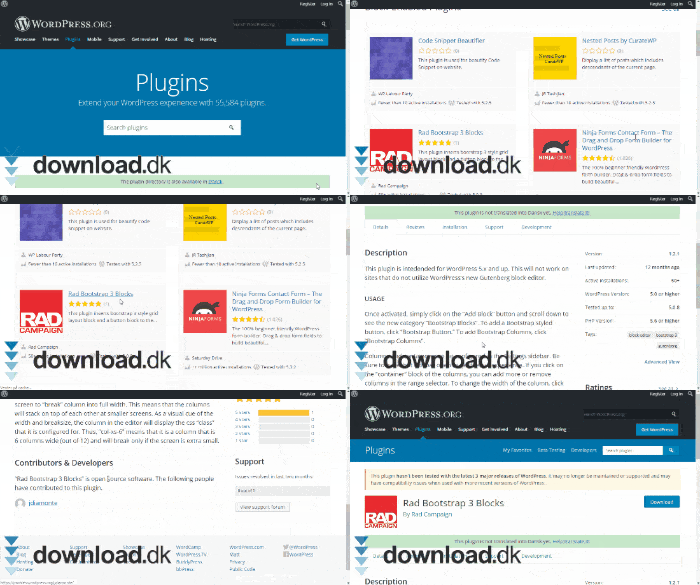
That’s why WordPress plugins are a really smart feature if you want to experiment with your website and give it more interesting dimensions than before.
Create your very own blog
Blogging is a fun concept that made its debut in the early 2000s, when it became popular for everyone to have their own blog. People realized the internet was a fantastic place to share thoughts, dreams, and interests with a large audience eager to read along. Even today, blogging is popular, and there’s money to be made from it as a profession.
With WordPress, you can start your own blog and open your heart about anything that matters to you. Maybe you really love music and want to write about the bands you’ve seen live or the albums you’ve recently heard.
Or maybe you’re a food enthusiast and want to share your own brilliant recipes with others who could use a helping hand in the kitchen.
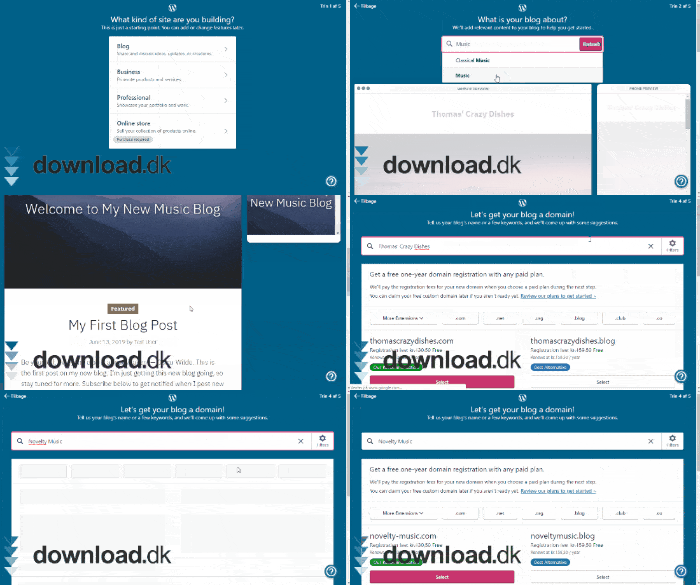
Essentially, you can talk about anything you want, and that’s the beauty of it. What you should keep in mind when using WordPress to make blogs is which format you want to use. WordPress actually has two sites: Wordpress.com and Wordpress.org. Wordpress.com is the service that also lets you build websites, and as mentioned, it costs money to publish your creation—this also applies to your blog. On the other hand, it’s easier to build your blog here, as you get access to simpler, more user‑friendly tools. Wordpress.com is browser-based, which means you work on your project from the browser, making everything a bit easier.
Wordpress.org, however, is not browserbaseret. Here you get access to a client you need to download, from which you then start creating your blog (websites are not supported here). It’s completely free and costs nothing (including hosting), but it does require you to be able to code your own websites at a basic level. Fortunately, you can find a wealth of guides online specifically designed for WordPress that can tell you, hvad du skal gøre.
So it requires a slightly greater technical and time investment on your part, but it’s definitely possible with a bit of elbow grease.
Bring your business online
When it comes to people and their shopping habits, a lot has changed in just a few years. Far more people shop online than in physical stores. Why? The simple answer is that it’s easier and more comfortable. You don’t have to go anywhere or spend a long time looking for what you need. You can do it all from your bed on a lazy Saturday morning, and it arrives at your doorstep a few days later.
Physical retail has therefore taken a hit, which makes it even more important for a business to establish an online presence. A website that advertises your products and gives people access to contact the company expands your ability to sell. At the same time, it’s also a smart way to gather statistics about your customers’ shopping habits.
User-friendly, beautiful design
WordPress can confidently sell itself on having a clean and user‑friendly design that allows anyone to create their own website or blog. The fact that it’s all browser‑based also makes it easy to handle. It’s like playing with a big PowerPoint, where you just edit text and add images and sections as needed. However, this only applies to Wordpress.com.
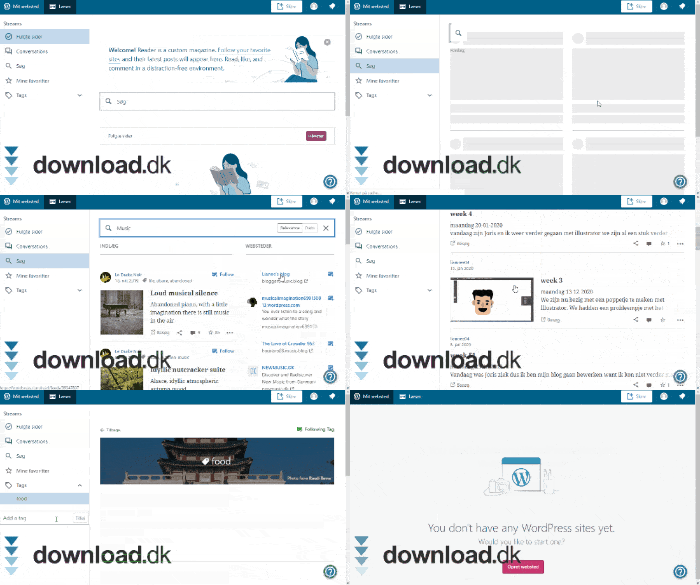
Wordpress.org is, as mentioned, a completely different story. The interface isn’t necessarily as easy to understand, and you’d probably have to go through a number of guides to figure out exactly what to do. The advantage, of course, is that the program is free to use.
Complementary software
Now that you have your website, it can be really smart to have software designed to keep track of your orders, ensure you receive payment, and get the product shipped. AShop V is recommended here. With AShop V, you can also account for taxes, VAT, and different currencies depending on which country your business is established in and which international customers you have.
Wordpress is a fantastic free product
WordPress is a fantastic service for anyone who wants to create their own website or blog. With its many easy‑to‑use tools, you can quickly build a beautiful website that lives up to your standards and ideals. Highly recommended.
Download WordPress



