

 Martin Jørgensen
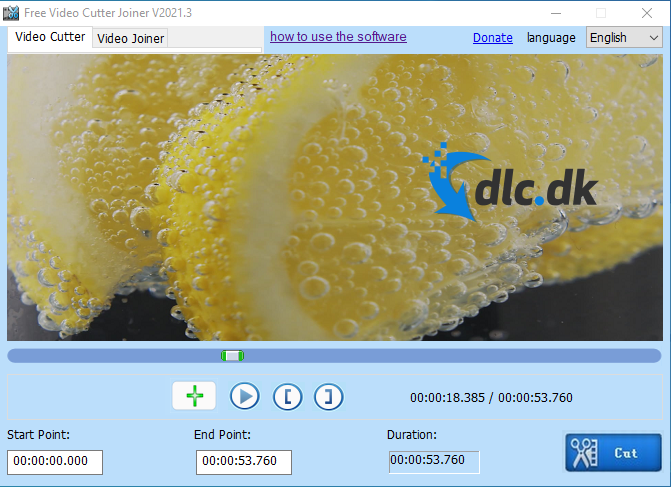
Free Video Cutter is a program focused on editing video and audio as easily and efficiently as possible. The developer behind the software, Yyzsoft, prioritizes simplicity and accessibility, so you end up with an editing tool that works exactly as it should, without unnecessary extras. In short, you get a product centered on usability.
Cut and join
The program lets you open the video you want to edit. Maybe there’s a section you want to remove, or perhaps you’d like to assemble a new video from different clips to create a completely new visual experience.
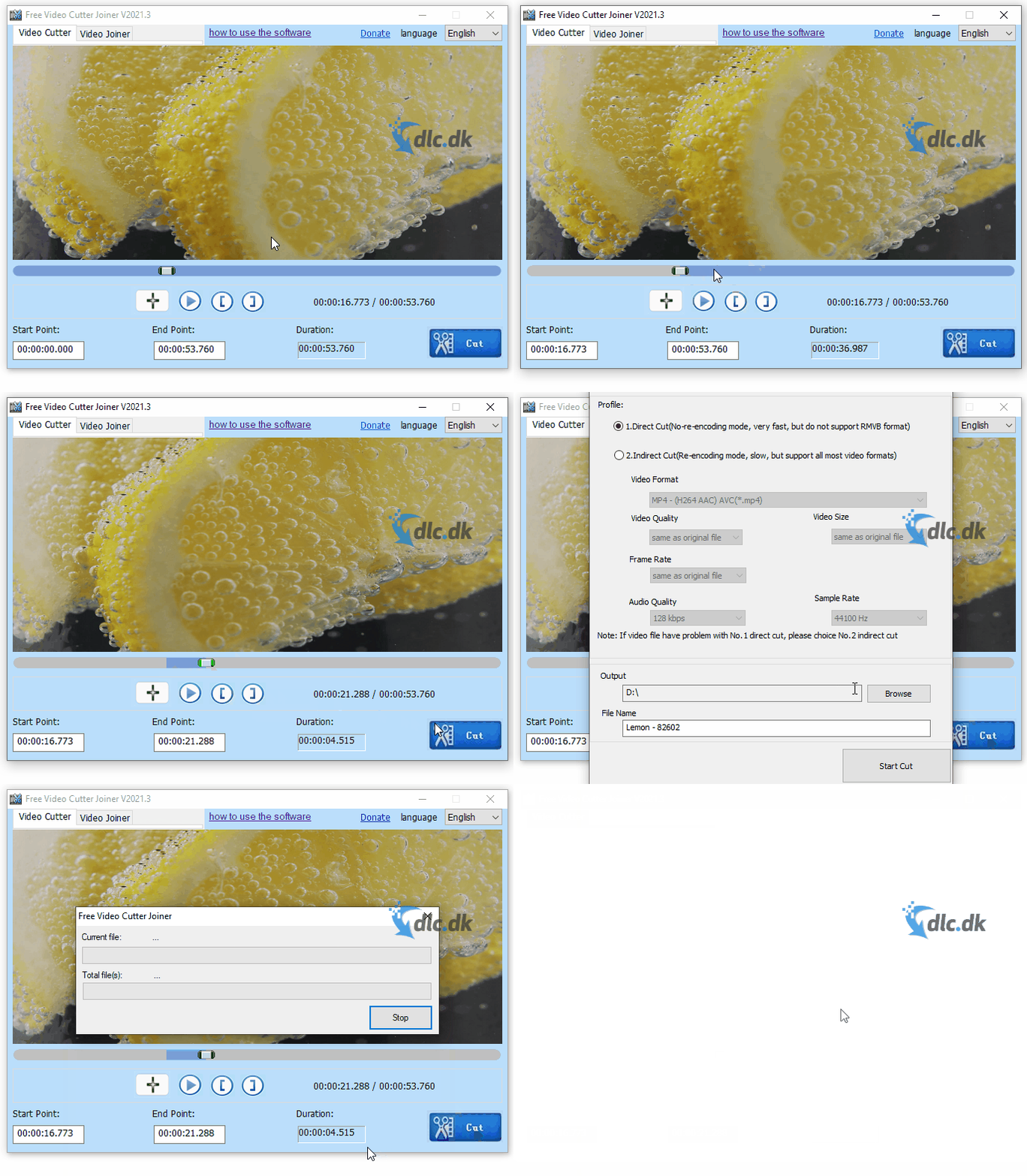
When you launch the program, you’re greeted by a screen with a large green plus sign—that’s where you start editing your footage. Choose a file directly from your computer, then use the [ ] markers to select the segment you want to isolate as its own file.
You can do this as many times as you like, and afterward you can insert these parts into the software’s second tab, ‘Video Joiner,’ where another large green plus naturally invites you to add files. Add them to the list that appears, click ‘join,’ and boom: you now have a brand-new video compilation saved directly to your computer. If you want to remove a clip from the list, simply click the file you’re no longer interested in and then click the red X in the menu on the right.
Ongoing updates:
Yyzsoft ensures your software always works as intended with continuous updates and bug fixes, so you consistently have the best tool possible. The program also includes a feature for situations where it can’t cut the original video. This is what the company calls ‘indirect cut,’ which lets you enable or disable various options—such as frames per second and overall video quality—to help if you get stuck during this part of the editing process.
Alternative video editors:
As mentioned earlier, Video Cutter Joiner Free is a program that does exactly what it’s supposed to—no more, no less. It’s efficient, but that also means there are alternatives that might be a better long-term match depending on what you’re looking for.
An alternative for more professional users could be VideoPad Video Editor, described at this link. Unlike Free Video Cutter Joiner, which features a toned-down design and very basic functions, VideoPad Video Editor is packed with features that can feel intimidating to inexperienced users. So if you’re mainly interested in cutting and joining clips for your editing, Video Cutter Joiner Free is the obvious choice.
VSDC Free Video Editor could also be an option, blending functionality with a slightly more advanced design—placing it somewhere between VideoPad Video Editor and Video Cutter Joiner Free.
Don’t worry—you’re guided through the process
Video Cutter Joiner also includes a built-in option that opens a helpful website that takes you by the hand and guides you through the program’s simple features, with a section that answers frequently asked questions. You’re guided with images and text that make it easy to understand exactly what to do to get the software working—even if you’re not used to reading English.
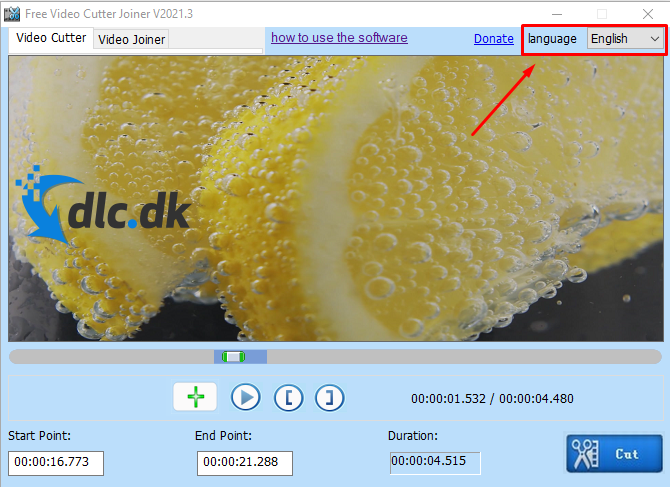
If you prefer another language—such as German, Italian, or French, to name a few—you can use that as your main language. Just choose from the list of supported languages at the top of the program.
Many different formats:
By downloading Video Cutter Joiner Free, you can import and export in a variety of formats. All the most common formats are supported, as well as more niche types. You can create files in everything from 3GP to AVI and the widely used MP4 format, which most video players support.
Video formats are constantly evolving as new cameras record in newer formats to deliver clearer or faster results. That means you don’t have to keep your old camera or worry about buying a new phone. Thanks to Yyzsoft’s ongoing updates, the program is always up to date and ready to edit your videos—no matter what format the file is in.
For Mac OS users
The program is focused on windows as its primary operating system. This also means you get a design that fits the aesthetic of most free programs. The developers have also considered cross-platform functionality. Instead of compromising on technical performance, a separate app for Mac has been developed, which can be downloaded here.
Conclusion
Free Video Cutter Joiner can cut sections from videos and combine them with other clips to create new media. The design can feel somewhat plain at times, but that can be a positive—functionality takes center stage. This editing tool doesn’t need a flashy, modern look to shine. The functionality speaks for itself, and it’s hard to beat a product that delivers solid quality—and does it for free.
With this software, you get exactly what you’ve been looking for—a reliable program that handles tasks precisely, quickly, and efficiently.
Download Free Video Cutter Joiner for free
Download Video Cutter Joiner Free


