

 Martin Jørgensen
Is your computer running slow? It’s a bit annoying, isn’t it? Of course it is. The computer has become almost as important in our daily lives as our heart. Without it, many things simply don’t work. So it just has to run smoothly.
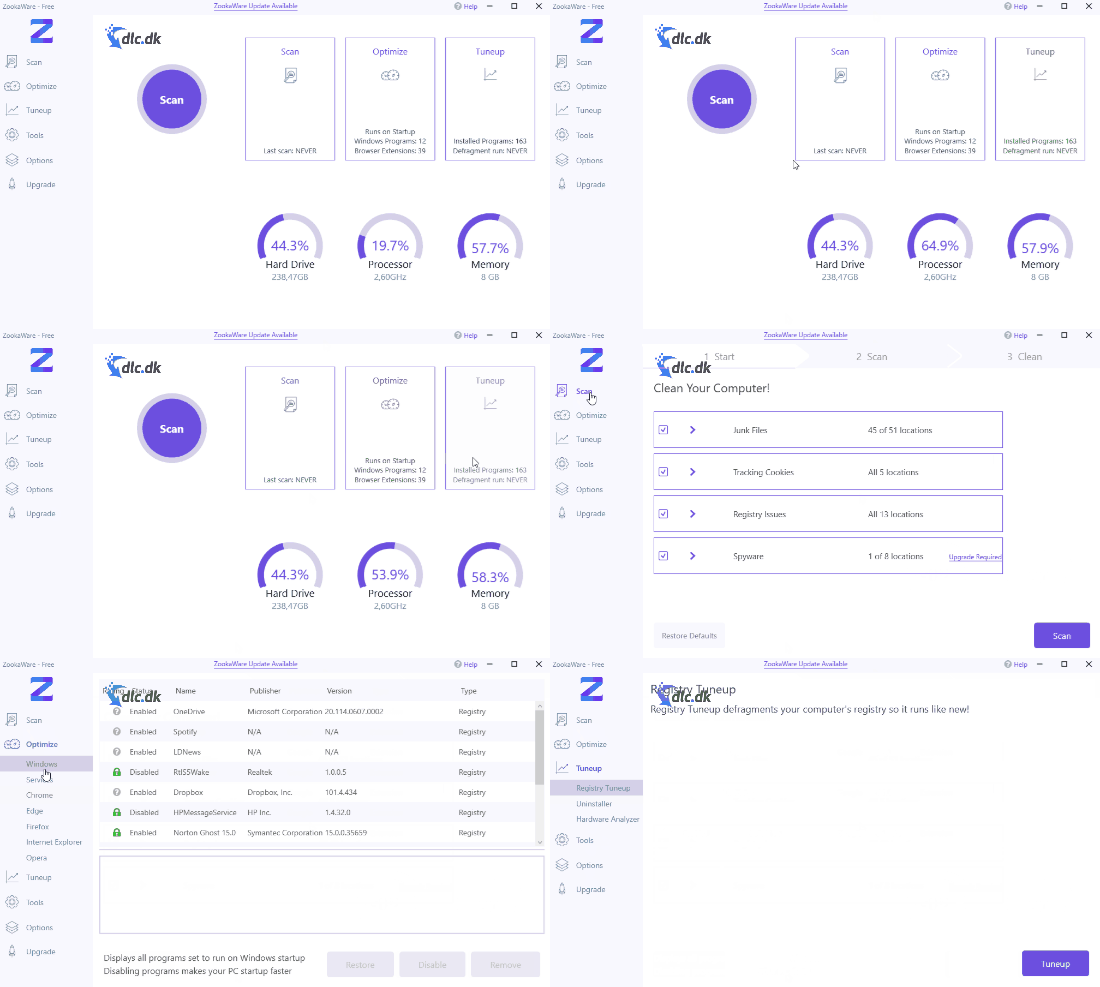
Over time, as you install and uninstall software and other files, they leave remnants on your system. Suddenly there are a lot of them. With a program like ZookaWare Free, you can clean them up quickly.
Scan your system for junk files
Junk files are files on your system that no longer have any purpose or function. They’re typically left behind by programs you’ve uninstalled. This can be due to a poor uninstaller or the program choosing to leave them in case you install it again.
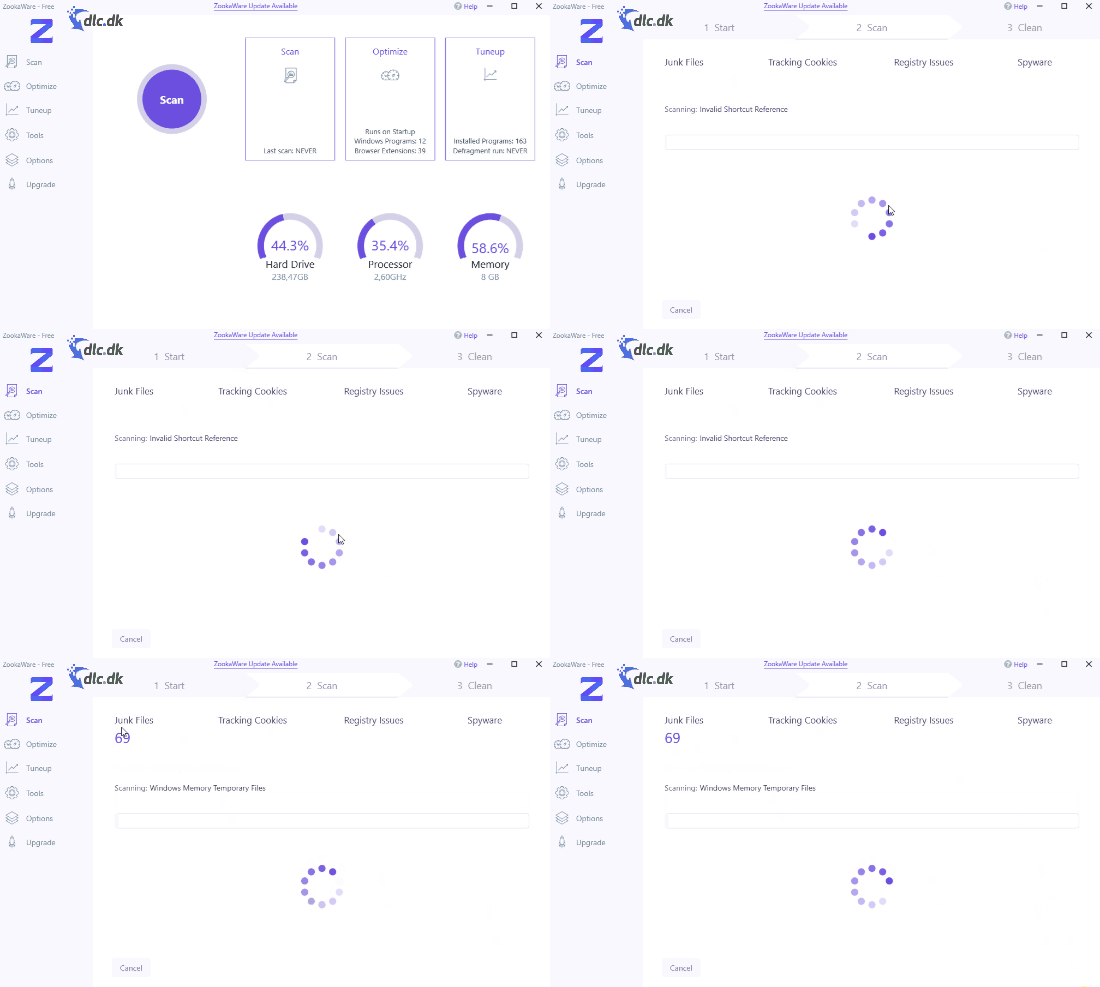
But when they’re there, they take up space, which means your system runs slower. ZookaWare Free is set to automatically scan the 51 most common locations on your system where these files may be. Once found, you can delete them and enjoy a faster computer.
Defragmentation – your computer’s monthly checkup
Just as we should get regular checkups, our computers need attention too. Scanning was a good first step, but we can do more.
One of those steps is defragmenting your drive. When you install programs or files, their data is typically written close together on your drive. That means they can communicate with each other faster, and your program runs quicker.
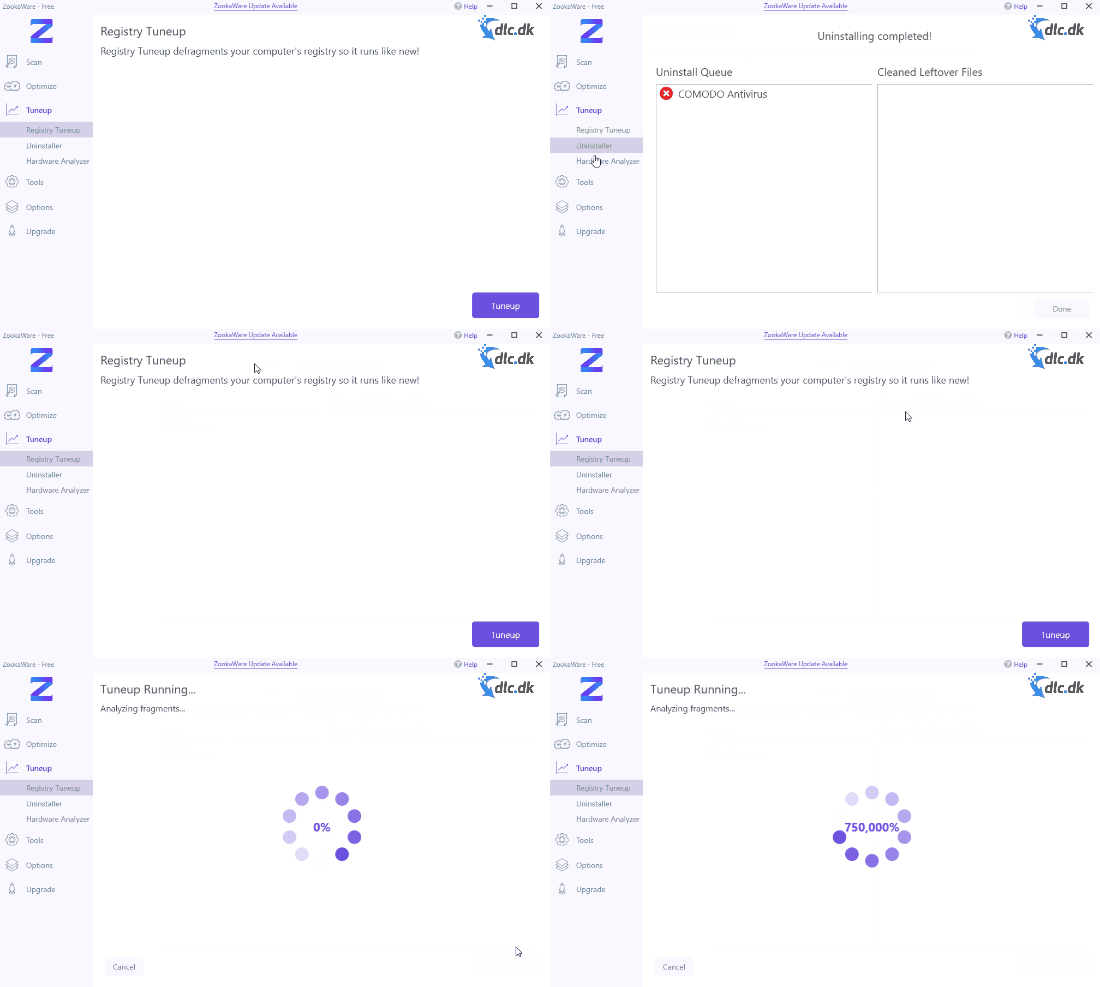
But the more you install and uninstall, the more scattered those files can become. This is called fragmentation. So the process against it is, of course, defragmentation! When you defragment, ZookaWare Free rearranges files so they sit as close together as possible again. Your programs should run faster once more—peak performance, as they say.
Optimize Windows and your browsers
When you start Windows and a browser like Google Chrome, it’s normal for a number of programs and extensions to launch so everything works properly. But sometimes, when you install software, it also gets set to start alongside them.
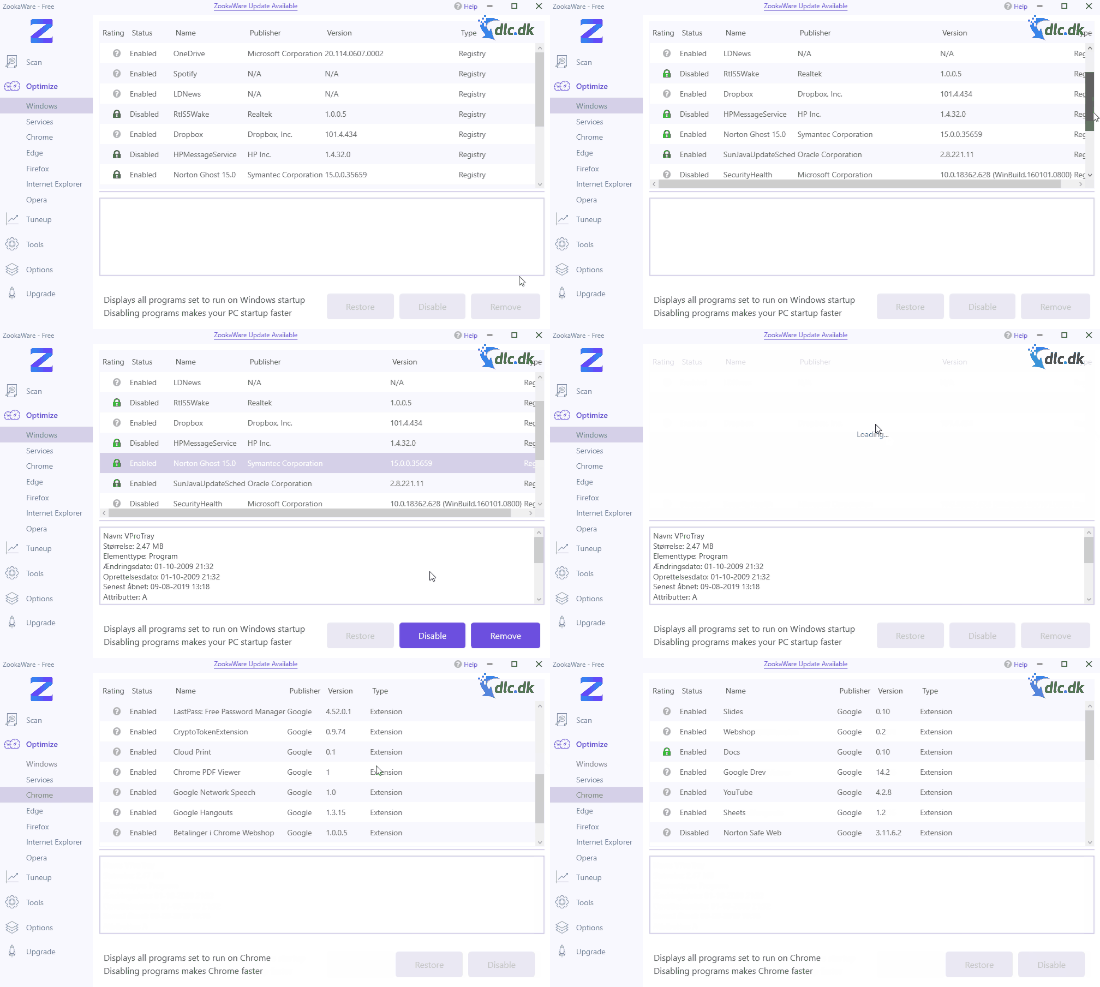
That means Windows or Chrome will start more slowly, and they may run slower while in use. It’s a good idea to use ZookaWare Free to stop these programs from launching at startup.
A clean, user-friendly design
ZookaWare Free features a clean, easy-to-navigate interface. Everything is divided into clear sections, each with its respective tools. You have a section for scanning, defragmentation, and various other optimization utilities.
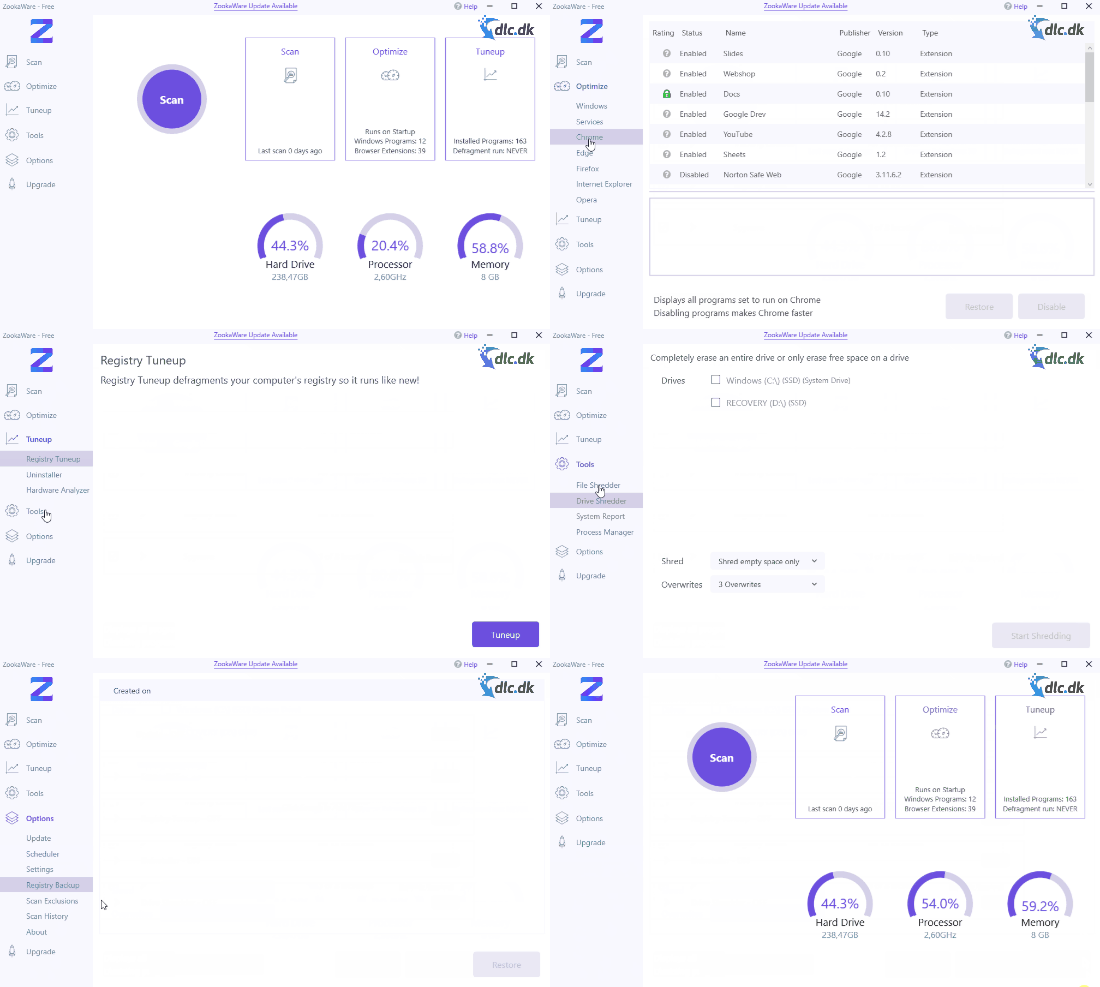
You always know where to find what you need—just set it in motion and it takes care of the rest. You can sit back and relax.
Alternative software
If you’re only looking for software that can defragment your system, it may be a good idea to download Smart Defrag instead. Smart Defrag is a small but effective tool that can quickly and easily defragment your drive and get your programs running fast again. If you want to read more about or download Smart Defrag, it can be done for free at the following link: her.
Conclusion
If you’re tired of a slow computer and want a free solution, Zookaware Free is a solid choice. Highly recommended.
Download ZookaWare Free for free here
Download ZookaWare Free


