
 Martin Jørgensen
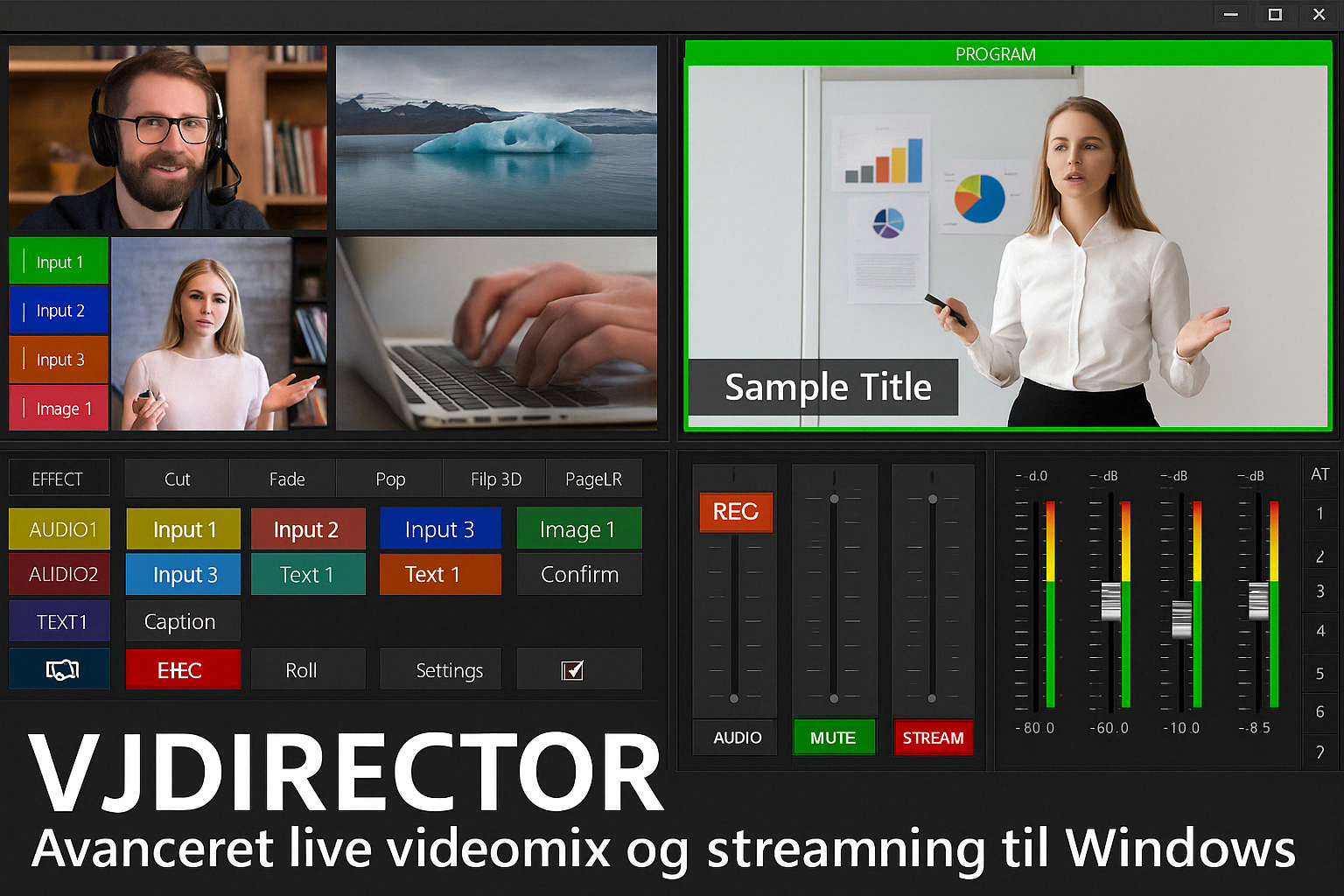
🎬 VJDirector – Advanced live video mixing and streaming for Windows.
Want to stream or produce video content with multiple camera sources, graphic overlays, and professional audio control? Then VJDirector is an excellent choice. This live video mixer and switcher delivers advanced features in a user-friendly interface.
It’s ideal for creating live productions, broadcasting, presentations, or streaming without investing in expensive hardware or heavyweight software.
🎥 Key features of VJDirector
- ✅ Multi-camera control – switch between multiple video sources in real time
- ✅ 2D and 3D effects and transitions – fade, swipe, pop, 3D flips
- ✅ Live captions and text graphics – great for news broadcasts or presentations
- ✅ Insert images, logos, overlays, and animations
- ✅ Live audio mixer – control every audio source
- ✅ Recording and direct streaming – to YouTube, Facebook, and more
- ✅ Built-in chroma key/green screen
- ✅ Broadcast-standard output via SDI/HDMI (depending on the version)
💡 Who is it for?
VJDirector is ideal for:
- 🎙️ Churches and lecture series needing live production
- 🎥 Small TV stations or schools with media programs
- 🖥️ Businesses hosting online events/webinars
- 🎬 Content creators and video enthusiasts who want full control
🖥️ Interface and system requirements
The interface is graphically intensive yet easy to navigate, and you can learn the basics quickly. If you’ve used 1 or vMix, you’ll feel right at home.
System requirements vary by version and use case (2 camera sources vs. 8+), but you should have:
SSD for faster access to media files
Windows 7, 8, 10, or 11
At least an Intel i5 CPU and 8 GB RAM
A capable graphics card with real-time effects support



