

 Martin Jørgensen
🎵 Winamp – The classic media player, now updated and improved.
Winamp is back—and better than ever. The iconic music player, a favorite among PC users for decades, has been modernized with Windows 11 support, new codecs, and improved streaming features—all without sacrificing the classic Winamp experience.
For anyone who prefers local music over streaming and wants full control of their media library, 1 is still one of the most versatile choices on the market.

What can you do with Winamp?
- 🎶 Play almost any music and video format
- 📂 Organize and rate your music library
- 🔄 Create and save smart playlists
- 💿 Rip and burn CDs right from the app
- 📻 Stream internet radio and internet TV
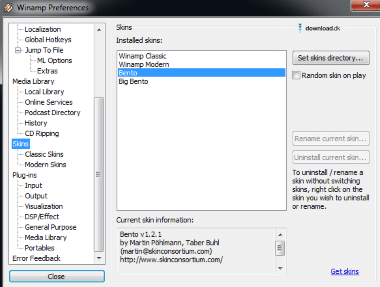
- 🎨 Customize the player with skins and plugins
Winamp lets you tailor the experience to your needs, both visually and functionally. Want the classic 90s skin? Or a modern dark theme? The choice is yours.
Modern updates and system compatibility
- 🖥️ Supports Windows 7, 10, and 11
- ⚙️ New codebase and improved stability
- 🍷 Can run via Wine on Linux and Mac
- 🔌 Updated plugins and visual improvements
Winamp has been optimized to run better on modern systems, and there is ongoing development of a mobile version and cloud integration, which is currently in beta.
Alternatives to Winamp
If you're looking for alternatives, consider:
- VLC Media Player: Open source, plays almost anything, and perfect for video.
- foobar2000: A lightweight choice for power users.
- Spotify or TIDAL: For those who want streaming without local files.
But none of these offer the same level of customization and nostalgia as Winamp.



