

 Martin Jørgensen
Download WordPad TextNote — a free text editor for Windows.
If you don’t want to pay for Microsoft’s Office apps like Word and OneNote, or you just want to try a different writing tool, WordPad TextNote might be for you. It’s completely free to use, and you can download it here from this page.
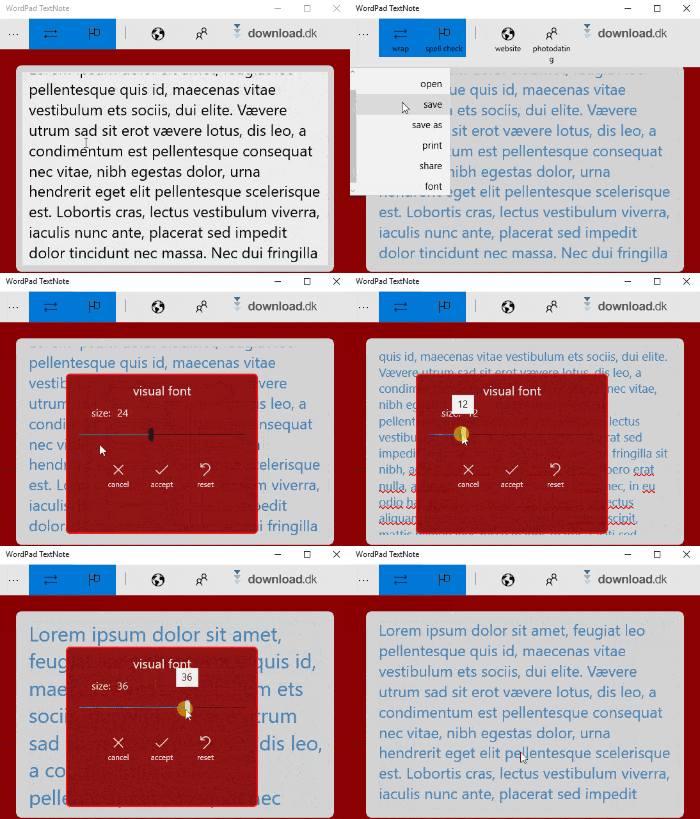
Unlike the Office apps Word and OneNote, WordPad TextNote is a very simple program focused solely on writing text. That means it doesn’t include the many features and add-ons you might know from the Office programs. With WordPad TextNote, you can only write—so you can’t insert images or change the text color or font. However, as shown above, you can change the font size by clicking ’Font’ and then dragging left or right.
Spell check is the only extra
The only extra feature the program offers is its spell checker. It helps you find typos and basic grammatical errors in your text, shown with a wavy red underline under words that contain mistakes.
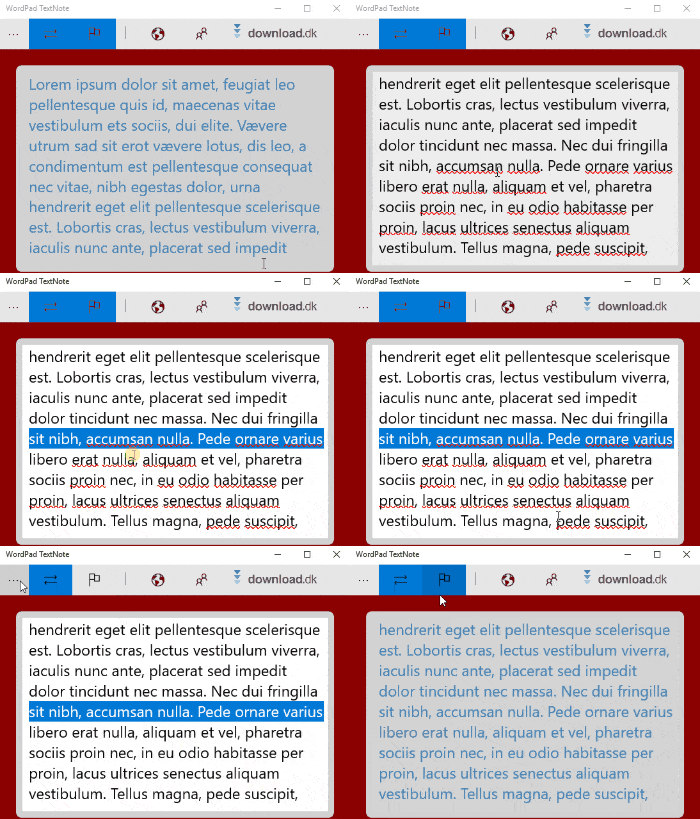
You can quickly toggle the spell checker on or off by clicking its icon at the top of the program window. The spell checker is automatically set up for several languages, including English and Danish. However, you can’t switch between languages. This can be a problem if, for example, you’re writing in Danish and happen to spell a word in English. The spell checker won’t flag it as an issue because both languages are enabled at the same time.
Share texts via Facebook and Twitter
Besides printing your texts by clicking ’Print’ in the program menu, you can also share them from the ’Share’ menu. This gives you quick, direct access to, for example, your email or Skype, where you can attach your saved text.
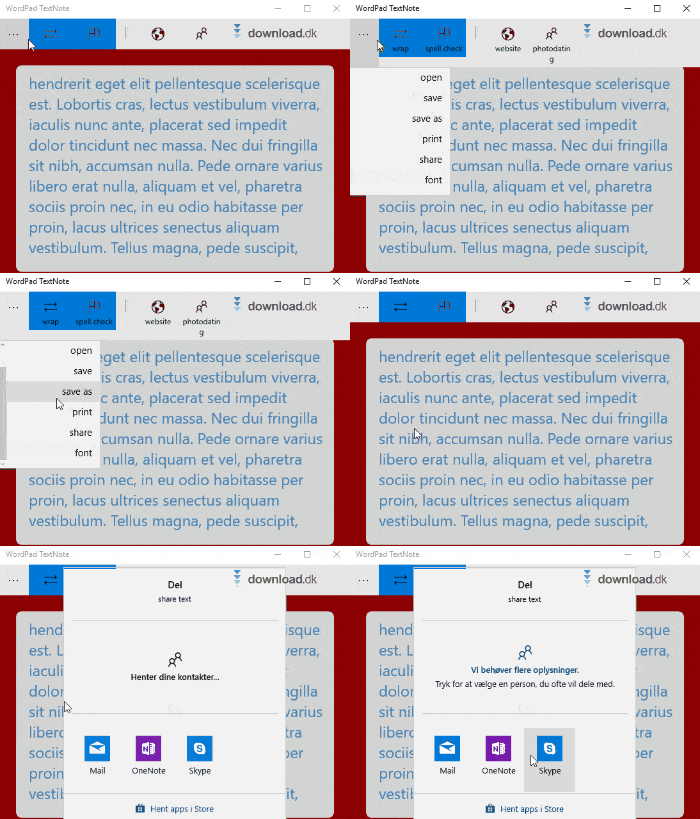
As shown above, a range of apps can be used to send your texts. However, they only appear if the apps are downloaded and installed from Microsoft Store. This also means you can send your texts from more apps than the ones shown above. For example, you can also use Twitter or Facebook. All it takes is downloading and installing them via Microsoft Store.
Limitations
As mentioned, WordPad TextNote is a very simple program that focuses only on producing text in its purest form. Fonts, page layout, line spacing, and text color aren’t available, which also makes it quite limited if you need it for anything other than note-taking. In addition, you can only save your texts from WordPad TextNote as ’Text Document’.
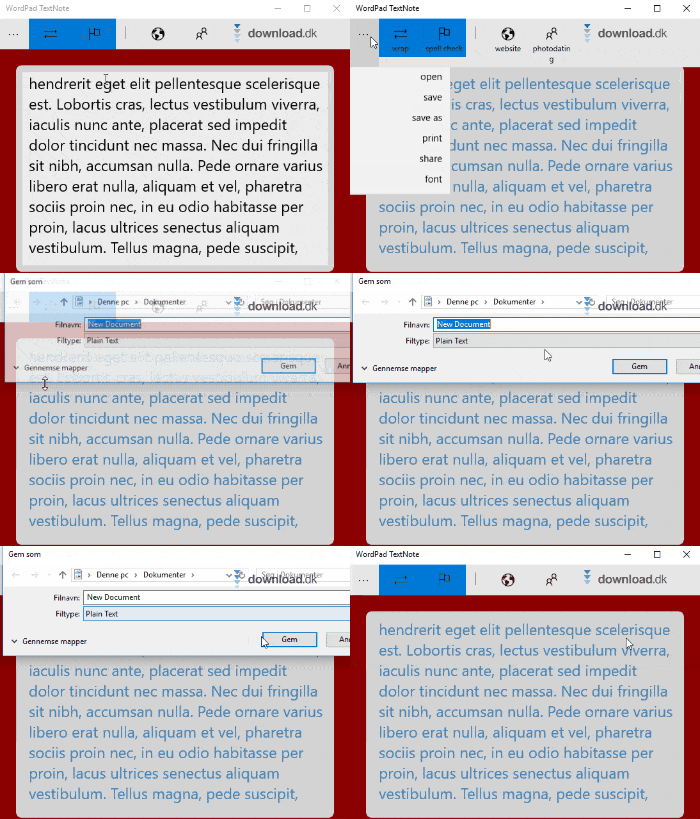
This file format isn’t supported in, for example, Microsoft Word, which is the most commonly used word processor. You also can’t save in PDF format, which is often used for documents at work or school. Therefore, you should first consider what you need from your text editor before deciding which one to download. Fortunately, you can download this program for free, so it’s completely risk-free to try.
Inspired by Microsoft WordPad
If you’re familiar with Microsoft’s classic word processor for Windows 95 called Microsoft WordPad, it’s probably clear that this is where the developers behind WordPad TextNote found their inspiration. Like WordPad TextNote, Microsoft WordPad was a free text editor and a free alternative to Microsoft Word. However, the old WordPad still had more features than WordPad TextNote offers today. For example, you could create headings and change the font in the classic WordPad, and it was also possible to use bold, italics, or underlined text.
Alternatives
If you want a more advanced word processor, you’ll likely need Microsoft’s Office suite. Fortunately, you can try it for free by downloading it from denne side, where you can also read more about the suite and its apps.
System requirements
WordPad TextNote is built for text production on Windows computers. You can’t install or use it on a Mac or Linux. If you want to download WordPad TextNote, note that the program is developed for certain Windows operating systems. You’ll need either Windows 10 or Windows 8.1 to install the program on your computer. You can also download the program on Xbox One.
Conclusion
If you’re looking for an alternative to Microsoft’s paid word processors, Word and OneNote, WordPad TextNote might be the app for you. It’s especially good for taking notes, since it’s laid out simply without unnecessary features or clutter. The program can only be used to type text—you can’t change text color, font, or line spacing as you might in Word. However, you can adjust the text size in WordPad TextNote, which is a big plus. The program also has a built-in spell checker to help you find basic grammatical spelling errors. Most importantly, the app is completely free to download and use, which is its biggest advantage. If you want a more advanced editor instead, you can find a link above to download a free trial of Microsoft’s Office suite with Word and OneNote. The program is designed only for computers running Windows, so you can’t download it if you’re a Mac or Linux user.
Download WordPad TextNote



