

 Martin Jørgensen
Download the Flickr uploader Zilla for free here
Are you a frequent user of the social media platform Flickr? Then you probably know it can be a handful to upload many photos and videos at once without any help. That’s why it’s smart to team up with dedicated software.
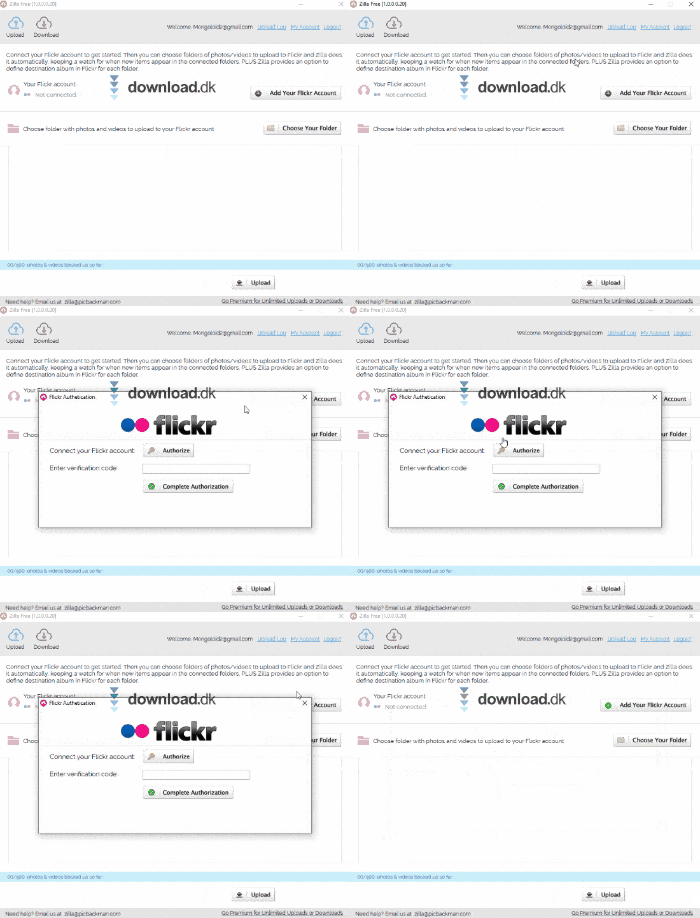
Zilla is a Flickr uploader. You can organize all your photos and videos into folders and let Zilla upload everything for you in one go. It saves you time and a lot of hassle.
Connect your Flickr account and upload
The first thing to do after installing Zilla is to create a Zilla account, which only takes a moment. Next, connect your Flickr account so the program can upload your photos for you.
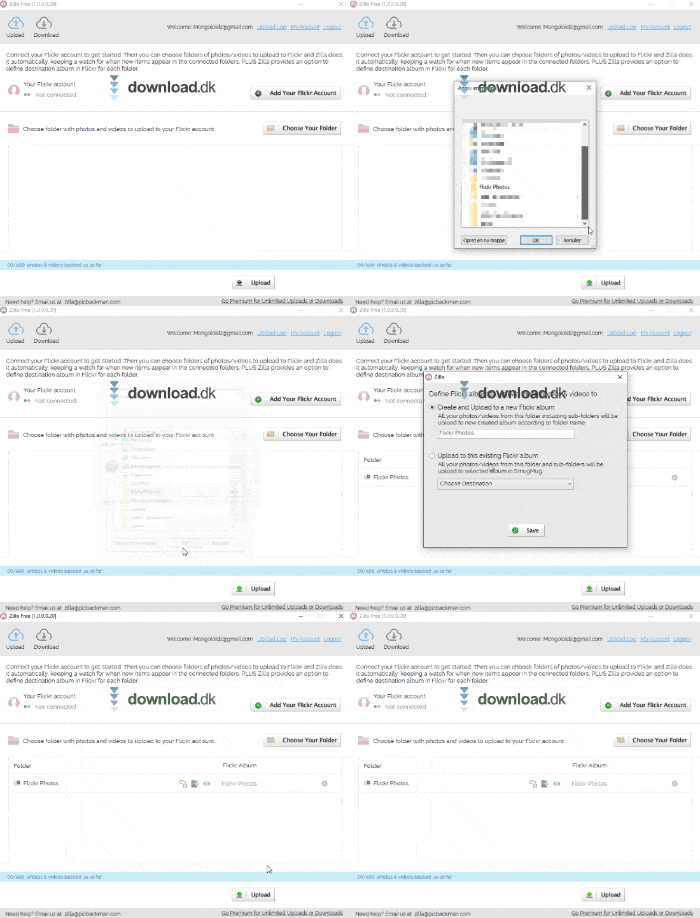
Once that’s set, just find your relevant photos and videos and sort them into a folder. You can then upload the folder to the program, which will post everything for you. The software even creates backups of up to 500 of the files you upload, so you’ll always have a safety copy stored.
Free plan or Premium?
Zilla is 100% free if you stick with the standard plan. The difference between Free and Premium is how much you can upload. The Free plan allows 500 photos/videos per month, while Premium is unlimited. Premium costs $19.95 per year or a $39 one-time payment.
Clean interface and intuitive design
Zilla doesn’t complicate bulk uploading with its design. You get a simple interface to manage the files you want to upload. Here you connect your Flickr account and choose the files to upload.
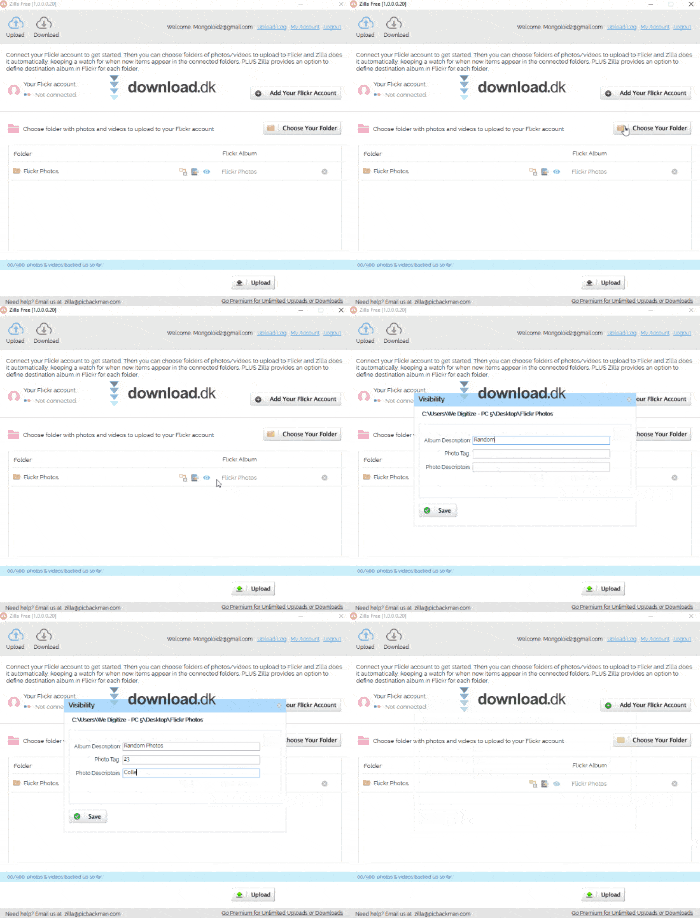
After the files are uploaded to Zilla, an overview at the bottom of the program lets you review everything so you can be sure nothing is missing.
Conclusion
If you use Flickr a lot, Zilla can definitely help when you’re uploading a lot of content. The program makes it simple and fast, so it’s easy to recommend.
Download Zilla


